Imagine you could test-drive your new living room layout before buying a single piece of furniture or opening a can of paint. That's the core idea behind virtual interior design. It’s a completely digital way to see your dream space come to life on a screen before you commit to any real-world changes.
It’s fast, accessible, and takes the expensive guesswork out of decorating.
Redefining The Design Sandbox
At its heart, virtual interior design is a process where a designer—or a sophisticated AI tool—uses your photos, room dimensions, and style ideas to craft a realistic preview of a finished room. Think of it as a digital playground where you can swap out sofas, experiment with bold wall colors, and rearrange furniture, all without any risk or heavy lifting.
This digital-first method turns the old-school design model upside down. The entire project, from the first spark of an idea to the final, polished images, happens online. This has made professional design services available to a much wider audience and is a big reason why the industry is growing so quickly.
The Rise of Digital-First Design
As more of our lives have moved online, so has the demand for remote design services. The global market for virtual interior design is expected to hit USD 30.96 billion by 2029, growing at an impressive 11.21% each year. This boom shows just how much people value getting expert design guidance without the constraints of in-person meetings. If you're curious about the numbers, you can read the full research about this market growth to see the data for yourself.
Ultimately, virtual design is about making confident decisions. It gives homeowners, real estate agents, and even seasoned designers the power to see the end result with stunning, photorealistic accuracy.
This approach offers some pretty clear wins for everyone involved:
- For Homeowners: It's a low-cost, low-risk way to explore new styles. Ever wonder if a "Japandi" theme would actually work in your bedroom? Now you can see it before committing.
- For Designers: It's a game-changer for efficiency. They can create and share concepts with clients faster than ever, which means they can take on more projects without sacrificing quality.
- For Real Estate Agents: It’s the ultimate virtual staging tool. It helps potential buyers look past an empty, uninspired space and see a beautifully furnished home they could actually live in.
In the end, this process takes a simple photo of a room and turns it into a fully realized vision. And with modern tools, this can happen almost instantly. Understanding this foundation is key to seeing how an AI-powered interior design platform can bring your ideas to life.
How The Virtual Design Process Works
So, how do you get from a photo of your current living room to a stunning, fully-realized design concept? It's actually a lot simpler than you might think. Modern virtual interior design tools have boiled the entire workflow down to a few intuitive steps, making high-end design accessible to just about anyone.
It all starts with your space as it is right now. You just need to snap a picture.
Step 1: Upload Your "Before" Photo
The first step is feeding the system its canvas. All you need is a clear, well-lit photograph of the room you want to transform. While you can also use architectural sketches or floor plans, a good photo gives an AI-powered tool the best possible understanding of your room's dimensions, lighting, and unique features.
Think of this as the digital foundation. The better your "before" picture, the more accurate and impressive the final "after" will be.
Step 2: Choose Your Vibe
Once your photo is uploaded, you get to be the creative director. This is where you tell the AI what you're dreaming of. Instead of fumbling for the right words to describe a vision, you simply pick from a list of popular and well-defined styles.
You could explore options like:
- Japandi: A peaceful mix of Japanese minimalism and warm Scandinavian comfort.
- Coastal: Think light, breezy, and beach-inspired.
- Modern: For those who love clean lines and uncluttered spaces.
- Luxury: To visualize rich textures, sophisticated furniture, and an opulent feel.
This selection is the critical instruction for the AI. You're not just telling it to change the room; you're giving it a specific personality to work with.
Step 3: Watch The Magic Happen
Here’s where it gets really exciting. After you've provided your photo and picked a style, the AI takes over. In literally a matter of seconds—often under 30 seconds—it analyzes your room's layout and generates a photorealistic image of your redesigned space. The technology is smart enough to respect your room's original architecture while completely reimagining the furniture, colors, and decor.
It’s a simple, three-part flow: you provide the photo, the AI analyzes it, and you get a brand-new design.
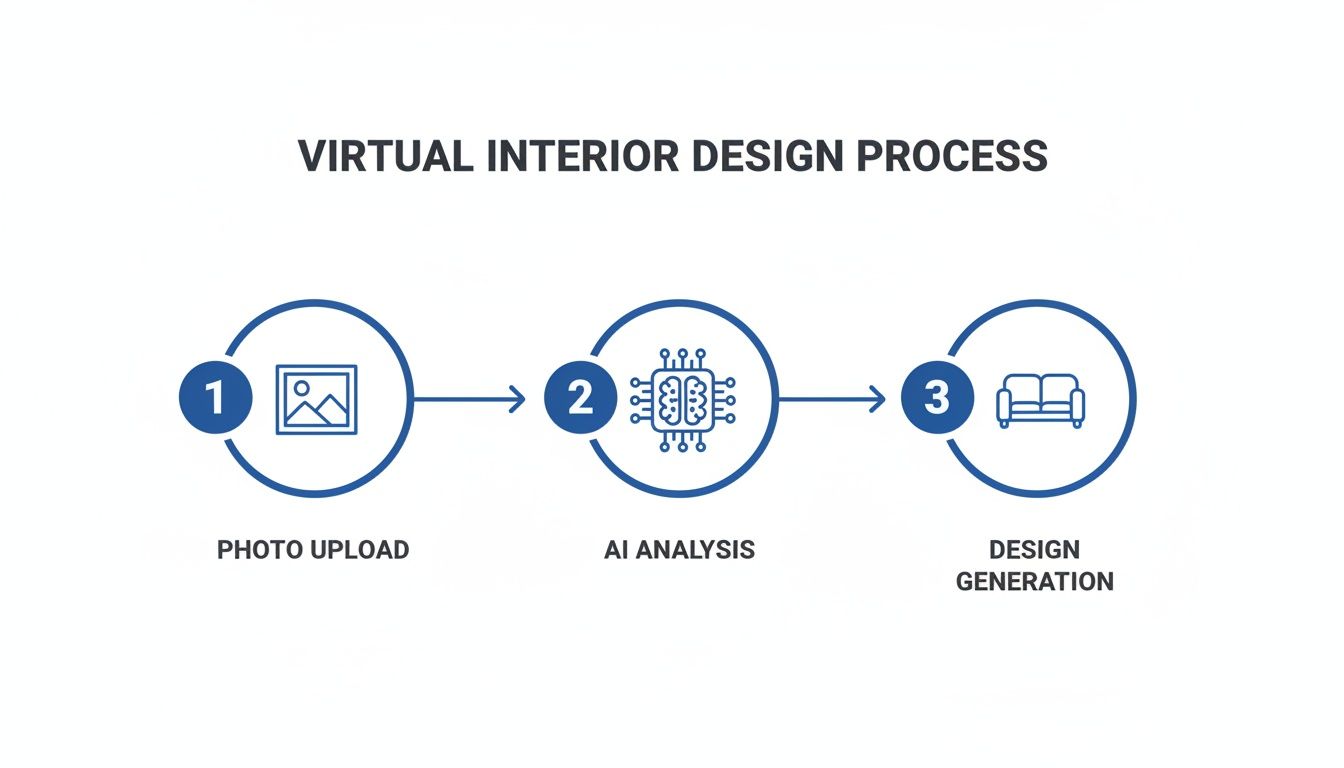
This rapid cycle from photo to finished concept is what makes the process so powerful.
The best part? It’s all about instant iteration. Don't love the first look? No problem. Just click another style and generate a new version in seconds. This feedback loop lets you explore dozens of ideas in the time it used to take just to book a meeting with a designer.
The real game-changer in the virtual design workflow is the removal of friction. It turns design from a slow, methodical process into a fun, interactive experience where you can test ideas on the fly.
This speed opens up a world of possibilities. Homeowners can experiment without commitment, and professionals can show a client multiple directions in a single meeting. To see this in action, check out some practical use cases for AI in interior design. Many platforms will even generate mood boards and shopping lists, bridging the gap between your digital vision and your real-life room.
Traditional Design vs. Virtual Interior Design Workflows
To really appreciate the shift, it helps to see the old and new workflows side-by-side. The traditional process is thorough but can be slow and expensive, while the virtual approach prioritizes speed and accessibility.
| Stage | Traditional Interior Design | Virtual Interior Design (with AI) |
|---|---|---|
| Initial Consultation | In-person meeting, site visit, manual measurements (Hours to days) | Upload photos and provide style preferences online (Minutes) |
| Concept Development | Designer creates mood boards, sketches, and 2D/3D models (Weeks) | AI generates multiple photorealistic concepts instantly (Under 30 seconds) |
| Revisions | Back-and-forth emails and meetings for feedback and changes (Days to weeks) | Generate new design variations with a single click (Seconds) |
| Sourcing | Designer manually sources furniture and materials from vendors (Weeks) | Often includes automated mood boards and direct shopping links (Minutes) |
| Final Delivery | A comprehensive design plan is delivered after a lengthy process | Get a full visual concept and actionable plan almost immediately |
As you can see, virtual design collapses the timeline dramatically, turning a months-long project into an afternoon of creative exploration.
The Technology Behind Digital Makeovers
Ever wonder how you can completely redesign a room with just a few clicks? It’s not magic, though it certainly feels like it. The secret is a powerful mix of technologies that have been refined over decades, working together behind the scenes to make the process feel simple and intuitive.
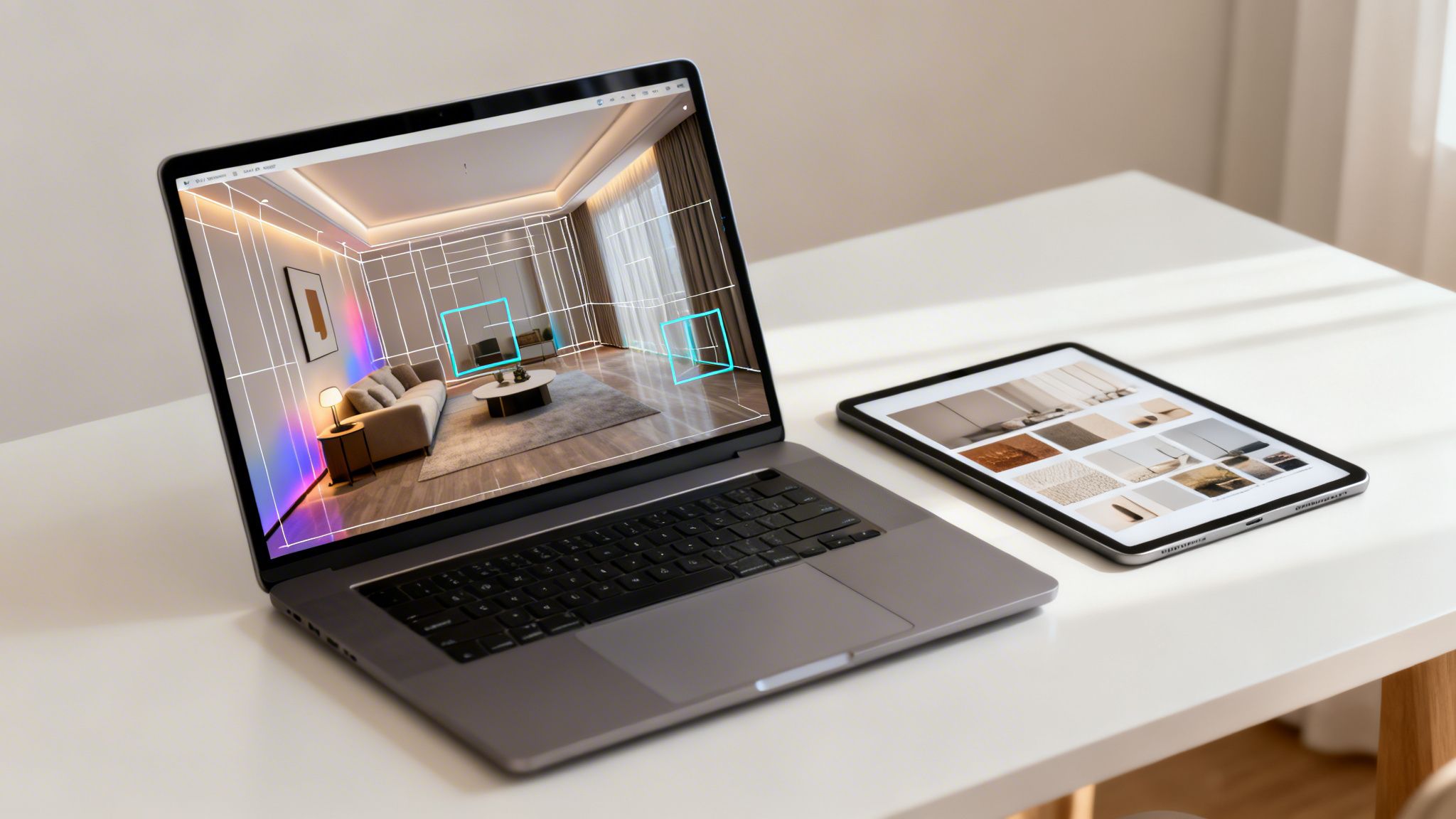
At the core of any modern virtual interior design tool is Artificial Intelligence. You can think of the AI as a digital designer with a highly trained eye. When you upload a photo, it doesn't just see a picture; it uses sophisticated algorithms to understand the room's architecture—the walls, windows, and doors—along with its perspective and lighting.
This initial analysis is what sets everything else in motion. Because the AI truly comprehends the space, it can generate new designs that look completely realistic and fit perfectly within the room's original layout. It's this deep understanding that allows it to do incredible things, like digitally clear out a cluttered room or place new furniture that respects the existing light and shadows.
The Power of Artificial Intelligence in Design
AI is the brain of the operation, but it relies on a few key components to work its magic. These pieces work in concert to turn a simple "before" photo into a stunning "after" visualization almost instantly.
The role of AI in this field is exploding. The global market for AI-powered interior design was valued at USD 3,282.3 million and is expected to climb to USD 15,004.5 million by 2033—that's a stunning annual growth rate of 20.9%. This growth isn't just hype; it's fueled by AI's ability to tackle complex tasks like space planning, 3D rendering, and even suggesting sustainable design choices.
AI doesn't just guess where to put a sofa. It calculates the ideal placement based on the room's dimensions, light sources, and the user's chosen style, ensuring a result that is both beautiful and believable.
This intelligent processing is why these platforms can spit out multiple design concepts in seconds, a job that would take a human designer hours, if not days. If you're curious, trying out a free AI interior design tool is a great way to see this technology in action for yourself.
Creating Immersive Visual Experiences
While the AI does the "thinking," other technologies are busy creating the visuals that bring the design to life. These tools transform the AI's blueprint into a rich, interactive experience that helps you genuinely feel the potential of your space.
Three key technologies are responsible for this visual magic:
3D Rendering: This is the process of creating photorealistic 2D images from 3D models. When a platform generates a new design, it’s building a 3D scene with furniture and decor, then rendering a high-quality image of it. This is why the final pictures look so real, right down to the shadows and textures.
Augmented Reality (AR): AR takes things a step further by overlaying digital objects onto your real-world environment. Using your phone, you can "place" a virtual armchair in your actual living room to see exactly how it looks and fits next to your existing stuff. It’s the ultimate "try before you buy" tool.
Virtual Reality (VR): For the most immersive experience, VR lets you step right inside your newly designed room. By wearing a headset, you can walk around the virtual space and get a true sense of scale, flow, and atmosphere before committing to a single change.
Together, AI, 3D rendering, AR, and VR create a powerful ecosystem. The AI creates a smart design, rendering makes it look real, and AR/VR make it feel real. This synergy is what makes virtual interior design such a game-changing tool for homeowners and professionals alike.
Who Really Benefits from Virtual Interior Design?
The real magic of virtual interior design is that it’s not just for one type of person. It's a flexible toolkit with specific, powerful advantages for homeowners, professional designers, and even real estate agents. It’s all about solving different problems for different people, making the entire design process smarter, faster, and more affordable.
For the everyday person just wanting to spruce up a living room, the perks are obvious right away. Virtual design takes the guesswork—and the fear of expensive mistakes—out of the equation.
For Homeowners: A Creative Playground with No Risk
The single biggest win for homeowners is the freedom to experiment. Have you ever wondered if that bold, dark paint color would make your bedroom feel cozy or just… small? Or if a minimalist vibe would feel chic or just empty? Virtual design lets you test-drive these ideas in your own home before you ever pick up a paintbrush.
This digital sandbox unlocks a few huge advantages:
- Real Cost Savings: You get to sidestep those costly "buy-and-try" mistakes. Seeing that oversized sofa in a virtual render confirms it fits the space and the style, preventing a logistical nightmare of a return.
- Incredible Speed: Forget spending weeks taping paint swatches to the wall. You can now cycle through dozens of complete room concepts in a single afternoon.
- Confident Decisions: When you can see a photorealistic preview of the finished room, you know exactly what you’re working toward. That confidence is priceless.
Virtual design has broken down the barriers to good taste. It takes away the financial risk and logistical headaches that used to keep people from realizing their home's potential, putting the power to create back in their hands.
For Interior Designers: A Serious Efficiency Upgrade
Professional designers are quickly learning that these virtual tools don't replace their expertise—they supercharge it. By weaving virtual design into their process, they can elevate their client service and run a much smoother business. The main benefit? A massive leap in efficiency.
Think about it: a designer can now walk into a first meeting and show a client four fully-realized concepts—maybe Modern, Coastal, Japandi, and Luxury—all created in a matter of minutes. This immediate visual dialogue gets everyone on the same page from the start, cutting down on the endless back-and-forth that used to bog down projects. It means designers can take on more clients without sacrificing an ounce of quality.
This isn't just a niche trend; it's where the whole industry is heading. The global interior design market is set to expand from USD 137.93 billion, and a big driver of that growth is technology that offers realistic previews, which reduces errors and makes clients happier. If you're interested in the numbers behind this shift, you can discover more insights about these market dynamics.
For Real Estate Agents: The Ultimate Sales Asset
In real estate, you only get one chance to make a first impression. Virtual interior design has become a secret weapon for agents, especially through something called virtual staging. An empty house often feels sterile and impersonal, making it tough for buyers to imagine it as their future home.
Virtual staging completely solves this. An agent can snap a few photos of a vacant property and, almost instantly, have a portfolio of stunning images showing a fully furnished, beautifully styled space. This is critical for grabbing attention online, which is where 90% of buyers begin their property hunt.
The results for real estate pros are undeniable:
- Grab More Attention: A well-staged home simply looks better online and draws more people to viewings.
- Close Deals Faster: Staged homes create an emotional connection, helping them sell much more quickly than empty ones.
- Command Higher Prices: Buyers are often willing to offer more for a property that feels "move-in ready."
At the end of the day, virtual design helps sell a vision. It turns a blank canvas into a warm, inviting home, making it that much easier for a buyer to fall in love.
Choosing The Right Virtual Design Tool
With so many virtual interior design options out there, how do you find the one that’s actually right for you? It can feel a little like analysis paralysis, but the secret is simple: match the tool's strengths to your project, your budget, and how much creative control you really want. Get this right, and you'll have a smooth, enjoyable process that delivers results you love.
The first fork in the road is deciding between a full-service e-design agency and a DIY software platform. Think of a full-service option as hiring a creative partner. You're connected with a professional designer who does all the heavy lifting, which is perfect if you want expert guidance and a polished, comprehensive design package. The trade-off, of course, is a higher price tag and a much longer timeline.
On the flip side, a DIY tool puts you squarely in the designer’s chair. These platforms are all about speed and experimentation, allowing you to cycle through dozens of ideas in just a few minutes. They're a fantastic fit for homeowners exploring different styles, designers who need to whip up quick concepts, or real estate agents creating virtual staging visuals under pressure.
Assess Your Project Scope And Budget
Before diving into features and brand names, take a minute to get crystal clear on your own needs. A little self-reflection here will narrow the field dramatically and point you toward the best solution for your specific situation.
Just ask yourself a few straightforward questions:
- What’s my end goal? Am I just playing around with ideas for a single room, or do I need client-ready visuals for a professional project?
- What’s my budget? Am I looking for a flexible, low-cost subscription for ongoing use, or am I ready to invest in a one-time, full-service design package?
- How hands-on do I want to be? Do I want to drive the creative process myself, or would I rather hand my requirements off to an expert and see what they come up with?
Your answers are your compass. A DIY renovator on a tight budget will find incredible value in a subscription-based AI tool. A designer juggling multiple clients, however, needs a platform with collaboration features and high-resolution outputs. It's also smart to understand the different virtual interior design pricing models to find a plan that feels comfortable financially.
Essential Features To Look For
Once you've defined your needs, you can start weighing the actual features. This is where the rubber meets the road, as not all platforms are created equal. Certain capabilities can make a world of difference in the quality and usability of your final designs.
The most effective virtual interior design tools are those that blend powerful technology with a user-friendly experience. The goal isn’t just to create a pretty picture, but to generate a realistic and actionable vision for your space.
Look for a healthy balance of performance and practicality. Key features to keep an eye on include photorealism—the ability to generate images that look like actual photographs—and AI-powered analysis, which helps the tool understand your room’s unique architecture. Other critical elements are speed, a wide variety of styles, and the ability to preserve your room’s existing layout and lighting to create truly believable results.
Feature Comparison Of Virtual Design Solutions
To give you a clearer picture of how these options stack up, here’s a quick breakdown of the different types of virtual design solutions available today. Each has its own distinct advantages depending on what you're trying to achieve.
| Solution Type | Best For | Typical Cost | Turnaround Time | Key Feature |
|---|---|---|---|---|
| DIY AI Software | Homeowners, Designers, Agents | Low Monthly Subscription | Seconds to Minutes | Instant idea generation and iteration |
| Full-Service E-Design | Busy Homeowners | Per-Room Package Fee | Weeks to Months | Personalized expert guidance |
| 3D Modeling Software | Architects, Advanced Users | High Subscription/License Fee | Hours to Days | Complete control over every detail |
Ultimately, choosing the right virtual design tool is all about finding the right fit. Whether you're a professional looking to work more efficiently or a homeowner ready to unleash your creativity, the best option is the one that empowers you to bring your vision to life with confidence and clarity.
Getting The Best Results From Your Project
The final outcome of your virtual interior design project really comes down to one thing: the quality of what you put in. Think of it as a creative conversation with the technology. The clearer your instructions and the better your starting materials, the more impressive and accurate the final vision will be.
It all starts with the photograph you upload. This is, without a doubt, the most critical piece of the puzzle. A blurry, dark, or strangely angled photo is like giving a painter a dirty canvas—no matter how skilled they are, the final piece will have its flaws.
Provide High-Quality Inputs
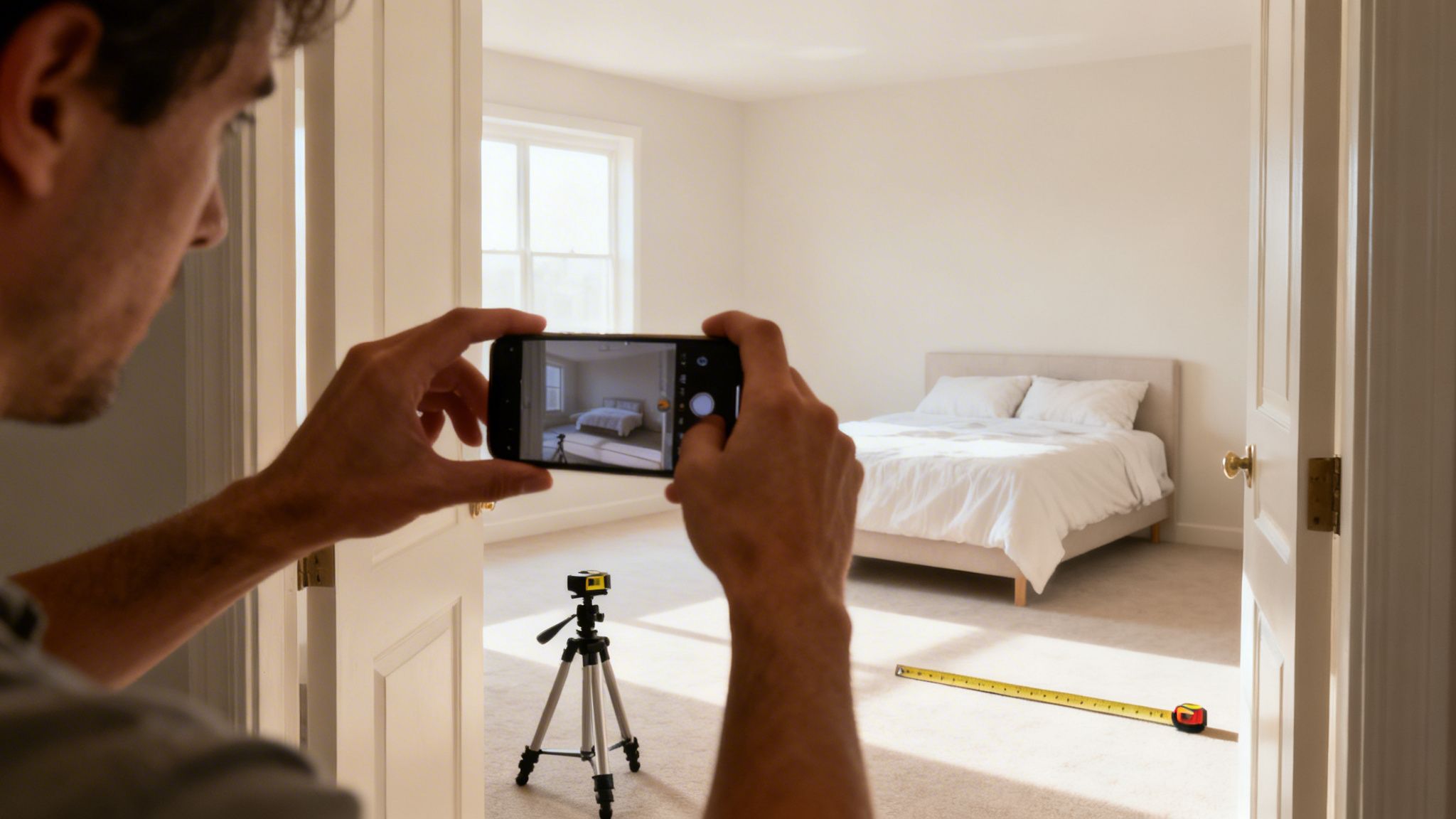
You don't need a professional camera rig to get this right. Your smartphone is more than capable, but you need to treat this quick photoshoot with a little intention. A few simple steps here make a world of difference.
First, let there be light. Open every curtain and blind, and flick on all the lights. The idea is to chase away any harsh shadows so the AI can accurately see the room's true colors, textures, and details.
Next, get a wide, clean shot. Stand back in a corner or doorway to capture as much of the room as you can in a single frame. Hold your phone steady to make sure the image is crisp and in focus. This gives the software the best possible understanding of your layout and scale.
Have A Clear Vision And Communicate It
Sure, AI can be an amazing source of inspiration, but it does its best work when you give it a clear direction. Before you start exploring different design styles, take a minute. How do you want this room to feel? Is it a calm, cozy retreat? A bright, energetic space for family?
The most successful virtual design projects begin with a clear sense of purpose. Knowing your desired mood and function helps you select the right styles and provide specific, helpful feedback during the iteration process.
Having that goal in mind keeps you from getting overwhelmed by all the options. Instead of just clicking randomly, you can focus on styles that actually fit your vision. If you need some help finding that vision, you can find a ton of inspiration in these living room ideas.
Manage Expectations And Iterate Smartly
Virtual design tools are fantastic, but it helps to have realistic expectations. The technology is brilliant for figuring out layouts, color palettes, and furniture styles. It might not, however, be able to show you the exact velvet texture of a specific sofa you saw in a showroom.
Think of the renders as a high-fidelity guide for the overall vibe, not a perfect catalog of specific items. The real magic is in how quickly you can try new things. Your first design is just the opening line of the conversation.
- Don't Settle: If the first render doesn't hit the mark, don't worry. Generate a few more variations. Try related styles to see what you like and what you don't.
- Be Specific: Instead of just thinking, "I don't like it," ask yourself why. Is the rug pattern too busy? Is the coffee table too big? This helps you make smarter choices on the next round.
- Mix and Match: You might love the chairs from a "Modern" render but prefer the color scheme from a "Coastal" one. That's great! Use these insights to build a mental blueprint that guides your real-world shopping.
By treating this as an interactive process, you can steer the AI toward a final design that truly reflects what you want and is ready to be brought to life.
Got Questions? We've Got Answers
As more people discover virtual interior design, a lot of good questions pop up. It's smart to wonder about the cost, the quality of the results, and how flexible the whole process really is. Getting these details sorted out is the best way to figure out if this is the right path for your project. Let's dig into some of the most common ones.
Is Virtual Design as Good as the Real Thing?
This is probably the biggest question people have, and the honest answer is: it depends on what you're looking for. Traditional interior design is a white-glove service. You get someone who’s hands-on, managing contractors, sourcing every little thing, and overseeing the project from start to finish. It’s an amazing, all-inclusive experience, but it also comes with a hefty price tag and a much slower pace.
Virtual interior design plays a different game. Its strengths are speed, affordability, and creative freedom. You get powerful visualization tools that let you see a finished room in seconds, not wait weeks for a mood board. While you won't get on-site project management, you do get a crystal-clear visual blueprint that you can bring to life on your own schedule and budget.
Think of it this way: virtual design isn't here to replace the full, end-to-end service of a traditional designer. Instead, it's an incredibly potent tool for the most important part—the visualization and planning. It opens the door to professional-level design ideas for absolutely everyone.
For anyone doing it themselves, the power to test-drive ideas without spending a dime is a game-changer. And for the pros? It's a faster way to wow clients and juggle more projects at once.
So, What's This Going to Cost Me?
The price of virtual interior design is all over the map, which is actually great news—it means there's a solution for pretty much any budget. You'll generally see two main pricing styles, and they each fit different needs.
Full-Service E-Design: This is where you hire a designer or an agency for a complete, done-for-you virtual package, usually priced per room. They deliver a comprehensive design plan, but that personalized, expert touch means you're looking at costs from a few hundred to even a few thousand dollars for a single space.
DIY Software Subscriptions: This is the fast-growing alternative. AI-powered platforms give you unlimited design power for a small monthly fee—often less than what you'd pay for a can of high-end paint. It’s the perfect fit if you want to play around with ideas for multiple rooms or just keep the inspiration flowing. You get top-notch visuals without the big financial commitment.
Can I Just Redo One Little Room?
Of course. That’s one of the best parts about it. Virtual design is incredibly flexible. Traditional designers often need a minimum project size to make it worth their time, but virtual tools are built for jobs of any scale.
Need to figure out what to do with a tiny, awkward-shaped powder room? Or are you planning a full-scale renovation of your main floor? The process is just as easy for both. AI platforms, in particular, don't care if you're redesigning a single bedroom or an entire open-plan home.
This makes it a go-to tool for:
- Renters who want to make a space feel like their own.
- Homeowners chipping away at a renovation room by room.
- Anyone who just needs a quick dose of inspiration for an entryway or home office.
The whole point is to make design accessible and fast, so you can get amazing results no matter how big or small your project is.
Ready to see how fast and easy virtual design can be? Start bringing your ideas to life in seconds with RoomStudioAI. Explore the possibilities today!
Ready to redesign your space?
Try our AI interior design tool and see your room transformed in seconds.
Try Free Design

