AI interior design is a powerful new way to create realistic redesigns for any room in just a few seconds. Think of it as a digital co-pilot for your imagination—you simply upload a photo of your space, and it allows you to instantly visualize new styles, furniture layouts, and color schemes.
What Is AI Interior Design and How Does It Work
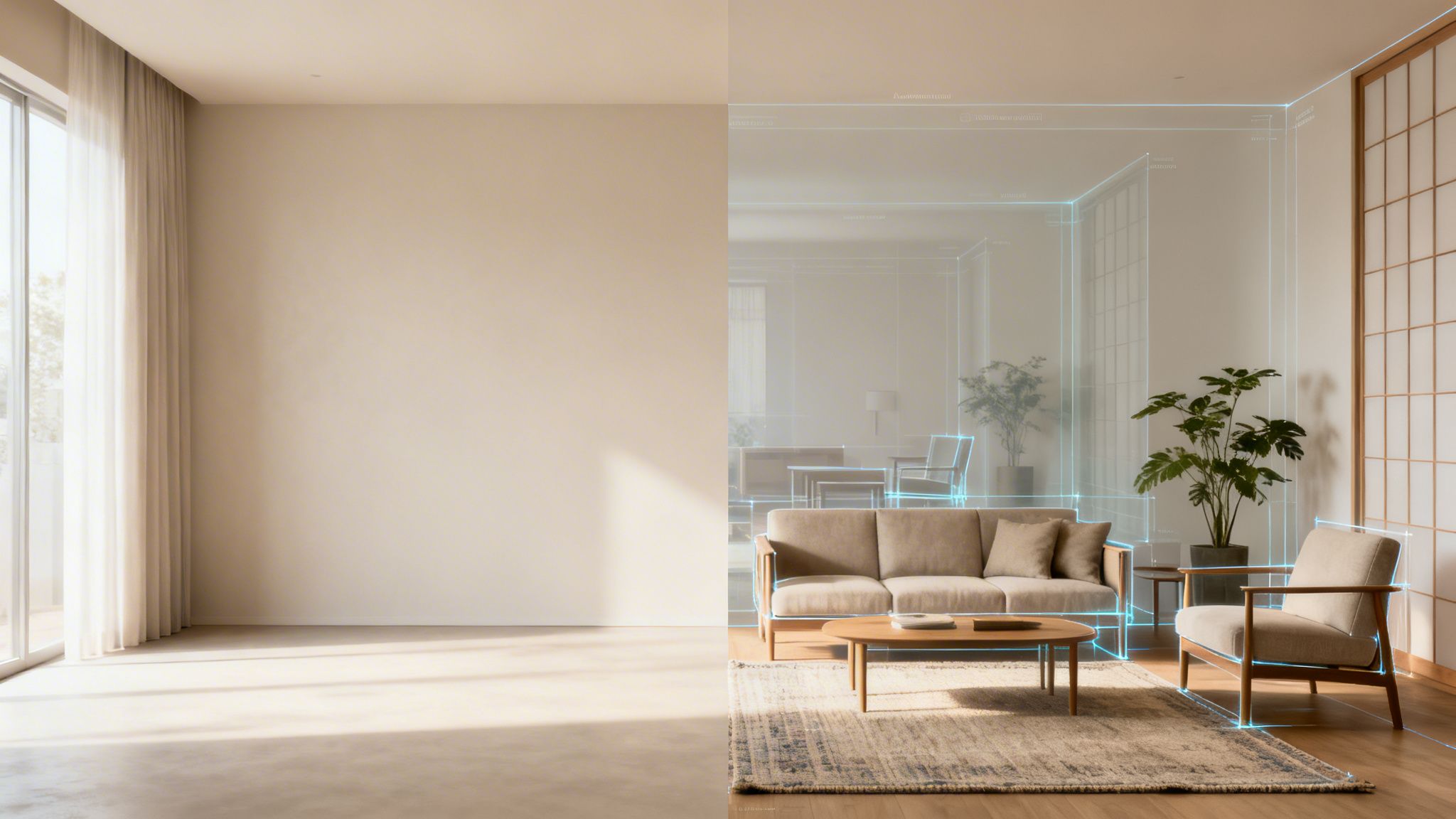
Have you ever looked at your living room and wondered what it would look like with a completely different style? The thought of moving heavy furniture or spending money on endless paint samples is often enough to stop you in your tracks. AI interior design completely removes that guesswork.
This technology acts as an intelligent creative partner, making the once-complex process of interior design fun and interactive for everyone. Instead of spending hours building mood boards or trying to imagine how a new sofa might look, you can see the final result almost instantly. It gives you the confidence to experiment fearlessly and discover design ideas you might never have considered.
From a Simple Photo to a Full Redesign
The process is surprisingly simple, yet incredibly powerful. It all starts with a single photograph of your room. When you upload that picture to a platform like RoomStudioAI, the artificial intelligence immediately gets to work, analyzing every detail to understand the space.
The AI identifies the core architectural features:
- Walls and Boundaries: It maps the room's dimensions, noting ceiling height and wall placement.
- Doors and Windows: It recognizes entry points and sources of natural light, which is crucial for creating realistic lighting in the final images.
- Existing Furniture: It can even detect and categorize the items already in your room, like couches, tables, or lamps.
This initial analysis is what separates professional-grade AI tools from simpler apps. By understanding the real-world constraints of your room—its layout, scale, and lighting—the technology makes sure every design it generates isn't just beautiful, but actually practical and grounded in reality.
Generating Endless Creative Possibilities
Once the AI understands your room’s structure, it draws from a massive database of design principles, furniture models, and style aesthetics. You can then pick a style you love, like Japandi or Mid-Century Modern, and the AI applies those specific design rules to your room. It intelligently places new furniture, suggests perfectly matched color palettes, and adjusts textures for a cohesive, professional look.
This isn't just about pasting new images onto your photo. The AI generates entirely new, photorealistic scenes from scratch. It maintains perfect scale, perspective, and lighting to create a believable vision of your redesigned room.
This capability unlocks a world of creative freedom. You can virtually declutter a messy room to see its true potential, stage an empty house for a real estate listing, or test-drive dozens of styles in minutes. The speed and accuracy make it a game-changer for homeowners and professionals alike. To see how these tools are being used, you can explore the many practical use cases for AI in interior design.
Comparing Traditional vs AI Interior Design
To really appreciate the shift, it helps to compare the old way of doing things with the new. The table below breaks down the key differences.
| Stage | Traditional Design Process | AI Interior Design Process |
|---|---|---|
| Initial Consultation | Lengthy meetings, manual measurements, and physical mood boards. Takes days or weeks. | Upload a photo and define goals in minutes. AI analyzes the space instantly. |
| Concept Development | Hand-drawn sketches or complex 3D modeling software. Weeks of back-and-forth. | Generate dozens of photorealistic concepts in seconds with a few clicks. |
| Revisions & Feedback | Slow, manual revisions. Each change requires significant time and cost. | Instant revisions. Try a new style or color palette in less than a minute. |
| Cost | High costs associated with professional fees, software, and billable hours ($2,000 - $15,000+). | Low-cost subscriptions or pay-per-use models. A fraction of the traditional cost. |
| Accessibility | Requires hiring a professional designer, making it inaccessible for many. | Available to anyone with a smartphone or computer. No design experience needed. |
As you can see, AI isn't just making the process faster—it's fundamentally changing who can participate in high-quality design, making it more democratic and creatively liberating.
The Tech Behind Your Virtual Makeover
Stepping into the world of AI interior design can feel a bit like magic, but it's all powered by some seriously smart technology. It’s not just guesswork; it's about sophisticated systems working together to turn a simple photo of your room into a stunning, realistic design concept.
Let's pull back the curtain and see what’s really making it all happen.
At the very core of these tools is something called generative AI. The easiest way to think about it is like a master artist who has studied millions of interior designs. This AI has learned the ins and outs of everything from rustic farmhouses to sleek, minimalist apartments—it understands color palettes, furniture pairings, textures, and what makes a room feel balanced.
So, when you ask for a "Coastal" style, it doesn't just pull up a stock photo of a beach house. It uses that vast knowledge to generate a completely new, original design that fits the specific lighting and dimensions of your room. This is the creative engine that produces those inspiring visuals you see on the screen.
How the AI Understands Your Space
Of course, a beautiful design is pointless if it doesn’t work in your actual space. This is where a second piece of the puzzle, computer vision, comes in. Computer vision is what gives the AI its "eyes," allowing it to analyze and understand your photo much like a person would.
When you upload your image, the AI uses computer vision to break it down:
- Mapping the Architecture: It identifies the non-negotiables—the walls, floor, ceiling, windows, and doors.
- Recognizing Objects: It spots existing furniture, like your sofa, coffee table, or lamps.
- Analyzing Light: It figures out where the light is coming from, which is crucial for creating realistic shadows and highlights in the final image.
This is what separates a professional AI tool from a simple photo filter. It’s not just slapping a new style over your picture; it's intelligently redesigning the space from the inside out.
Keeping the Designs Grounded in Reality
Now for what might be the most crucial feature for practical use: layout preservation. There's nothing worse than getting a gorgeous design concept that suggests moving a structural wall or adding a window where your fireplace is. It might look great, but it’s totally useless.
Layout preservation is the feature that prevents this from happening.
Key Takeaway: Layout preservation locks in your room's fundamental structure. The AI redesigns the contents—furniture, decor, colors, and textures—but it leaves your walls, windows, and doors exactly where they are. This ensures every design is a realistic possibility for your home.
This is the bridge between a wild fantasy and an actionable plan. It guarantees that the AI interior design you generate isn't just a pretty picture but a blueprint you can actually bring to life.
By combining the creative power of generative AI, the analytical "eyes" of computer vision, and the practical guardrails of layout preservation, these tools give you a powerful way to explore what’s possible for your home. To see these technologies in action, check out the tools available at RoomStudioAI.
Who Is Using AI for Interior Design
The idea of using AI for interior design isn't some far-off concept anymore. It's a real tool people are using every day to solve very practical problems. From homeowners planning a weekend refresh to real estate agents trying to make a listing pop, this technology is fundamentally changing how we approach the spaces where we live and work.
This growing adoption is what’s fueling the market's incredible momentum. Industry analysis projects the AI interior design market will skyrocket from USD 3,282.3 million in 2025 to a staggering USD 15,004.5 million by 2033. That’s a compound annual growth rate of 20.9%. This boom is largely driven by early adopters in North America and a growing demand for smarter, more efficient design solutions. You can dive deeper into these market trends and future projections on Grand View Research.
Homeowners and Renters Seeking Confidence
For most homeowners or renters, the biggest hurdle to redesigning a space is simple: fear of getting it wrong. Will that bold paint color make the room feel cramped? Is a sectional sofa really the best fit, or should I stick with two armchairs? Getting these answers wrong can be a costly, frustrating mistake.
AI interior design tools take the guesswork out of the equation. A renter can snap a photo of their apartment and instantly see how it would look in dozens of different styles—from Minimalist to Bohemian—without touching a paintbrush. A homeowner can visualize a brand-new kitchen layout or see how different flooring looks before sinking a single dollar into the renovation.
This technology empowers people to become their own designers. It gives them the visual proof they need to make confident, informed decisions about their homes, turning a potentially stressful project into a fun, creative experiment.
Suddenly, you can actually see what your living room would look like with a Coastal vibe, which helps you pick out the exact right furniture and decor. Being able to see the finished product is an incredible motivator to finally start—and finish—those home projects you've been dreaming about.
Interior Designers Maximizing Efficiency
Professional interior designers are also jumping on board, but not to replace their own skills. Instead, they're using AI as a super-powered assistant to streamline the most time-consuming parts of their job. In a client-focused business, time is money, and AI helps designers reclaim hours previously lost to repetitive tasks.
Rather than spending days building a single mood board or a complex 3D model, a designer can now generate multiple, client-ready concepts in a matter of minutes. This speed allows them to present a whole range of possibilities in the very first meeting, which helps accelerate decisions and impress clients right from the start.
This workflow shows just how it works—from analyzing the room to generating new ideas.
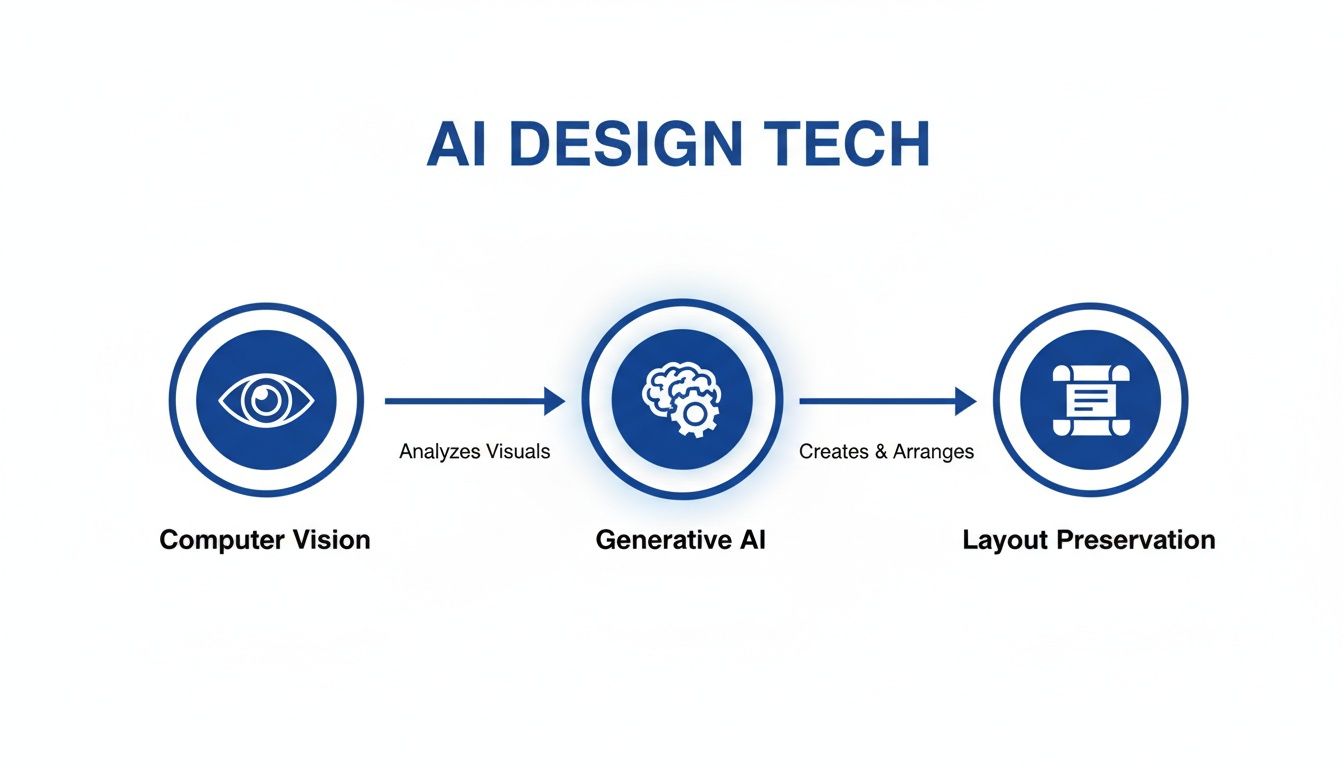
The AI uses computer vision to "see" the space, then its generative models dream up new concepts while preserving the room's core layout so the results are actually usable.
By letting AI handle the heavy lifting of visualization, designers can dedicate their expertise to what truly matters:
- Client Relationships: Spending more time understanding a client's vision and building rapport.
- Strategic Sourcing: Hunting down those perfect, one-of-a-kind materials and furniture pieces.
- Project Management: Focusing on the nitty-gritty of managing contractors, budgets, and timelines.
This shift doesn't just make them more efficient; it makes their services more accessible, allowing them to take on more projects without ever sacrificing quality. For a closer look, see how you can approach living room design with AI.
Real Estate Professionals Gaining a Marketing Edge
In a crowded real estate market, first impressions are everything. It’s hard for a potential buyer to walk into an empty, sterile room and imagine it as their future home. This is where AI-powered virtual staging provides a massive competitive advantage.
Agents and stagers can take a photo of an empty house and, within seconds, produce stunningly realistic images of a fully furnished, professionally styled space. It turns a blank canvas into a warm, inviting home that connects with buyers on an emotional level. A listing with virtually staged photos simply stands out online, attracting more clicks and scheduling more tours.
The benefits are immediate and tangible:
- Increased Buyer Interest: Furnished photos help buyers see the true potential of a space, making it feel less like a property and more like a home.
- Faster Sales: Homes that are staged, whether physically or virtually, consistently sell faster than empty ones.
- Cost-Effectiveness: Virtual staging costs a tiny fraction of traditional staging, which requires renting, moving, and arranging physical furniture.
By using AI interior design, real estate professionals can market their listings far more effectively, create compelling online experiences, and ultimately, close deals faster.
How to Redesign a Room with AI in Minutes
It's one thing to talk about the theory behind AI interior design, but the real fun begins when you actually put it to work. This isn't some complex, technical process. These tools are designed to be incredibly intuitive, shrinking a task that once took weeks into something you can knock out while your coffee brews.
Let's walk through the whole process from start to finish using a tool like RoomStudioAI. You'll see just how fast you can go from a basic photo of your space to a gallery of stunning, professional-grade concepts that will get your creative gears turning.
Step 1: Upload Your Photo
Everything starts with a single, clear photo of the room you want to redesign. Think of this image as the canvas for the AI—the better the canvas, the better the final painting will be.
For the best results, snap your picture during the day to get plenty of natural light. Stand in a corner or doorway to capture as much of the room as you can, and hold your camera steady. A crisp, well-lit photo gives the AI all the detail it needs to work its magic.
Step 2: Select Your Design Style
With your photo uploaded, it’s time to choose your vibe. This is where you get to direct the AI, telling it what kind of look and feel you're going for. Instead of spending hours scrolling through Pinterest, you can simply pick from a list of proven styles.
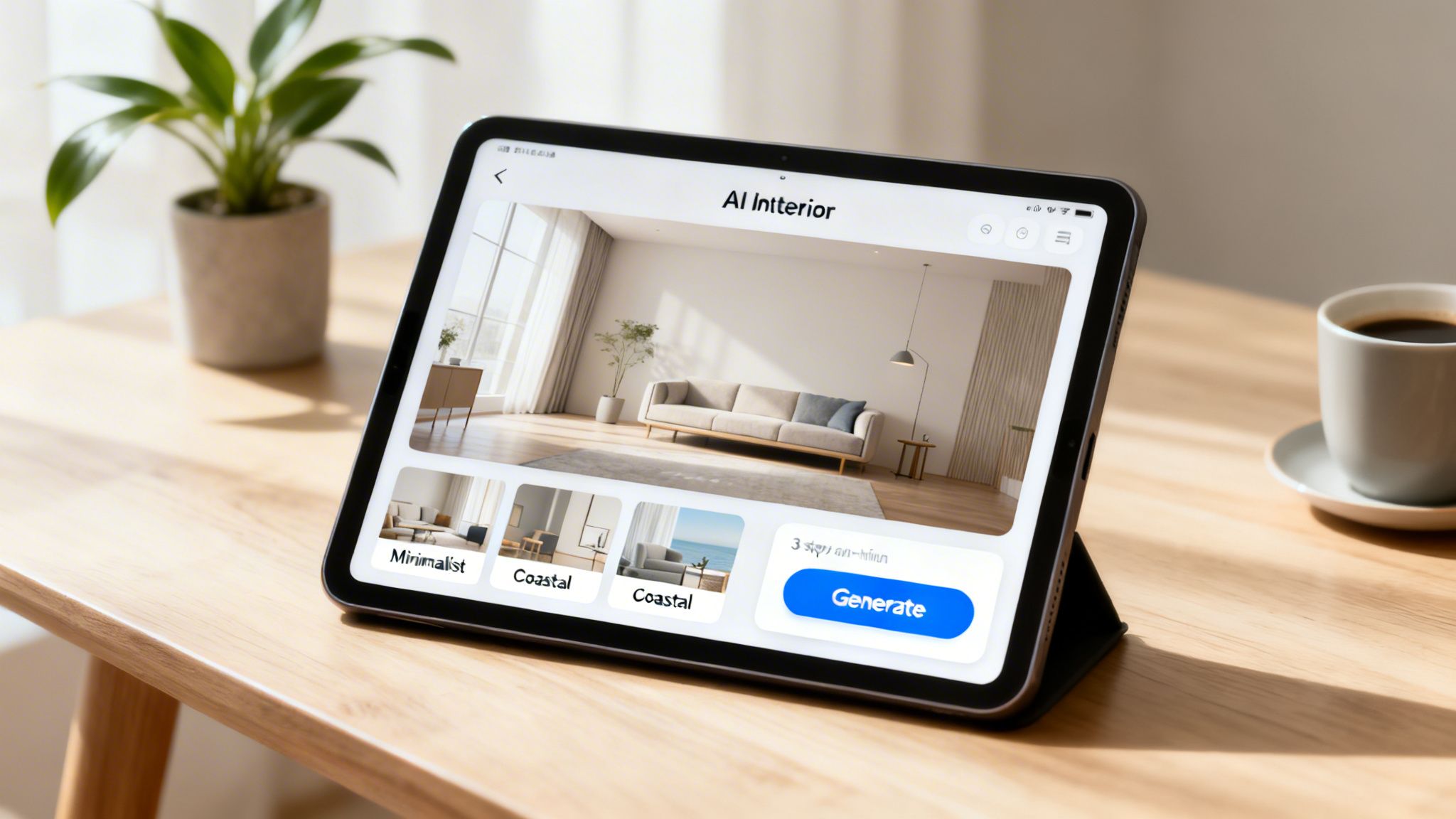
The options are laid out clearly, so you can easily choose between distinct aesthetics like "Coastal," "Minimalist," or "Industrial." This simple choice gives the AI its creative direction.
You can also get more specific by defining the room type (living room, bedroom, kitchen) and giving the AI direct instructions. Want to furnish an empty room from scratch? Or maybe you just want to clear out the existing clutter to see the room’s potential? That level of control helps ensure the final images line up with what you actually need. You can try out different styles right now with a free AI interior design tool and see what sparks your imagination.
Step 3: Generate and Refine Your Look
Once your photo is in and your preferences are set, you're ready to go. Just hit the "Generate" button, and in about 30 seconds, the platform will produce a handful of photorealistic redesigns.
This isn't just a filter slapped on your old photo. The AI generates completely new images, but it does so while respecting your room's original architecture, lighting, and perspective. The results are high-quality visuals that look like they belong in a design magazine.
It's the speed of this process that is truly a game-changer. You can cycle through dozens of unique concepts in minutes, allowing for a kind of rapid-fire experimentation that was simply impossible with traditional design methods.
If the first set of designs isn't quite hitting the mark, no problem. You don't have to start over. Just tweak your settings—maybe try a different style or give the AI a more specific prompt—and generate again. This iterative approach lets you quickly hone in on a look you absolutely love, giving you a clear visual blueprint for your project.
This quick adoption of AI is already reshaping the design industry. Today, an impressive 47% of interior design professionals are already using AI for tasks like virtual modeling. It’s not just about doing things faster, either. It’s also creating new possibilities, with a projected 22% increase in job opportunities in the sector by 2030. The global market for AI in interior design was valued at USD 829 million in 2023 and is expected to rocket to USD 7,299 million by 2033, a clear sign that these tools are here to enhance, not replace, human creativity. You can read more about the growth of the AI interior design market on Market.us.
Advanced Features for Professional Results
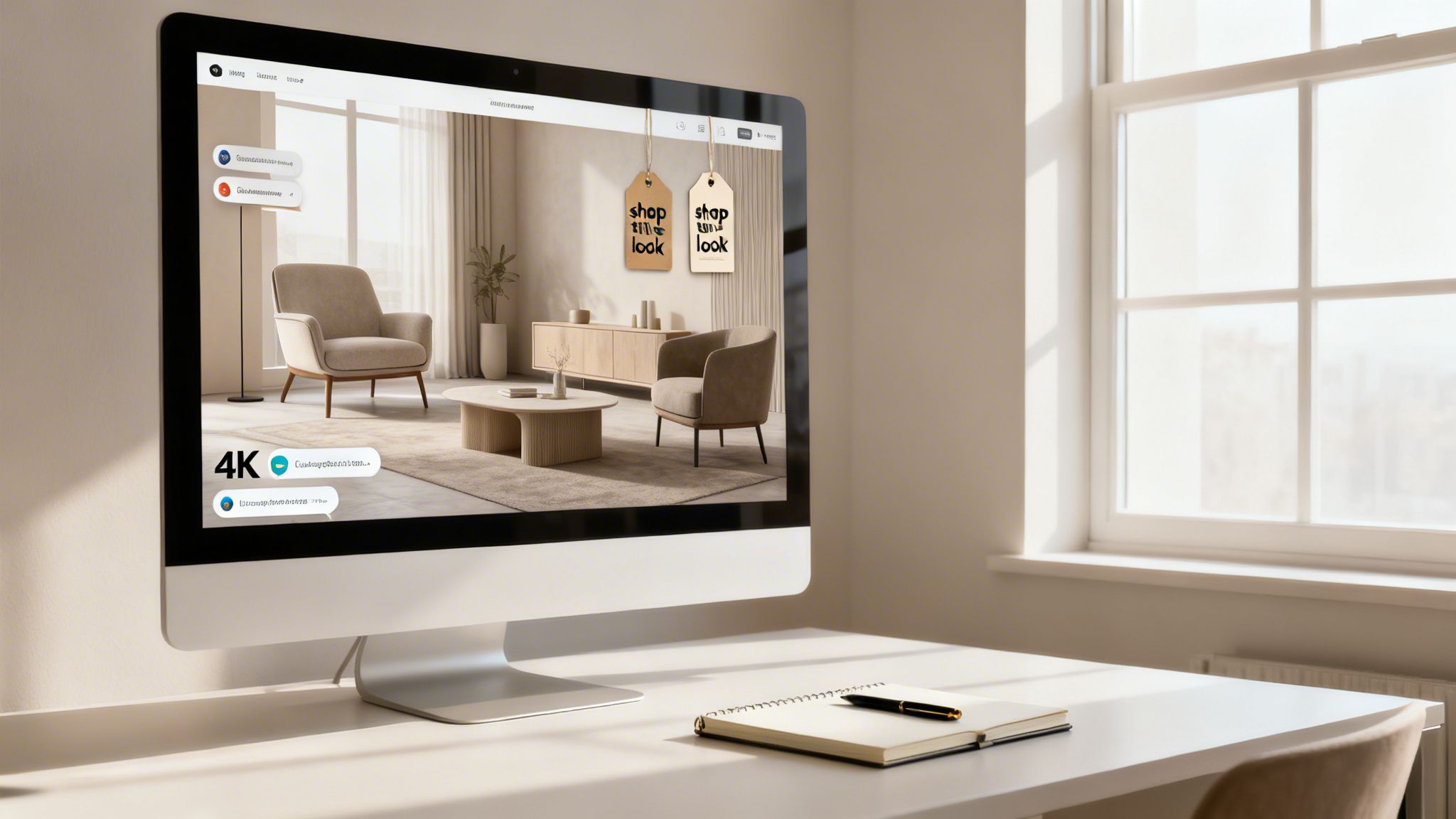
While generating quick redesigns is a fantastic starting point, the real power of AI interior design for businesses is found in its professional-grade features. This is where a fun visualization tool grows into an indispensable part of the modern design and real estate workflow, helping teams work together more effectively and produce assets that are ready for clients.
For any design agency or real estate team, efficiency lives and dies by teamwork. The best AI platforms are built for this reality, offering collaborative workspaces where multiple people can access, comment on, and refine designs in one place. It’s a huge improvement over the slow, messy back-and-forth of email chains and ensures everyone is literally on the same page.
Elevate Presentations with High-Resolution Imagery
In a professional setting, image quality is everything. A blurry, low-resolution concept can cheapen a client presentation or make a property listing look amateur. That’s why the ability to generate images in up to 4K resolution is so important for business users.
These crisp, detailed images are perfect for:
- Impactful Client Presentations: You can show off concepts with the clarity and professionalism that clients expect.
- Compelling Real Estate Listings: Create visuals that grab attention and make properties stand out in a competitive market.
- Polished Marketing Materials: Use top-notch visuals for brochures, websites, and social media.
This focus on professional output means you get the speed of AI without sacrificing quality.
From Vision to Reality with Shoppable Designs
One of the most practical new features in AI interior design is the "shop the look" function. Once the AI creates a beautiful room, this feature closes the gap between the concept and a real-world shopping list. It identifies furniture and decor in the image and points you to similar products you can actually buy from retailers.
This is a game-changer for both designers and their clients. It provides a clear path from inspiration to purchase, making the entire design process feel much more concrete and achievable.
This technology is reshaping a massive industry. The global interior design market is projected to reach $148.5 billion by 2025, with specialized AI segments growing at 15.60% to hit $7.2 billion by 2033. This growth is fueled by the exact SaaS, AR/VR, and generative AI applications that power these advanced business features. You can explore more data on the global market for AI interior design tools at HTF Market Insights.
Essential Business and Operational Tools
Beyond the creative side, professional AI platforms also solve key business problems. Commercial usage rights are absolutely critical, giving you the legal green light to use AI-generated images for any business purpose. This is a major difference from many free tools that often restrict commercial use.
Secure project storage also ensures your work and client data are safe, and predictable subscription plans mean you have clear, manageable costs without any surprises. For a full breakdown of plans built for businesses, you can review the available RoomStudioAI pricing tiers.
These operational safeguards make AI interior design a smart and reliable investment for any design-focused business, providing the tools needed to work faster, collaborate better, and deliver superior results.
Your AI Interior Design Questions Answered
It’s completely normal to have questions—and maybe even a little skepticism—about new technology. When it’s something as personal as your home, you want to be sure the tools you’re using are reliable, secure, and actually helpful. We get it.
To help clear things up, I’ve pulled together the most common questions people ask about AI interior design. My goal here is to give you direct, honest answers so you can feel confident about how this technology works and what it can do for you.
Will AI Interior Design Replace Human Designers?
Not a chance. A better way to think about it is that AI acts as a powerful assistant—one that supercharges a designer’s creativity, not replaces it. The technology is brilliant at handling the grunt work, like generating dozens of initial concepts and visualizations that would otherwise take hours, or even days, to create by hand.
This frees up designers to focus on the parts of the job that truly require a human touch.
- Building Client Relationships: They can spend more time genuinely listening to a client and understanding their lifestyle, story, and needs.
- Sourcing Unique Materials: An AI can suggest a generic chair, but a great designer knows where to find that one-of-a-kind vintage piece or the perfect fabric from a local artisan.
- Managing Complex Projects: The logistics of coordinating contractors, sticking to a budget, and solving unexpected on-site problems demand human experience.
- Applying Nuanced Intuition: Great design is about a feeling. It’s an intuitive grasp of space, emotion, and how people live—something a machine simply can’t replicate.
For homeowners, AI interior design just makes that first spark of professional-level inspiration more accessible, closing the gap between a fuzzy idea and a vision you can actually see.
How Realistic Are the AI-Generated Designs?
Honestly, the realism you can get from today's top AI design platforms is stunning. We're long past the days of distorted, uncanny-valley images. Modern systems are built on sophisticated algorithms that respect the real-world physics of a space.
A critical feature is layout preservation. This means the AI doesn't just invent a fantasy room; it honors your room's actual architecture. It recognizes the exact placement of your walls, windows, and doors, making sure every design it suggests is a practical, buildable possibility.
This is what separates professional-grade tools from simple photo filters. The output isn't just a pretty picture. It's a true-to-life visualization of what's possible in your specific room, right down to the scale, perspective, and lighting.
The AI is smart enough to understand how natural light from a window would hit a new sofa or how a floor lamp will cast shadows in a corner. That attention to detail is what makes the final image not just beautiful, but believable and actionable.
Is My Privacy Protected When I Upload a Photo?
This is a huge—and valid—concern for any online service. Reputable AI interior design platforms, especially those built for professionals, take privacy and data security very seriously. They know you're uploading images of your personal spaces or your clients' homes, and that data deserves to be protected.
When you work with a trusted platform, your images and designs are stored on encrypted servers to prevent anyone from accessing them without permission. You should also look for features like private sharing links, which give you total control over who sees your work. This is absolutely essential for designers and real estate agents who are handling sensitive client information.
Before you commit to any platform, I always recommend taking a moment to review its privacy policy. Look for a service that is transparent about how your data is stored, handled, and used.
Can I Use These Designs for My Business?
This is a make-or-break question for any professional, and the answer comes down to the platform and the plan you choose. Many of the free or basic tools out there are strictly for personal use, and their terms of service will explicitly forbid using the images for any commercial purpose.
Professional-grade platforms, however, are built specifically for business.
- Pro and Enterprise Plans: These tiers are designed for commercial activity and grant you the legal rights to use the images you create.
- Marketing and Listings: This means you can use the high-resolution renders for client presentations, real estate listings, your website portfolio, and social media marketing.
- Client-Ready Assets: The ability to generate images in 4K quality ensures your work always looks crisp and professional.
My advice is to always, always check the terms and conditions. For any professional, selecting a plan that includes commercial usage rights isn't just a good idea—it's a non-negotiable for protecting your business.
Ready to see how RoomStudioAI can fit into your design process with beautiful, realistic visuals created in seconds? Explore our features and find the right plan to bring your vision to life.
Ready to redesign your space?
Try our AI interior design tool and see your room transformed in seconds.
Try Free Design

