Ever stared at a tiny paint swatch, trying to imagine it splashed across your entire living room? A paint color visualizer app is the tool that finally takes the guesswork out of that equation. It lets you "try on" different colors in your own space, using a photo of your room, before you even think about buying a can of paint.
The best visualizers use advanced AI to give you a preview so real you’ll feel like the job is already done.
What Exactly Is a Paint Color Visualizer App?
We’ve all been there. You pick a color that looks perfect in the store, only to get it on the wall and realize it's completely wrong. That sinking feeling is exactly what a paint color visualizer is built to prevent. Think of it as a digital bridge between your imagination and the finished room, offering a totally risk-free way to experiment.
Instead of relying on those small, often misleading paper samples, you simply upload a photo of your room. From there, you can virtually apply thousands of real-world paint colors to your walls, ceiling, or trim. It moves color selection from a guessing game to a tangible, visual experience.

Beyond a Simple Color Swap
At its heart, a paint visualizer answers one crucial question: "How will this color actually look in my home, with my furniture and my lighting?" The technology has come a long way from basic digital coloring book tools. Today’s sophisticated apps can intelligently identify walls, digitally paint around furniture, and even simulate how shadows and light will affect the final look.
This is a game-changer for anyone taking on a design project, from a first-time homeowner to a seasoned interior designer. It gives you the confidence to make bold color choices, knowing the result will match your vision.
As you start exploring, you'll find that an AI-powered tool offers a far more precise preview than simpler alternatives. For more ideas on how to bring your space to life, you can learn more about how to get a free AI interior design rendering.
The Growing Demand for Digital Previews
The home improvement world has shifted. People now expect digital tools that save them time, prevent expensive mistakes, and deliver better results. This trend is clearly reflected in the rapid growth of the visualizer app market.
The global market for these apps hit a value of USD 1.18 billion this year, driven by the rise of smartphones and a huge interest in DIY home projects. Experts project it will grow at an annual rate of 13.7%, reaching an estimated USD 3.85 billion in the next ten years.
This isn't just a fleeting trend; it’s a fundamental change in how we approach design. A paint color visualizer app is no longer a gimmick—it’s an essential part of the modern home improvement toolkit.
To put it simply, these tools empower you to make smarter, more confident decisions. The table below breaks down the key advantages.
How a Paint Visualizer App Transforms Your Project
| Benefit | Impact on Your Project |
|---|---|
| Eliminate Guesswork | See exactly how a color will look in your unique space, with your lighting and decor, before you commit. |
| Save Time and Money | Avoid the cost and effort of buying multiple paint samples and repainting a color you end up disliking. |
| Experiment Fearlessly | Try out bold, trendy, or unconventional colors you might otherwise be too hesitant to consider. |
| Improve Collaboration | Easily share realistic mockups with family, clients, or contractors to get on the same page visually. |
| Streamline Decision-Making | Compare multiple colors side-by-side in a real-world context, making it much easier to choose the perfect one. |
Ultimately, a visualizer gives you the creative freedom to explore possibilities without the risk, ensuring the final outcome is one you’ll love for years to come.
How Does a Paint Visualizer Actually Work?
To really get why a modern paint color visualizer app is so impressive, it’s worth peeking behind the curtain at the technology making it all happen. Not all these tools are created equal—the engine running them has a massive impact on whether you get a flat, cartoonish image or a truly believable preview. The whole field has gone through a pretty clear evolution.
Think of it in three distinct stages, with each one building on the last. The earliest tools were basically "color fill" features, not much different from the paint bucket tool in a basic photo editor. You'd click on a wall, and the software would flood that area with a solid block of color.
It was a quick and simple concept, but it lacked any kind of realism. This method completely ignored the real-world physics of a room—the subtle shadows in the corners, the glare from a window, or the texture of the wall itself. It was a starting point, but not a very convincing one.
The First Leap Forward: Augmented Reality
The next big step was the arrival of Augmented Reality (AR). AR visualizers use your phone’s camera to digitally "paint" a color onto the live video feed of your room. As you move around, the color tries to stick to the walls, giving you a dynamic, real-time preview.
This was a huge improvement. For the first time, you could see a new color in the context of your own space, with your own furniture and lighting. But AR has its own set of problems. The color often "bleeds" over trim or onto furniture, the edges can flicker, and it doesn't accurately show how light truly interacts with a new paint color. It’s more like a digital sticker than a true simulation of paint.
The Modern Standard: AI Photorealistic Rendering
The real game-changer has been Artificial Intelligence. An AI-powered paint visualizer doesn't just slap a layer of color on top of an image. It actually analyzes and understands the unique physics of your room.
Think of the AI as a trained digital artist. It studies your photo, identifying not just the walls but also where the light is coming from, the shadows being cast, and the texture of the surfaces. It then uses that deep understanding to render the new color with stunning realism.
This process is called photorealistic rendering, and it’s what separates a fun gimmick from a professional-grade tool. The AI can calculate how a matte finish would absorb light differently than a satin one. It carefully preserves the natural shadows from your furniture and window frames, making the new color look like it truly belongs there.
This sophisticated approach produces an image that is far more believable and genuinely useful for making a final decision. It's this level of accuracy that makes AI visualizers indispensable in so many fields, especially for professionals working on AI applications in interior design where getting it right is non-negotiable.
Key Technologies at Play
Today’s best visualizers are a powerful mix of several complex technologies working in concert. Here’s a quick rundown of the essential components:
- Computer Vision: This is what allows the app to “see” and make sense of your photo. It’s how it identifies the difference between a wall, a ceiling, a window, and the sofa in front of it.
- Semantic Segmentation: This is a more advanced version of computer vision that gets incredibly granular. It labels every single pixel in the image, so it doesn't just see a "wall"—it understands "this specific group of pixels is the wall," "this group is the floor," and "this is the lamp." This is the key to applying paint with razor-sharp precision.
- Generative AI Models: These are the creative engines. Once the AI understands the original photo, these models generate brand new pixels that show the new paint color, all while perfectly matching the original lighting, shadows, and textures.
When these systems work together, they deliver an experience that goes way beyond a simple color swatch. You get a result that isn’t just a mockup but a true-to-life visualization, giving you the confidence to know exactly how your project will turn out. The difference in the final image is why choosing the right type of visualizer is so critical.
Comparing Basic Overlays and AI Photorealistic Tools
When you start looking for a paint color visualizer app, you'll quickly realize they aren't all created equal. The market is flooded with options, but the results can range from genuinely helpful to downright cartoonish. The real difference isn't the user interface or the color library—it's the technology running under the hood. You're essentially choosing between a simple overlay tool and a much more sophisticated AI photorealistic visualizer.
Think of a basic overlay app like putting a piece of colored cellophane over your photo. It gives you a rough idea, sure, but it’s a flat, lifeless representation. The color just sits on top of the image, ignoring all the nuances that make a room feel real.
An AI photorealistic tool like RoomStudioAI, however, is more like a digital master painter. It doesn't just slap a color on top; it intelligently rebuilds the image. The AI actually analyzes the light, shadows, and textures in your photo to render the new color as if it were truly painted on the walls. For anyone making a real decision, that distinction is everything.
The Limitations of Simple Overlay Technology
The older generation of overlay and basic Augmented Reality (AR) visualizers were a decent first attempt. They're often free and simple, which makes them tempting for a quick look. But their technical shortcomings become obvious almost immediately, and they can lead you to some pretty disappointing color choices.
Their biggest flaw? They have no concept of light and shadow. A room isn't a blank canvas; it has corners where shadows pool and walls that are washed out by sunlight. Overlay tools simply ignore all of that.
- Flat Color Application: These apps paint a uniform block of color, completely erasing the subtle shifts in light that give a room its depth.
- Inaccurate Edge Detection: They’re notorious for "coloring outside the lines," bleeding paint color over your trim, furniture, and light switches. The result is messy and untrustworthy.
- Texture Obliteration: Got brick, plaster, or even just a standard orange-peel texture? An overlay tool will steamroll right over it, leaving a flat, fake-looking surface.
This is where you can see a clear hierarchy in the technology.
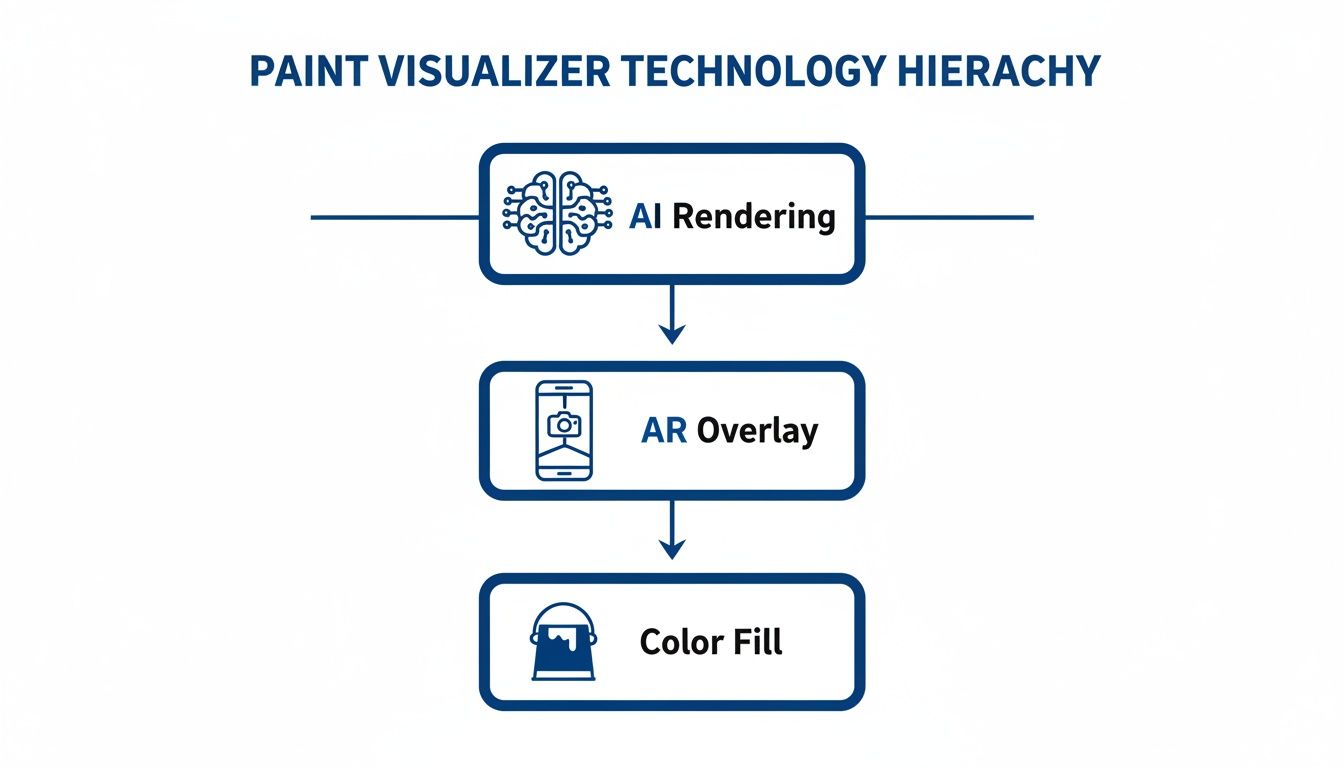
As the diagram shows, simple color fills are at the bottom, while true AI rendering sits at the top. It’s the only technology that can intelligently understand a scene and recreate it with lifelike accuracy.
The Power of AI Photorealistic Visualization
This is where the game completely changes. Modern AI platforms don't just cover up pixels; they use complex algorithms to generate a brand new, stunningly realistic image. A true AI-powered paint color visualizer app doesn't guess, it calculates.
It understands that the wall across from the window needs to be brighter. It preserves the soft shadow cast by a lampshade. It keeps the subtle texture of the drywall intact. The final preview is so accurate it virtually eliminates the anxiety of picking the wrong shade.
By simulating how light and color behave in the real world, AI-driven visualizers give you a level of confidence that was impossible before. You’re not just guessing anymore—you're seeing a highly probable reality.
For designers, contractors, and serious homeowners, this kind of accuracy is non-negotiable. It turns a fun gadget into an indispensable tool for project planning and client presentations. This professional-grade power is a big reason so many users check out the different RoomStudioAI pricing plans to find a fit for their workflow.
Let's break down the differences head-to-head. The table below lays out exactly what you get—and what you don't—with each type of tool.
Feature Comparison Basic Overlay vs AI Photorealistic Visualizer
| Feature | Basic Overlay Apps | AI Photorealistic Apps (like RoomStudioAI) |
|---|---|---|
| Realism | Low. Produces flat, often unrealistic images that lack depth. | High. Renders colors with accurate lighting, shadows, and gradients. |
| Handling of Light | Poor. Ignores existing light sources and shadows in the photo. | Excellent. Analyzes and simulates how light interacts with the new color. |
| Edge Precision | Fair to Poor. Often bleeds color onto furniture, trim, and ceilings. | Excellent. Intelligently identifies and paints within precise boundaries. |
| Texture Preservation | None. Covers wall textures with a flat, uniform color. | Superior. Maintains the original wall texture for a more authentic look. |
| Usefulness | Good for quick, casual brainstorming and exploring general ideas. | Ideal for making final decisions and creating client-ready visuals. |
At the end of the day, a basic overlay app might be a fine place to start brainstorming. But an AI photorealistic tool is what you need to finish the job with confidence. It delivers the reliable, detailed preview required to commit to gallons of paint and hours of labor without a shadow of a doubt.
How Different Professionals Use Paint Visualizers
A paint color visualizer app isn't just a neat gadget; it's a practical tool that solves very different problems for very different people. The real magic happens when you see how it bends to the specific needs of homeowners, designers, and real estate professionals.
Each of these groups uses this technology to sidestep common pitfalls, turning what could be costly mistakes into confident, successful projects. Let's break down how.
For the Homeowner Seeking Confidence
For most homeowners, the biggest hurdle is fear. We've all been there—staring at a wall of a thousand paint chips, paralyzed by the thought of choosing the wrong one. This anxiety often leads us to play it safe with yet another shade of beige or off-white.
A visualizer is your safety net. It gives you the freedom to experiment with that bold navy blue you saw in a magazine or a deep emerald green without any commitment. It’s your chance to see if a dramatic color will actually complement your furniture or just completely swallow the room.
This digital preview closes the gap between an abstract, one-inch paint chip and the final, wall-to-wall reality. You get to answer the big questions visually, creating a direct path to a home that actually feels like you.
Imagine you're thinking about a living room design makeover. You’re drawn to a rich terracotta but worry it will clash with your gray sofa. Instead of buying sample pots and painting messy splotches on the wall, you can turn to a visualizer.
In just a few minutes, you can see several photorealistic options. One might show the terracotta on all four walls, while another shows it as a single accent wall. You might just discover that the color works beautifully, but only when it’s balanced with a lighter shade on the other walls.
This process gives you a few key advantages:
- Fearless Experimentation: Test dozens of colors and combinations in minutes. You’ll probably uncover fantastic options you would have never dared to consider otherwise.
- Coordination with Existing Decor: See exactly how a new wall color plays with your current furniture, artwork, and rugs before you commit.
- Family Collaboration: Stop trying to describe a color. Just show your partner or family a realistic image to get everyone on the same page, avoiding any "I thought you meant a different blue!" arguments.
For the Interior Designer Maximizing Efficiency
For an interior designer, time is currency. The challenge isn't just about finding the perfect color; it's about presenting a compelling vision to clients, and doing it quickly. A paint color visualizer app completely changes the game here, turning hours of tedious work into a few productive minutes.
The old way involved creating mood boards, juggling physical samples, and trying to verbally describe a feeling. Now, a designer can snap a photo of the client's space during the first meeting and generate several high-quality visualizations on the spot.
The ability to instantly show a client how a 'moody dark green' versus a 'warm greige' will transform their space accelerates decision-making and builds client trust faster than any traditional method.
That immediate feedback loop is priceless. By presenting professional-grade renders, the designer showcases their expertise and gives the client tangible options they can easily understand. This newfound efficiency means they can handle more projects and spend their valuable time on creativity, not manual mockups.
For the Real Estate Agent Selling a Vision
Real estate agents have their own unique puzzle to solve. They need to help potential buyers see a property's potential, not its current, often flawed, state. A house with dated or scuffed-up paint can be a huge turn-off, stopping buyers from seeing the great bones underneath.
An agent can use a paint visualizer to digitally "stage" a property with fresh, modern colors. By including these virtual renovations in an online listing, they can capture the imagination of a much bigger audience.
Suddenly, a photo of a room with peeling, mustard-yellow paint is transformed into a bright, inviting space painted in a popular neutral gray. This simple trick helps buyers envision themselves living there and shows them how a simple coat of paint can make all the difference. It’s a low-cost, high-impact marketing tool that makes a listing pop in a crowded market, helping properties sell faster and often for a better price.
A Step-By-Step Guide to Visualizing Your Space
Reading about technology is one thing, but seeing your own room transform is where the real fun begins. Using a modern paint color visualizer app is surprisingly simple, and the whole point is to give you fast, realistic results without the guesswork.
Let’s walk through the entire process together, from snapping a quick photo to generating professional-grade images you can actually use. We'll use an AI-powered tool like RoomStudioAI as our example to show you just how easy it is to get a photorealistic preview. The key is starting with a decent photo—after that, the technology does all the heavy lifting.
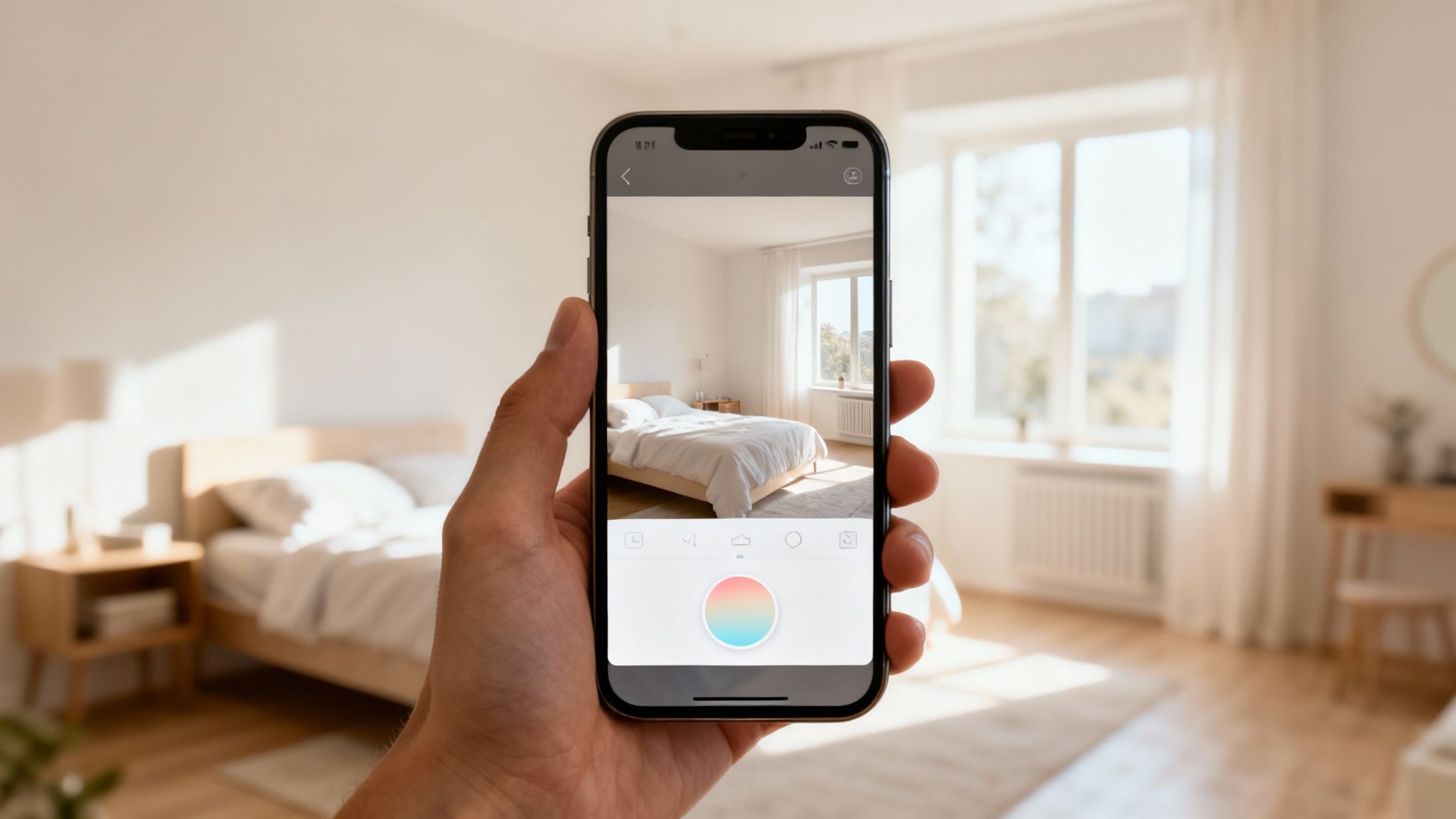
This screenshot shows a clean interface where a user can upload their own photo and pick different design styles. It’s a perfect example of how these tools are built to turn your personal photograph into a design canvas.
Step 1: Take the Perfect Photo
The quality of your final image hinges entirely on the quality of your first photo. Think of it as the blueprint for the AI; the cleaner the blueprint, the more accurate the final render will be. Don't worry, you don’t need a fancy camera—your smartphone is more than enough.
For the best results, just follow a few simple guidelines:
- Use Natural Light: Throw open the curtains and take your picture during the day. Good, even lighting helps the AI understand the room’s true dimensions, shadows, and textures.
- Stand in a Corner: Shooting from a corner usually gives you the best perspective. It captures multiple walls and really shows off the depth of the space.
- Keep it Steady: A blurry photo is the enemy of a good render. Hold your phone still to get a crisp shot, which helps the AI perform precise edge detection around furniture, windows, and trim.
Honestly, a sharp, well-lit photo is the single most important thing you can do to get a believable result.
Step 2: Upload and Define Your Vision
Once you’ve got your photo, the next move is to upload it to the platform. This is where you start to steer the AI in the right direction. Instead of just picking a color from a chart, these advanced tools let you provide stylistic guidance.
You can choose from a range of styles like "Modern," "Minimalist," or "Coastal." Then, you tell the AI exactly what to change—for example, "paint the walls a light sage green." This mix of a style prompt and a specific color instruction gives the AI the context it needs to create a design that looks cohesive and realistic.
This initial guidance is crucial. You're not just telling the app what color to use, but also how to apply it within a certain aesthetic. It’s the difference between a random splash of color and an intentional, professionally designed space.
For example, if you're redoing a workspace, having a clear direction is key. You can find inspiration by exploring various home office ideas to nail down the look you’re after before you even start generating images.
Step 3: Generate Your First Previews
With your photo uploaded and instructions plugged in, it’s time for the magic. Hit "generate," and the AI gets to work. You’ll be surprised at how fast it is—the whole process usually takes less than a minute.
Behind the scenes, the AI is juggling several complex tasks at once:
- Scene Analysis: It identifies the walls, ceiling, furniture, and light sources.
- Color Application: It digitally "paints" the surfaces you picked while keeping the original textures intact.
- Light and Shadow Rendering: It recalculates how the room's light will bounce off the new wall color, which is essential for maintaining realism.
The first images you get back are your new starting point. They offer a high-fidelity preview of how that color will actually look in your room, with your lighting and your furniture.
Step 4: Refine and Experiment with Colors
Your first render is rarely your last. The real power of a paint color visualizer app is how it lets you iterate so quickly. Don't love that first shade of green? No big deal. Just tweak your prompt to "a slightly darker, more muted sage green" and generate it again.
This workflow is all about fearless experimentation. You can compare a dozen different shades side-by-side in minutes, a process that would take days—and a small fortune in sample pots—the old-fashioned way.
This is the stage where you really dial in your vision. Go ahead, try an accent wall, test a different trim color, or see how a completely different palette changes the entire mood of the room. Every new generation gets you one step closer to the perfect choice.
Step 5: Save and Share Your Final Vision
Once you’ve landed on a design you absolutely love, the final step is to save the high-resolution image. These renders are so much more than just pretty pictures; they are powerful communication tools.
Here’s how you can use your final visualizations:
- Shop with Confidence: Take the image to the paint store to find a perfect color match.
- Wow Your Clients: For designers, these renders are a professional way to show a client exactly what you’re planning and get their immediate buy-in.
- Guide Your Contractor: Show your painter precisely which walls get which color, leaving no room for confusion.
By following these simple steps, you can go from a vague idea to a concrete visual plan with total confidence, making sure your project turns out exactly the way you imagined it.
Got Questions? We’ve Got Answers.
Jumping into a new tool always comes with a few questions, and that's a good thing. Before you start transforming your space with a paint color visualizer, let's clear up some of the most common uncertainties. Getting these details sorted out will help you move forward with total confidence.
We'll tackle everything from color accuracy to whether you can use these apps on your home's exterior. Think of this as your quick-start guide to understanding what's possible.
Just How Accurate Are These Paint Visualizer Apps?
This is the big one, and the answer really depends on the engine under the hood. The more basic, overlay-style apps can sometimes set you up for disappointment. They essentially "paint bucket" a flat color over your photo, completely ignoring the way light, shadows, and textures play in your actual room. The result often looks nothing like the final painted wall.
On the other hand, AI-powered tools are a different league entirely. They don't just paste a color; their algorithms analyze the lighting environment of your specific photo. They understand where the windows are, how shadows fall, and what the surface texture is, rendering a far more realistic preview.
While your screen's calibration and brightness will always be a factor, an AI tool gives you the most trustworthy digital preview you can get. It dramatically shrinks the gap between the screen and the reality on your wall.
Can I Use These Apps for My Home's Exterior?
Absolutely. Many of the more sophisticated visualizers are designed to handle both interiors and exteriors, which is a huge help when planning something as significant as your home's facade.
The AI is smart enough to handle the unique lighting and textures found outside your home. It can realistically show you how a new color will look on:
- Siding: Whether you have vinyl, wood, or fiber cement.
- Brick: See how paint will settle into the texture of brickwork without losing its character.
- Stucco: Preview colors on the distinct, uneven surface of stucco.
This makes a paint color visualizer an incredible asset for testing out new curb appeal ideas before committing to the expense and effort.
Do I Need to Clear Out the Room Before Taking a Photo?
Thankfully, no. With the older overlay tools, furniture was a real headache and often created messy, sloppy-looking previews. Modern AI has completely solved this problem.
Today's advanced platforms can intelligently identify furniture, decor, and even architectural features like trim and built-in shelving. The AI works around these objects, changing only the wall color you want to see. You can leave everything exactly where it is, making the process fast, easy, and hassle-free.
What's the Real Difference Between Free and Paid Visualizer Apps?
It usually boils down to accuracy and features. Most free apps are the basic overlay type—good for some quick brainstorming but not reliable enough for making final decisions. They give you a general vibe, but that's about it.
Paid platforms, in contrast, are typically powered by the sophisticated AI we've been talking about, delivering photorealistic results. They also come with features aimed at serious users, like high-resolution image downloads and rights for commercial use. You're not just paying for a tool; you're investing in accuracy and professional-grade capabilities that lead to better, more confident decisions.
Ready to stop guessing and start seeing? RoomStudioAI uses advanced AI to turn your simple photos into stunning, true-to-life previews in just a few seconds. Give it a try and bring your vision to life. Start Your Project with RoomStudioAI
Ready to redesign your space?
Try our AI interior design tool and see your room transformed in seconds.
Try Free Design

