Transforming a room from a vague idea into a tangible reality has become remarkably accessible, thanks to a new wave of powerful online interior design tools. Whether you're a homeowner planning a weekend refresh, a professional designer creating client presentations, or a real estate agent staging a property virtually, the right software can save you significant time, money, and costly mistakes. But with an overwhelming number of options available, from simple mood board creators to sophisticated AI-powered render engines, how do you choose the one that truly fits your needs?
This guide cuts through the noise. We have meticulously curated and reviewed the 12 best platforms of 2026, breaking down their key features, ideal use cases, and practical limitations. We will explore everything from advanced AI tools that can redesign a photo of your actual room in seconds to full-service e-design platforms that connect you with professional designers. Our goal is to help you find the perfect match for your project's specific scope and budget.
Each entry provides a concise summary, pros and cons, and pricing details to streamline your decision-making process. We’ve also included a featured deep-dive on a standout platform, RoomStudioAI, and a buyer's checklist to guide you. This comprehensive resource is designed to help you confidently select the best online interior design tools and start visualizing your dream space today.
1. RoomStudioAI
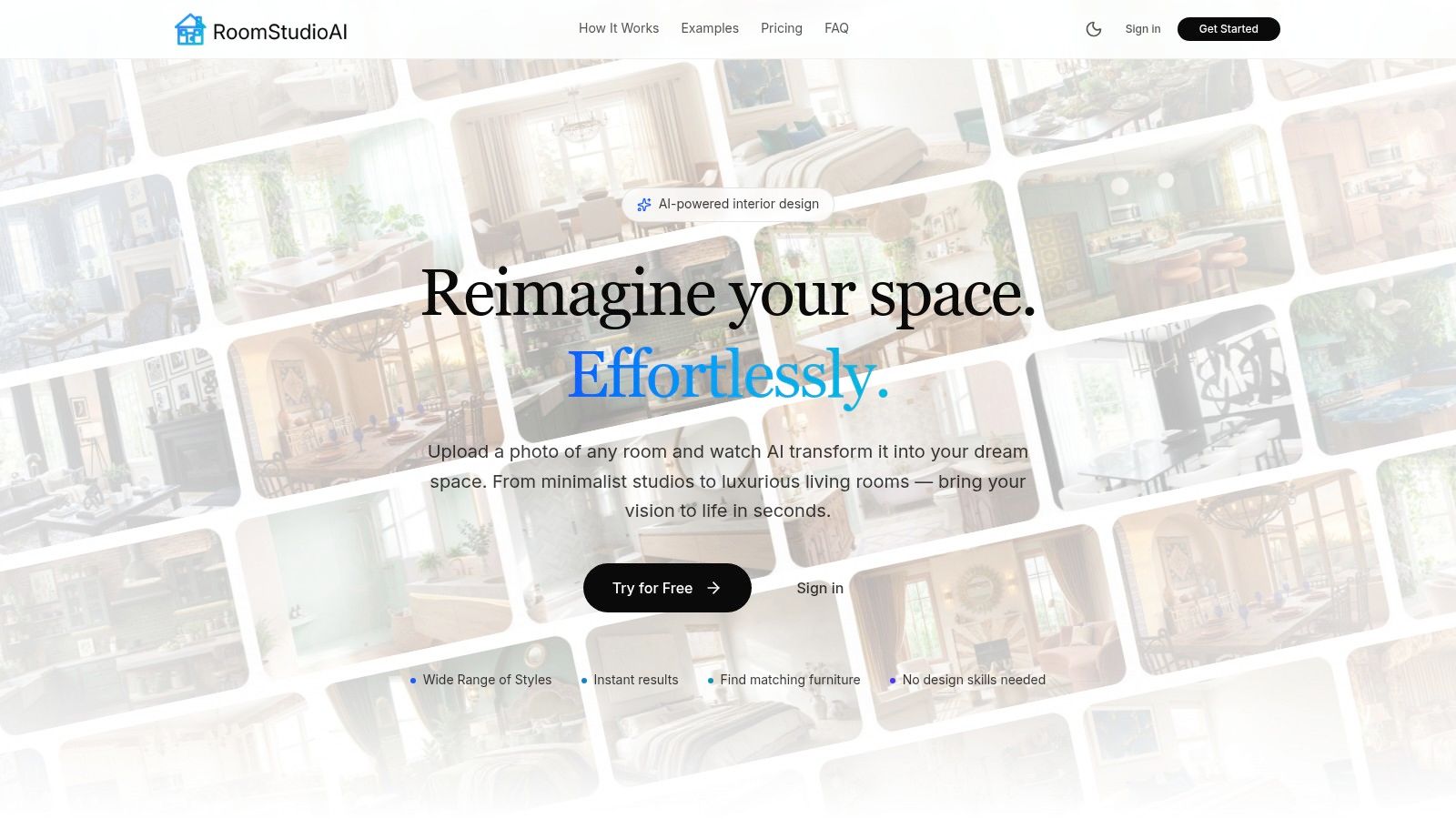
RoomStudioAI solidifies its position as a premier choice among online interior design tools by offering an exceptional blend of speed, realism, and practical e-commerce integration. It excels at transforming user-provided photos or sketches into high-fidelity design concepts in under a minute. The platform’s AI is specifically trained to respect the foundational elements of a space, such as its architectural integrity, lighting conditions, and perspective. This core capability ensures that the generated visuals are not just aesthetically pleasing but are also grounded in the reality of the existing environment, providing a reliable and actionable starting point for any project.
This intelligent approach sets it apart from generic AI image generators, which often struggle to maintain spatial consistency. Whether you need to digitally empty a cluttered room, stage a vacant property with virtual furniture, or convert a hand-drawn sketch into a photorealistic rendering, RoomStudioAI streamlines the workflow. The output is consistently professional and presentation-ready, making it an invaluable asset for designers, real estate agents, and homeowners alike.
Key Features and Use Cases
The platform's feature set is designed for practical application, bridging the gap between digital concepts and real-world execution.
- Photorealistic Redesigns: Upload a photo (JPEG, PNG, WebP) of any room or exterior and apply one of over 40 design styles. The AI redesigns the space in seconds, preserving the core architecture. This is ideal for homeowners visualizing makeovers or designers creating quick mockups.
- Sketch-to-Reality: Convert rough floor plan sketches or simple drawings into polished, realistic visuals. This feature is perfect for early-stage brainstorming and communicating initial ideas to clients or contractors.
- "Shop the Look" Visual Search: A standout capability, this tool identifies furniture and decor within your design and finds visually similar items from major online retailers. This makes the design process instantly actionable, allowing users to move from inspiration to purchase seamlessly.
- High-Resolution Output: Pro and Enterprise plans offer rendering capabilities up to 4K, ensuring that visuals are crisp and professional enough for marketing materials, client presentations, and print.
- Collaboration Tools: Share designs via private links, allowing team members or clients to view concepts and provide feedback directly, streamlining the review process.
Pricing and Plans
RoomStudioAI offers a tiered subscription model to accommodate different usage levels, from hobbyists to large agencies. Plans include monthly and annual billing options, with annual subscriptions providing a discount.
- Studio Plan: Starting around $15/month for 20 designs and 2K renders. Best for personal projects and occasional use.
- Pro Plan: Approximately $49/month for 110 designs, 2K renders, and commercial usage rights. Suited for professional designers and real estate agents.
- Enterprise Plan: Around $90/month for 300 designs, 4K render options, and expanded storage. Designed for design agencies and high-volume users.
Best For: Interior designers, real estate professionals, home stagers, and DIY renovators seeking a fast, reliable tool for creating high-quality, actionable design visualizations.
Pros:
- Generates photorealistic results in under 30 seconds while preserving room layout and lighting.
- "Shop the look" feature connects design concepts to purchasable products from major retailers.
- Offers flexible workflows, including emptying rooms, furnishing spaces, and converting sketches.
- Provides commercial usage rights and collaboration tools on higher-tier plans.
Cons:
- Monthly design credits can be a limitation for very high-volume users.
- The furniture identification feature provides visually similar items, not guaranteed exact matches.
Website: https://roomstudioai.com
2. Havenly
Havenly bridges the gap between DIY design and hiring a traditional interior designer, offering an accessible e-design service that connects users with professional designers. It is one of the most well-known online interior design tools for those seeking personalized, one-on-one guidance without the high cost of full-service design firms. The process starts with a style quiz, after which you're matched with a designer who creates a custom concept for your room.
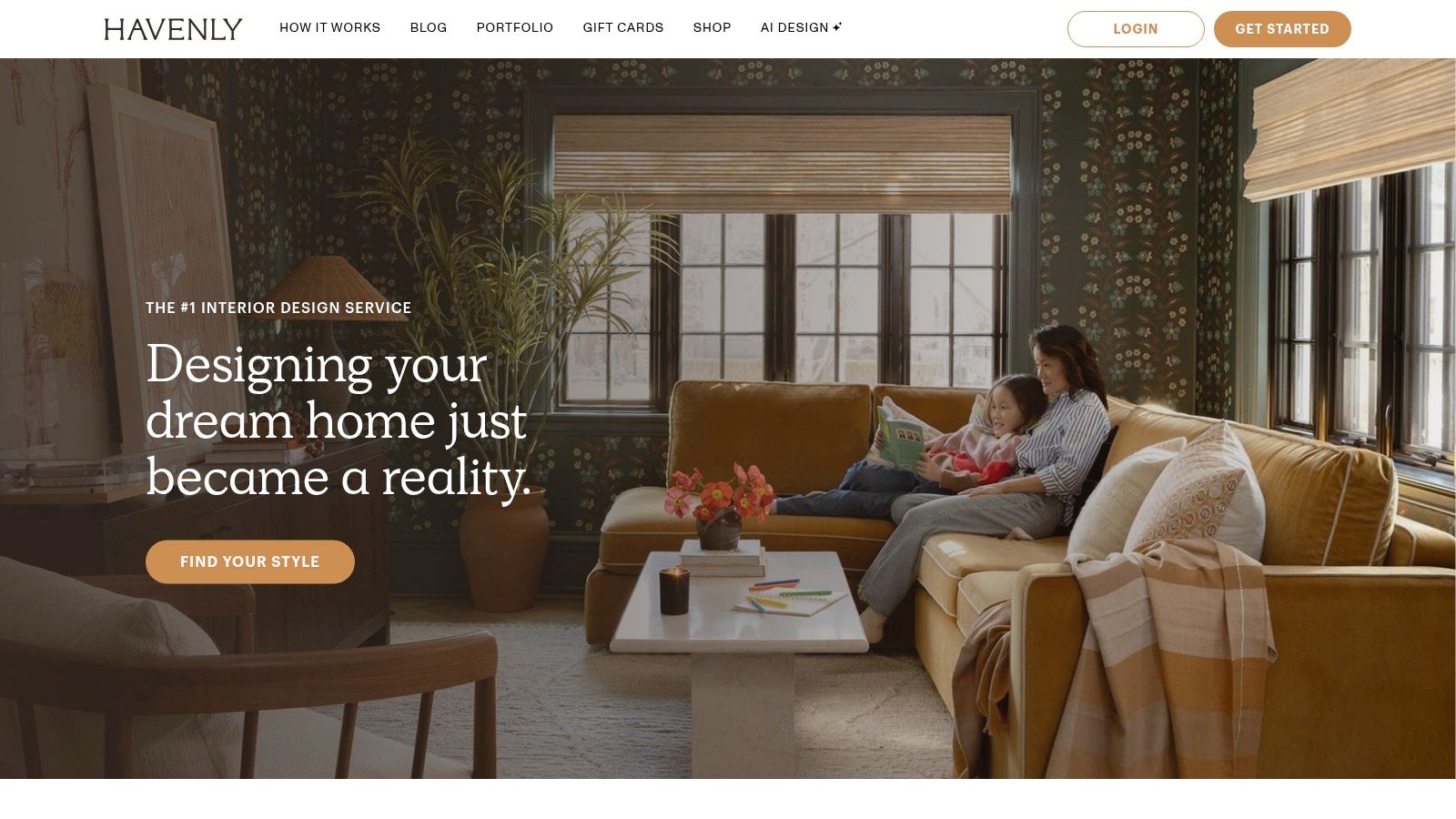
This platform excels at delivering a complete, shoppable room design. Your final package includes a concept board, a 3D rendering of your space, a floor plan, and a curated shopping list. Havenly's team even handles ordering and logistics, consolidating your purchases into a single checkout process, which is a significant convenience.
Key Features & Pricing
The service is structured around transparent, flat-rate packages, making it easy to budget for a project.
- Havenly Mini: Best for a room refresh or adding finishing touches. Starts at $129.
- Havenly Full: A complete room makeover, including new furniture and layout design. Starts at $199.
- In-Person Service: Available in select U.S. cities, this package adds hands-on help from a local designer.
Pros and Cons
Pros:
- Transparent Pricing: Flat-rate, per-room fees are clear and affordable.
- Convenient Shopping: A dedicated ordering team manages purchases and logistics.
- Personalized Service: Direct collaboration with a professional designer.
Cons:
- Variable Experience: The quality and speed of deliverables can depend on the assigned designer.
- Limited In-Person Availability: The hands-on service is restricted to a few metropolitan areas.
Havenly is an excellent choice for homeowners and renters who want a turnkey design solution. To see how professional designs can transform a space, explore these expertly curated living room ideas.
Website: https://havenly.com
3. Decorilla
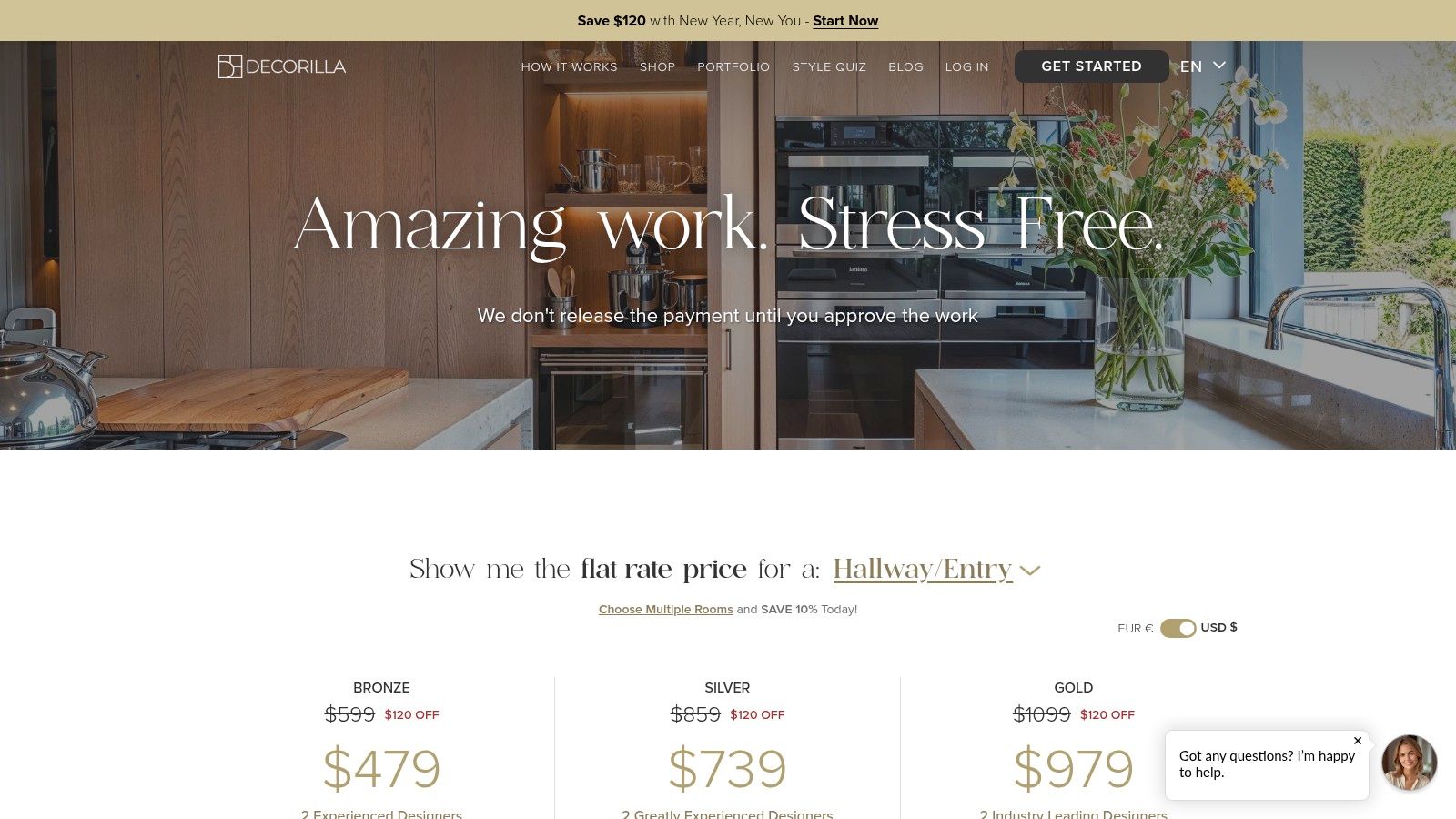
Decorilla elevates the e-design experience by offering concepts from multiple designers, ensuring users find a direction that perfectly matches their vision. This platform is a strong choice for those who want professional, photorealistic 3D renderings and more creative input at the start of their project. After completing a style quiz and submitting project details, two designers compete for your project, providing initial concepts for you to choose from.
This competitive approach is what makes Decorilla stand out among other online interior design tools. The final deliverables are comprehensive, including realistic 3D models, a detailed floor plan, a color palette, and a curated shopping list with exclusive trade discounts. The platform also provides a dedicated team to manage the ordering process, adding a layer of convenience similar to full-service design firms.
Key Features & Pricing
Decorilla offers tiered packages based on room type and the experience level of the designers you work with.
- Bronze Level: Work with talented designers who have 2-5 years of experience. Starts at $549 per room.
- Silver Level: Features more experienced designers with 5-10 years in the field. Starts at $699 per room.
- Gold Level: Collaborate with industry-leading designers with over 10 years of experience. Starts at $1,249 per room.
- Custom Packages: Available for larger or more complex projects.
Pros and Cons
Pros:
- Multiple Design Concepts: Receiving proposals from two designers provides more choice and reduces project risk.
- High-Quality Renderings: Delivers photorealistic 3D visualizations that bring the design to life.
- Access to Trade Discounts: Significant savings on furniture and decor from hundreds of brands.
Cons:
- Higher Price Point: The starting cost is more substantial compared to competitors like Havenly or Modsy.
- More Involved Process: The initial setup requires more detailed input from the user.
Website: https://www.decorilla.com/pricing
4. Spacejoy
Spacejoy is an online interior design service that specializes in delivering photorealistic 3D renderings of your redesigned space. It offers a structured, remote process for users who want to visualize a complete room makeover before committing to purchases. The platform stands out by providing clear, tangible deliverables, including interactive 3D models and curated, shoppable product lists, making it a strong mid-market choice among online interior design tools.
The service is built around a collaborative process with a dedicated designer. After you submit details about your room, style, and budget, your designer creates initial concepts. Higher-tier packages include impressive 360-degree views and photoreal images, allowing you to virtually "walk through" your new room. The final package includes a shoppable list with direct links to purchase furniture and decor from various retailers.
Key Features & Pricing
Spacejoy's packages are tiered based on the number of design concepts, revisions, and the level of designer interaction.
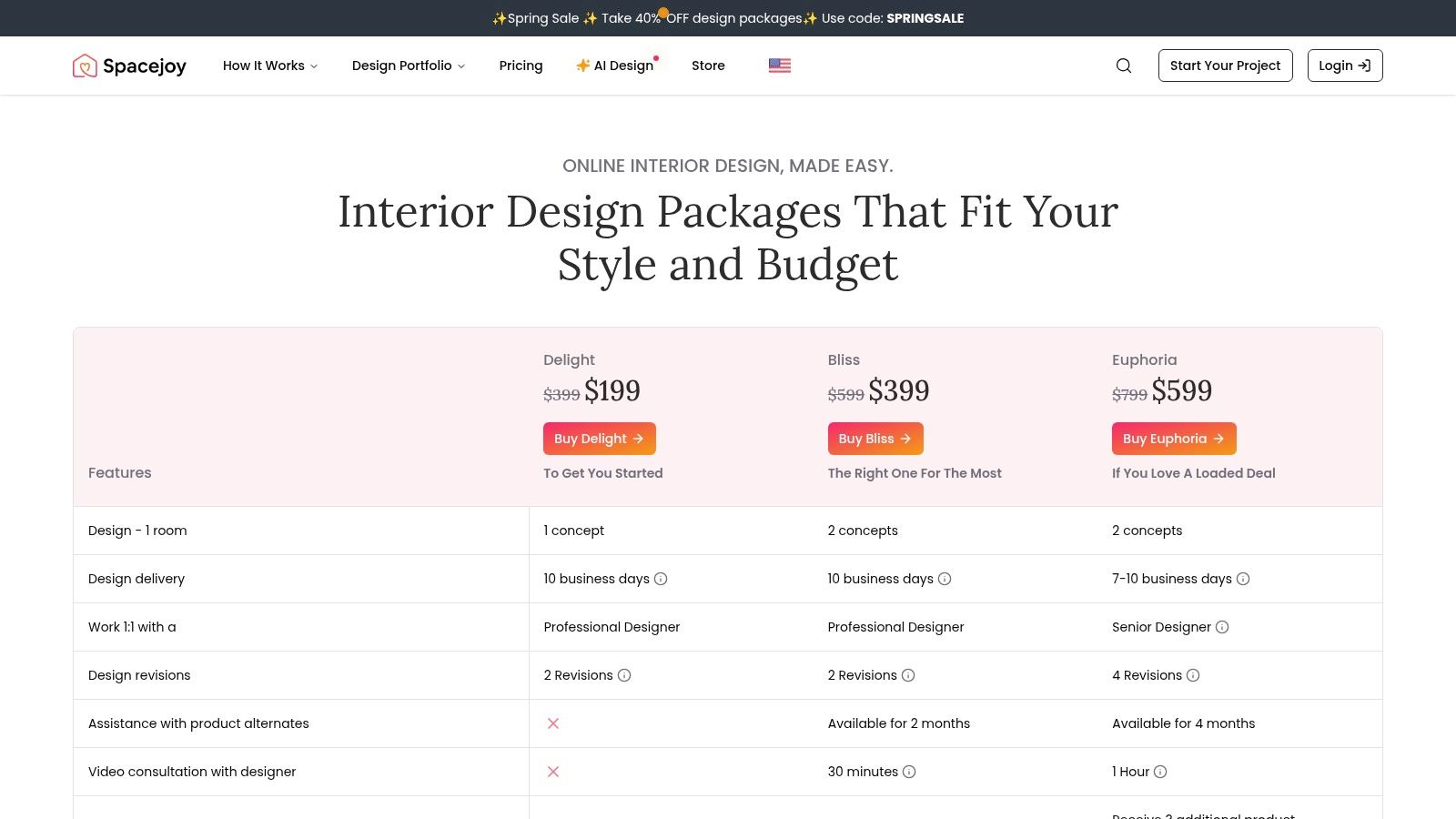
- Delight: The entry-level package for simple design guidance and one design concept. Starts at $299.
- Bliss: Offers two design concepts, more revision time, and enhanced 3D visuals. Starts at $499.
- Euphoria: The premium package providing maximum designer time, multiple concepts, and photorealistic 3D renderings with 360° views. Starts at $899.
Pros and Cons
Pros:
- Realistic 3D Visuals: High-quality renderings and 360° views help users confidently visualize the final outcome.
- Clear Package Tiers: The inclusions for each package are well-defined, making it easy to choose the right level of service.
- Competitive Mid-Market Pricing: Offers a good balance of professional guidance and cost compared to traditional design services.
Cons:
- Fixed Timelines: Revision and support windows are strictly defined by the package tier, limiting flexibility.
- Focus on Furnishings: The service is best suited for decor and furniture updates rather than structural renovations or architectural changes.
Spacejoy is ideal for homeowners and renters who need a clear, visual roadmap for redecorating a room and appreciate the ability to see the design in realistic 3D before buying.
Website: https://www.spacejoy.com/pricing
5. Planner 5D
Planner 5D is an approachable and intuitive home design tool, making it easy for non-professionals to create detailed 2D and 3D floor plans. It is celebrated for its user-friendly interface and multi-platform availability, with robust applications for web, iOS, Android, and macOS. This accessibility allows users to start a project on their computer and continue editing on a tablet or phone, offering exceptional flexibility for designing on the go.
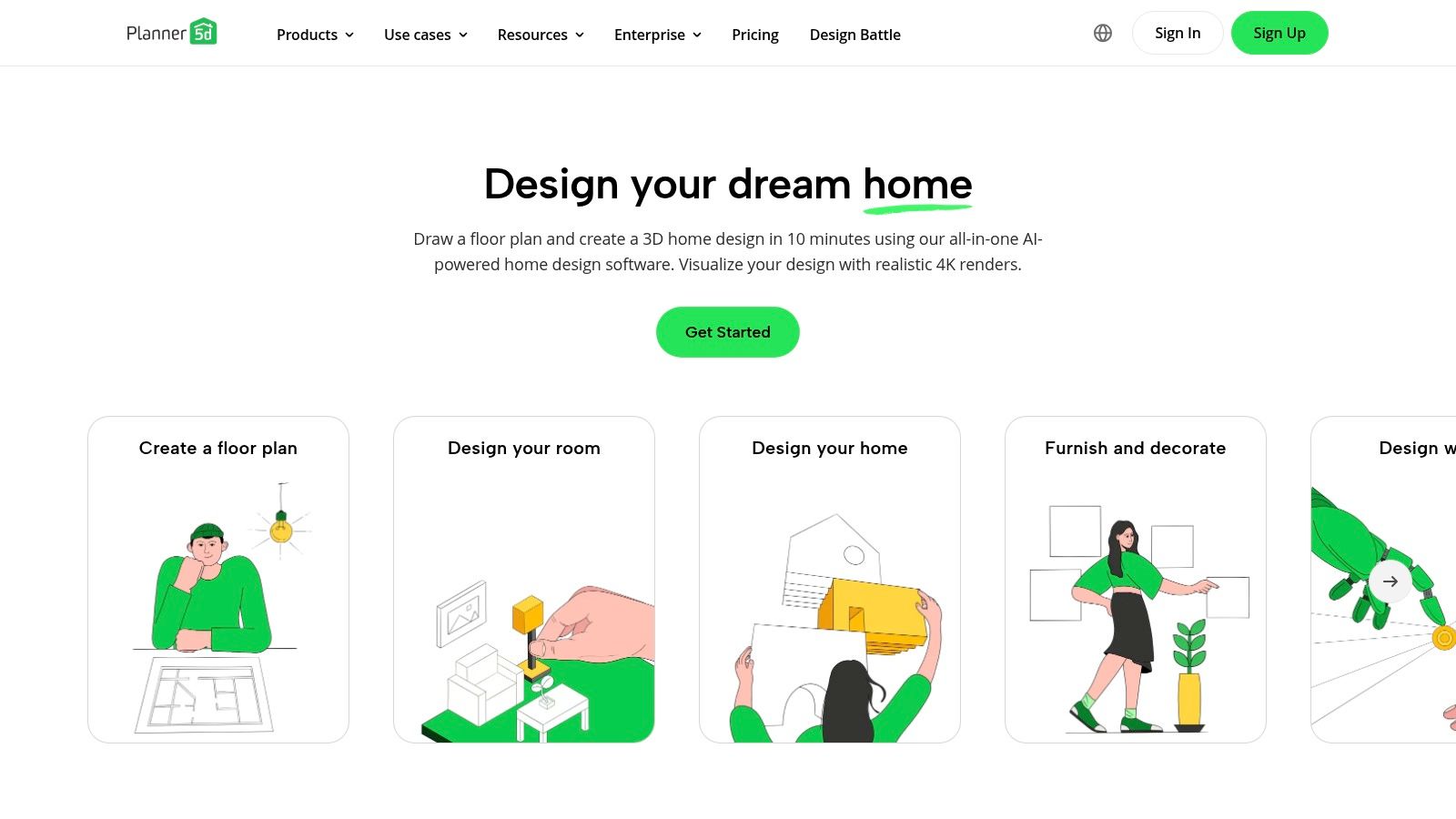
The platform stands out with its powerful combination of manual design and artificial intelligence. Users can build from scratch or use the AI Design Generator to create initial concepts. Its extensive catalog includes thousands of items, from furniture to landscaping elements, allowing for comprehensive home visualization. The ability to switch seamlessly between 2D planning and 3D exploration provides a complete perspective on the design.
Key Features & Pricing
Planner 5D operates on a freemium model, offering core functionality for free with premium features available via subscription.
- Free Version: Access to basic floor planning tools and a limited item catalog.
- Premium Subscriptions: Unlock the full catalog of over 7,000 items, custom textures, and the ability to create high-resolution 4K renders. Pricing varies by platform and subscription length.
- AI Design Generator: Creates furnished room layouts based on user-defined parameters.
Pros and Cons
Pros:
- Cross-Platform Sync: Work on your designs across web, desktop, and mobile devices.
- User-Friendly Interface: Very approachable for beginners with no prior design experience.
- Generous Free Tier: The free version is functional enough for basic planning and experimentation.
Cons:
- Subscription for Full Access: High-resolution renders and the complete item catalog require a paid plan.
- Performance Intensive: Large, complex projects can be demanding on less powerful devices.
Planner 5D is ideal for DIY enthusiasts and homeowners who want a versatile, easy-to-use tool to visualize their ideas. For a deeper look into its applications, see how tools like this fit into modern interior design workflows.
Website: https://planner5d.com
6. Homestyler
Homestyler is a powerful, cloud-based interior design suite that caters to a wide range of users, from hobbyists to professional design teams. It provides a comprehensive platform for creating detailed 2D floor plans, which can then be transformed into fully furnished 3D models. The tool is particularly known for its high-quality rendering capabilities, allowing users to generate photorealistic images of their designs.
The platform stands out with its extensive library of 3D models and materials, which can be further expanded with custom uploads on certain plans. Its advanced features, including sophisticated lighting options and multi-floor support, make it one of the more robust online interior design tools available. Homestyler also incorporates AI with its "Home Copilot" and offers team collaboration features, making it a scalable solution for growing businesses.
Key Features & Pricing
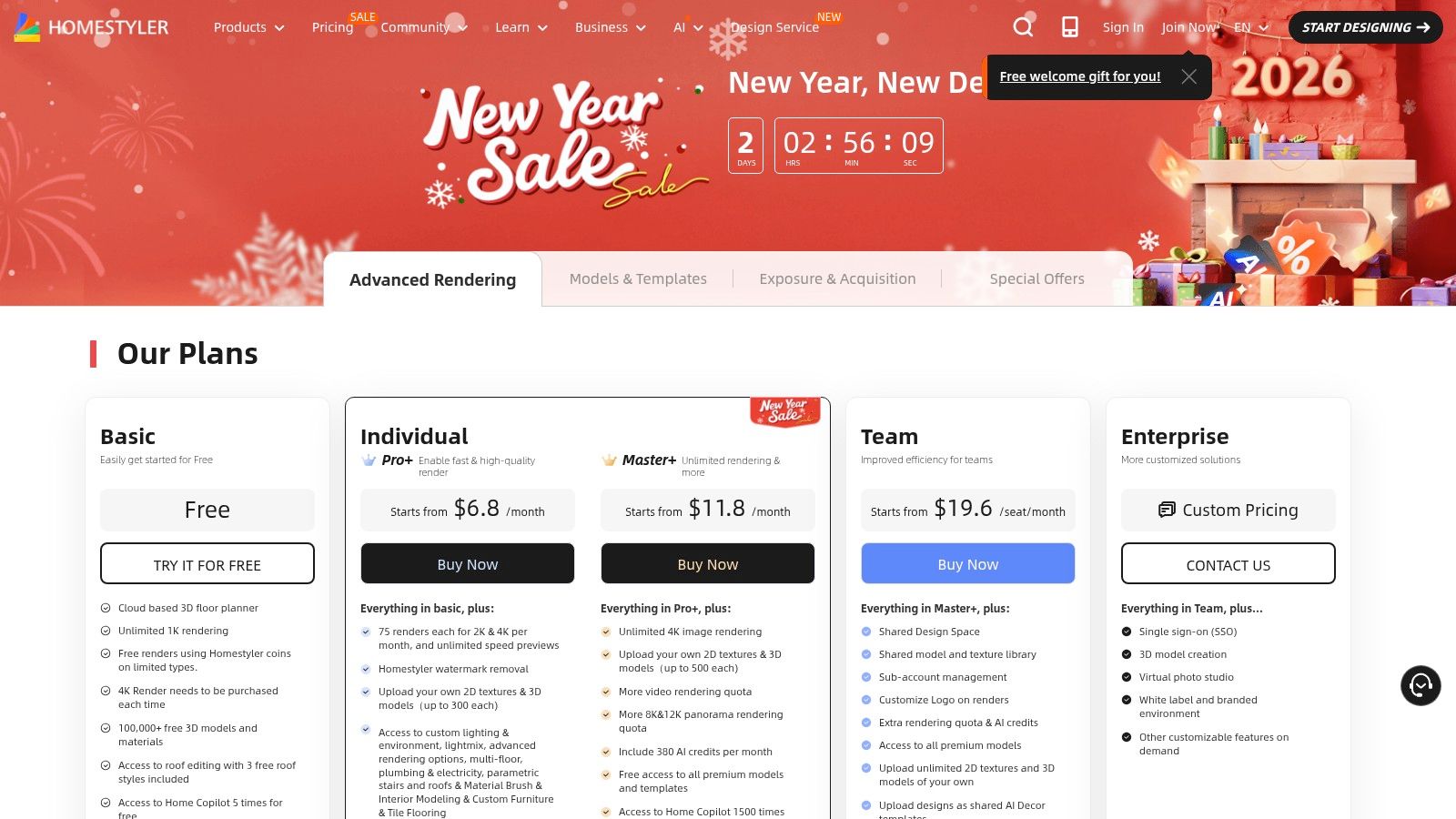
Homestyler uses a subscription model with different tiers, plus a credit system for high-resolution renders and certain advanced features.
- Basic Plan: A free-for-life option for beginners to explore the platform.
- Pro Plan: Starts at $4.9/month and includes unlimited 1K renders and watermark removal.
- Master Plan: Starts at $9.9/month, adding 4K/8K rendering and video capabilities.
- Team & Enterprise: Custom pricing for collaborative work, brand libraries, and team management.
Pros and Cons
Pros:
- Powerful Rendering: Delivers exceptional quality renders (up to 12K) at an affordable price.
- Scalable Solution: Offers plans that grow with you, from individual use to professional team collaboration.
- Extensive Asset Library: Provides a vast selection of furniture, materials, and decor.
Cons:
- Confusing Credit System: The add-on credit and quota menus can be complex to navigate initially.
- Occasional Localization Issues: Pricing pages may sometimes display inconsistent currency or language.
Homestyler is an ideal choice for users who need high-fidelity visualizations and a professional-grade toolset that can adapt to their evolving needs.
Website: https://www.homestyler.com/pricing
7. Floorplanner
Floorplanner is one of the most established and user-friendly online interior design tools for creating 2D and 3D floor plans directly in your browser. It excels at quick space planning, allowing users to draw rooms, add furniture, and visualize layouts with minimal technical skill. Its intuitive drag-and-drop interface makes it a go-to choice for homeowners, real estate agents, and designers who need to produce clear and accurate floor plans quickly.
The platform stands out for its simplicity and accessibility, removing the steep learning curve associated with professional CAD software. Users can easily switch between 2D and 3D views to check proportions and flow, making it an effective tool for visualizing a room's potential. While not designed for photorealistic marketing images, it serves its primary function as a planning and visualization aid exceptionally well.
Key Features & Pricing
Floorplanner operates on a flexible freemium and credit-based model, allowing users to pay only for the features they need.
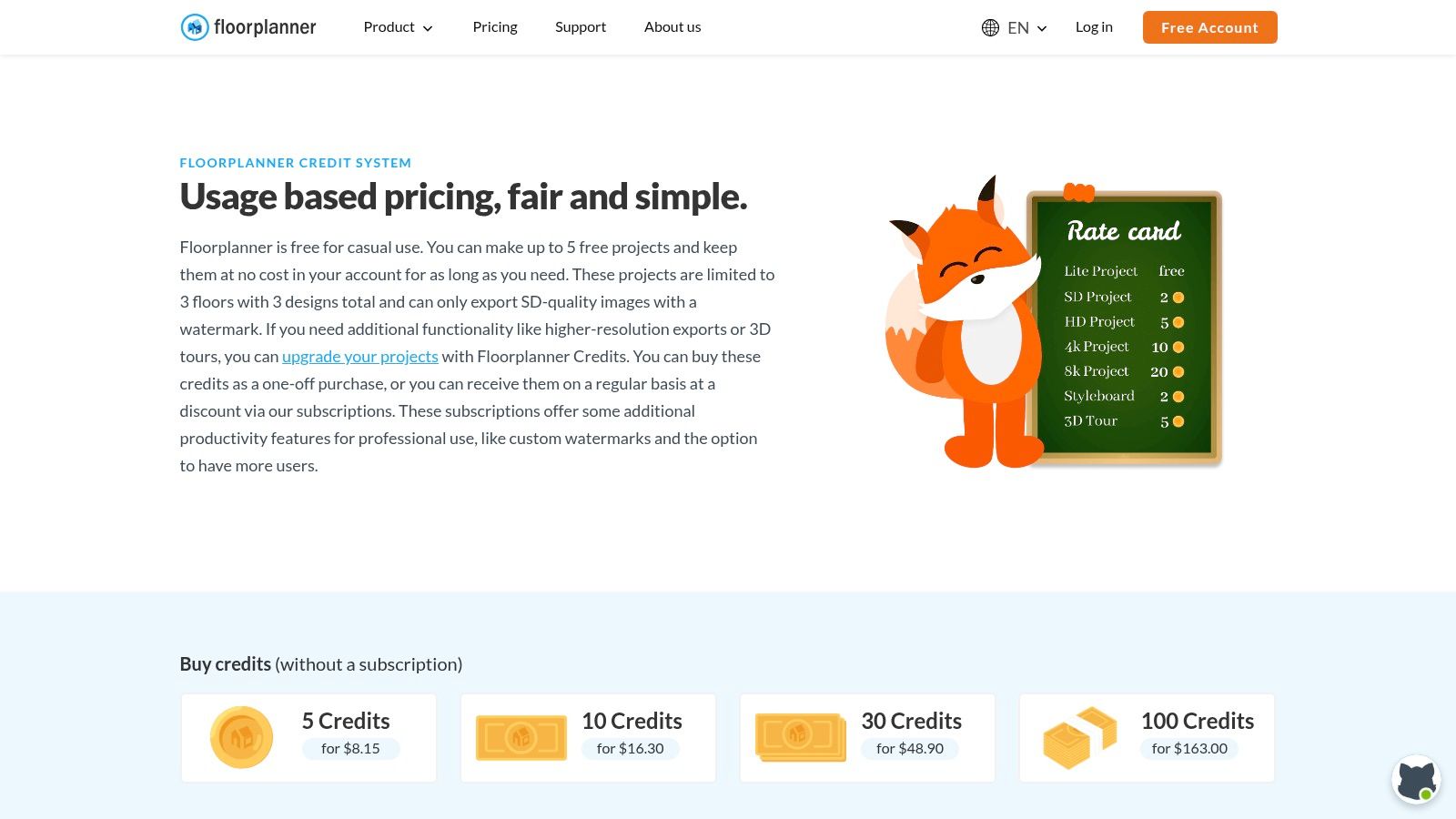
- Free Plan: Allows for the creation of up to 5 projects, ideal for casual users or small, one-off tasks.
- Project Upgrades: Users can purchase credits to upgrade individual projects for higher-quality exports (HD, 4K, 8K), 3D tours, and additional floors or design variants.
- Subscriptions: Monthly or annual plans are available for professionals who require a steady supply of credits and advanced features for frequent use.
Pros and Cons
Pros:
- Very easy to start: The intuitive interface is perfect for beginners who need quick visuals.
- Flexible Credit System: The usage-based pricing keeps costs predictable and affordable for infrequent users.
- Browser-Based: No software installation is required, making it accessible from any computer.
Cons:
- Requires Credits for Exports: High-resolution renders and 3D tours are locked behind a paywall.
- Less Photorealistic: The 3D visuals are more schematic than those from professional rendering software.
Floorplanner is an excellent tool for initial space planning, especially for projects like mapping out functional kitchen ideas before committing to a final design.
Website: https://floorplanner.com/pricing
8. HomeByMe
HomeByMe is a user-friendly 3D planning tool that empowers homeowners and professionals to create detailed floor plans and furnish them with real-world products. It stands out by integrating an extensive catalog of branded furniture and decor, allowing users to design with actual items they can purchase. The platform operates primarily in a web browser, making it one of the more accessible online interior design tools for creating realistic 3D visualizations from scratch.
The workflow is intuitive, starting with a 2D floor plan that you can instantly view and edit in 3D. Users can then drag and drop items from a catalog of over 90,000 products from leading brands. A unique feature is "MakeByMe," which allows for the creation of custom-sized modular furniture. The platform is built around a credit system for generating high-quality renders, ensuring users only pay for the premium outputs they need.
Key Features & Pricing
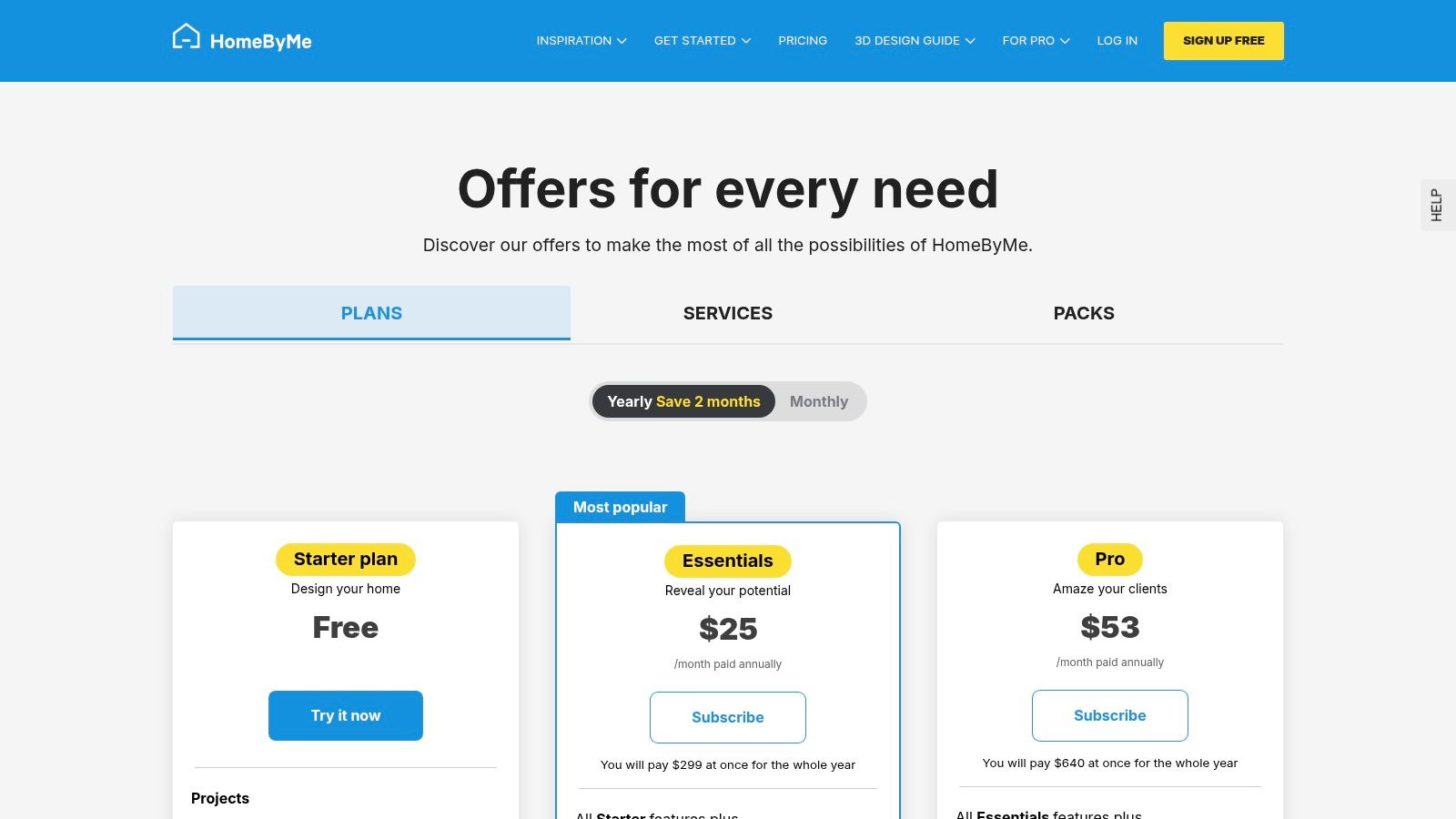
HomeByMe offers a freemium model, providing core functionality for free with paid options for advanced features and higher-quality outputs.
- Free Plan: Includes the first 3 projects, unlimited standard-definition renders, and a handful of HD image credits.
- One-Time Packs: Users can purchase packs of credits for additional HD or 4K renders without a recurring subscription.
- Unlimited+ Subscription: Aimed at frequent users, this plan offers unlimited projects and a monthly allowance of high-resolution images, 360° views, and realistic renders. Starts around $29.99/month.
Pros and Cons
Pros:
- Extensive Branded Catalog: Designing with real, purchasable products simplifies the shopping process.
- Generous Free Tier: The free plan is robust enough for users to complete several small projects.
- High-Quality Visuals: Capable of producing photorealistic 4K renders and 360° tours.
Cons:
- Credit System Complexity: The credit-based model for renders can be confusing for new users to navigate.
- Learning Curve: While user-friendly, mastering all the features for detailed designs can take time.
HomeByMe is ideal for DIYers who want to plan a room with specific, real-world furniture before making any purchases.
Website: https://home.by.me/en/offers/
9. RoomSketcher
RoomSketcher is a powerful and intuitive floor plan and home design software widely used by homeowners, real estate professionals, and interior designers. It excels at creating detailed 2D and 3D floor plans, allowing users to visualize spaces with accuracy. The platform offers a user-friendly DIY editor, making it accessible even for those without technical drawing experience.
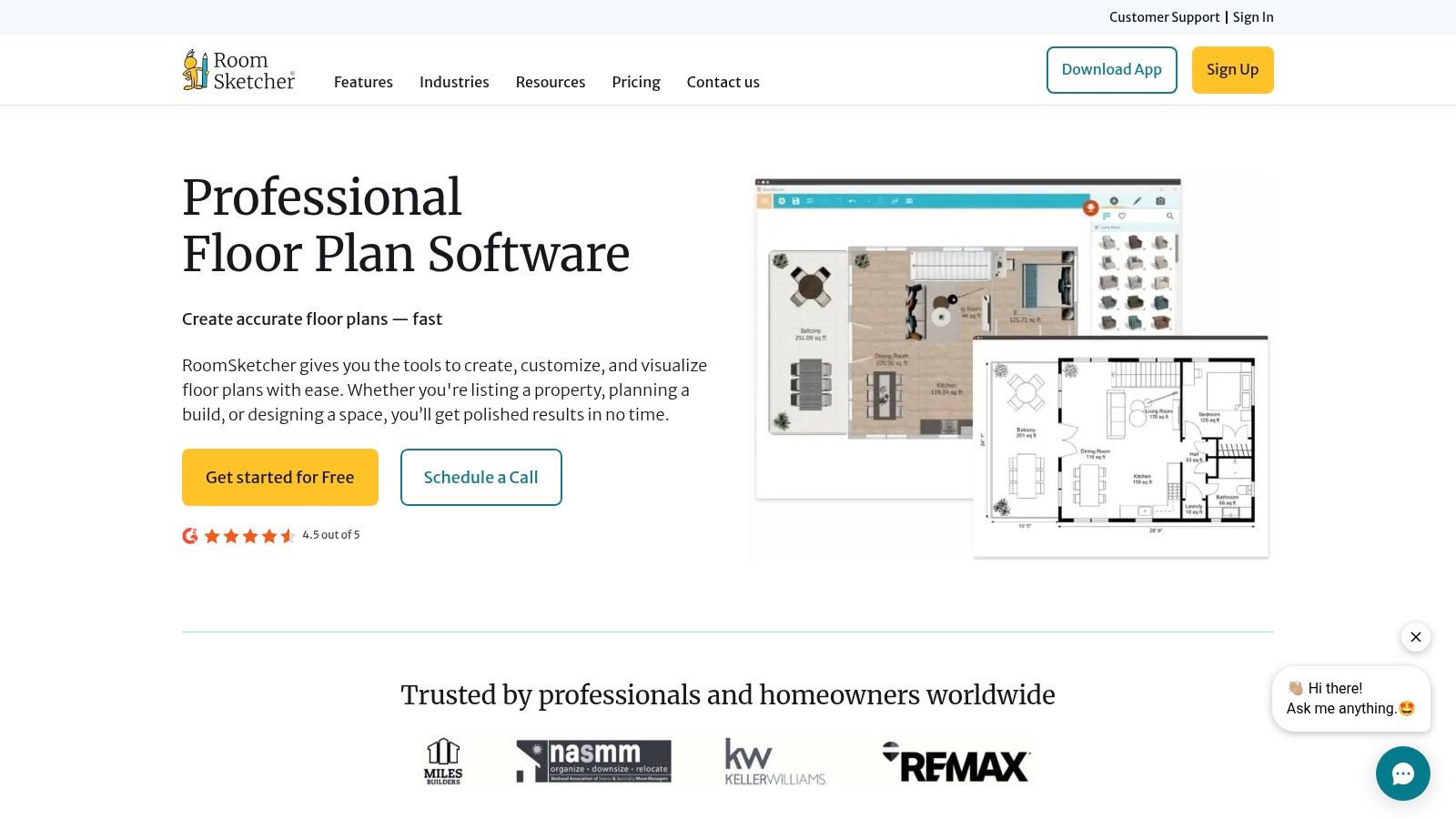
What sets RoomSketcher apart is its flexible credit-based system for generating high-quality outputs like 3D Photos and interactive 360 Views. This allows users to pay for only what they need, which is ideal for one-off projects. The platform also includes a service to have your blueprints or sketches professionally redrawn, saving significant time. Its Live 3D feature provides an immersive walkthrough experience that is highly effective for client presentations or personal planning.
Key Features & Pricing
The platform offers a free plan with basic functionality, with premium features and outputs available through subscriptions or a pay-as-you-go credit system.
- Free Plan: Access the RoomSketcher App and its core drawing features.
- Premium Plan: For single users needing more features like 2D floor plans with measurements. Starts at $2/month (billed annually).
- Pro Plan: Designed for small businesses, offering branding, 3D floor plans, and 360 views. Starts at $10/month (billed annually).
- Credits: Purchase RoomSketcher Credits to generate premium outputs like 3D Photos on an à la carte basis.
Pros and Cons
Pros:
- Flexible Pricing: The credit system is great for one-off projects without a subscription commitment.
- User-Friendly Interface: The drag-and-drop editor is easy to learn and use.
- High-Quality Outputs: Generates professional-grade 2D and 3D floor plans and visuals.
Cons:
- Cumulative Costs: Generating many high-quality outputs with credits can become expensive.
- Render Quality: While good, the photorealistic results may not match specialized, high-end rendering engines.
RoomSketcher is a top choice for anyone needing detailed floor plans and clear 3D visualizations. Its versatility extends beyond interiors, as you can also use design principles to plan outdoor spaces; explore these ideas for effective exterior design.
Website: https://www.roomsketcher.com
10. Foyr Neo
Foyr Neo is a powerful, all-in-one, cloud-based design suite built for professional interior designers. It streamlines the entire workflow from initial 2D floor plans and 3D modeling to creating stunning, photorealistic renders, all within a web browser. This approach eliminates the need for expensive, high-performance hardware, making professional-grade tools more accessible. The platform is designed to produce client-ready visuals quickly and efficiently.
The platform stands out by combining multiple design stages into a single, intuitive interface. Users can leverage a vast catalog of 3D models or upload their own custom assets. Its lightning-fast rendering engine produces high-quality visuals, including 4K and 12K resolution images and 3D walkthrough videos. A notable feature is Foyr AR, which allows designers and clients to visualize finished designs in their actual space using augmented reality.
Key Features & Pricing
Foyr Neo offers several subscription plans tailored to different usage levels, from individual designers to large teams.
- Fast Rendering: Generate photorealistic renders in minutes, with options for up to 12K resolution.
- Comprehensive Tools: Includes 2D/3D planning, a large 3D model library, and custom uploads.
- Foyr AR: Visualize designs in a real-world environment using augmented reality.
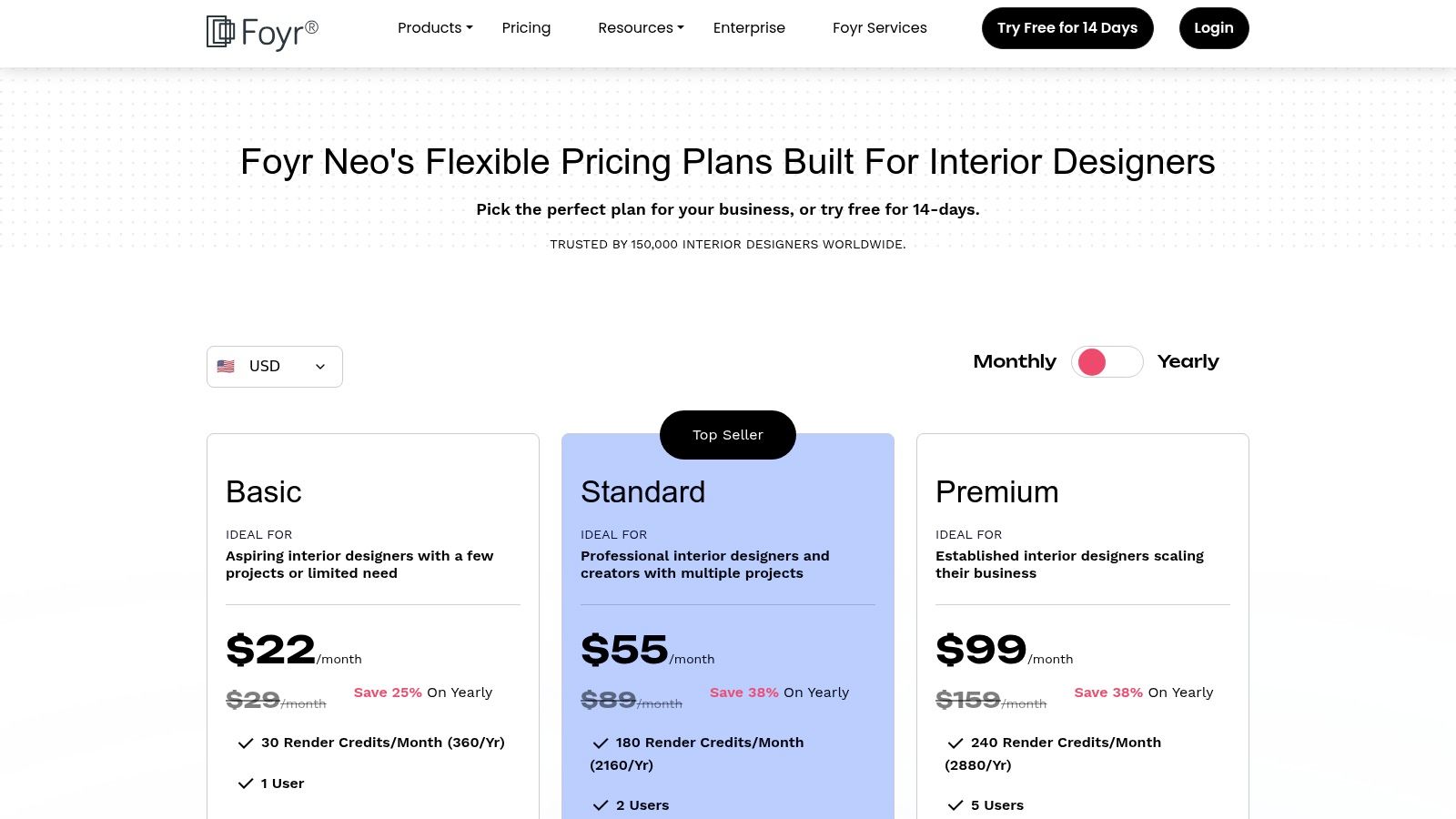
- Pricing: Plans typically start around $59/month, with higher tiers offering more render credits and team features.
Pros and Cons
Pros:
- All-in-One Workflow: Consolidates multiple design tools into a single browser-based platform.
- Accessibility: No need for a high-end PC, making it cost-effective for designers.
- High-Quality Output: Capable of producing professional-grade renders and walkthroughs.
Cons:
- Credit-Based Rendering: Heavy usage may require purchasing additional render credits, which needs planning.
- Desktop-Focused: The platform is optimized for desktop browsers, with limited mobile functionality.
Foyr Neo is an excellent solution for professional designers seeking a streamlined and powerful online interior design tool without a significant hardware investment.
Website: https://foyr.com/pricing/
11. Morpholio Board
Morpholio Board is a professional-grade mood board and specification tool designed for the Apple ecosystem, catering to interior designers, architects, and serious DIY enthusiasts. It moves beyond simple collages, functioning as a dynamic workspace to organize ideas, create product lists, and develop client-ready presentations. The app allows users to pull images, furniture, and materials from curated galleries or the web to create stunning, interactive concept boards.
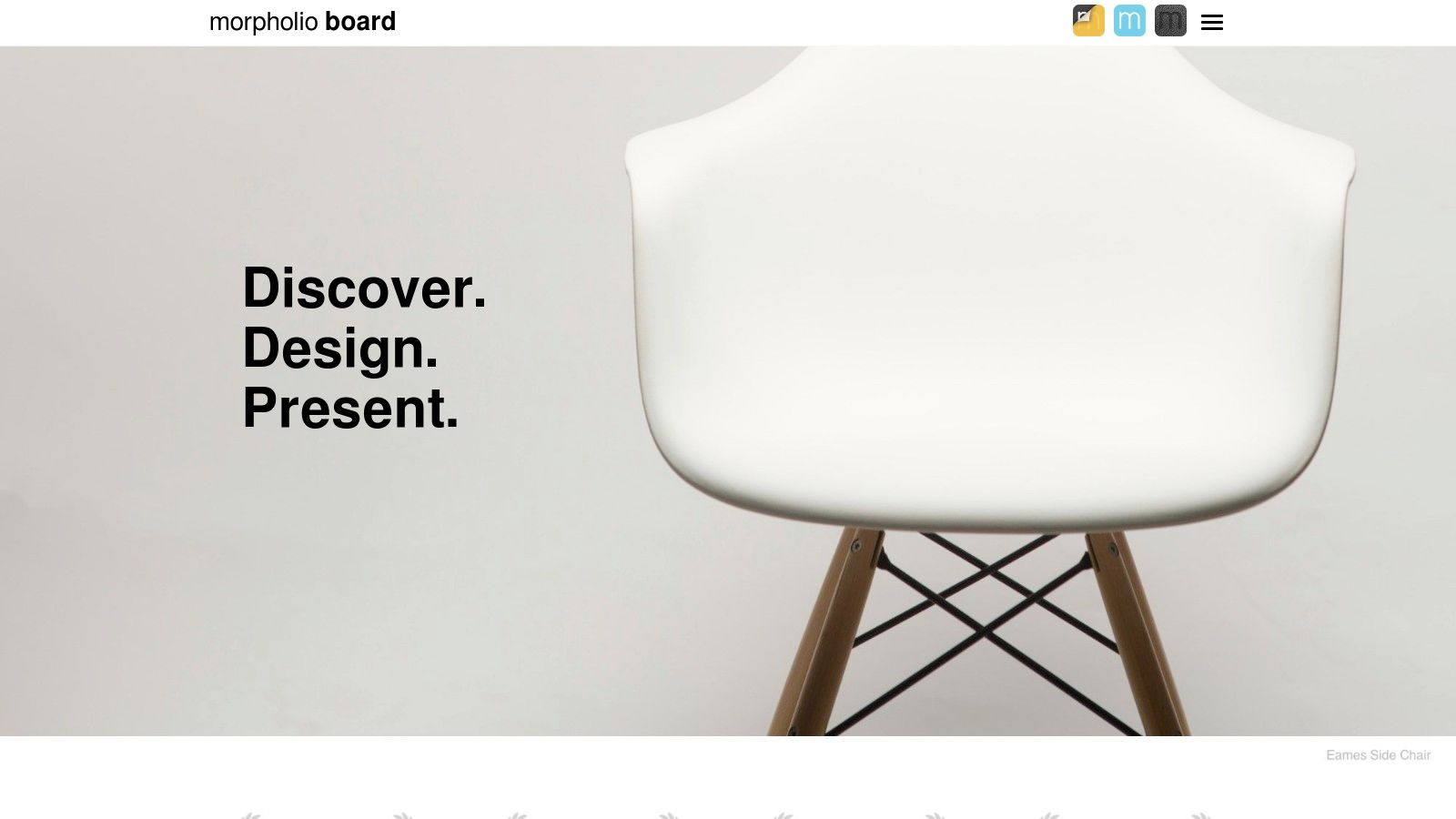
What sets this tool apart is its integration of design and specification. As you build your mood board, the app automatically generates cut sheets and shopping lists, which can be exported into various formats like Excel and PDF. For users with supported devices, its augmented reality (AR) feature allows you to preview furniture pieces in your actual room, providing a crucial sense of scale and fit. This makes it one of the most practical online interior design tools for bridging concept and execution.
Key Features & Pricing
Morpholio Board uses a tiered subscription model, with features scaling up at each level.
- Essentials: A free tier with basic board creation tools.
- Premium: Unlocks advanced features like presentation exports and expanded library access.
- Pro: The full suite for professionals, including spec sheets, custom branding, and advanced export options.
Pros and Cons
Pros:
- Professional Workflow: Seamlessly integrates mood boards with technical specifications and shopping lists.
- High-Quality Presentations: Creates visually impressive and interactive client presentations.
- AR Integration: The augmented reality feature is excellent for visualizing furniture in a real space.
Cons:
- Apple Ecosystem Only: Limited to users on iOS, iPadOS, and macOS.
- Learning Curve: Some professional features may require time to master fully.
Morpholio Board is ideal for design professionals and dedicated hobbyists who need a powerful, all-in-one tool for creating, specifying, and presenting projects.
Website: https://www.morpholioapps.com/board
12. Wayfair Decorify + Muse
Wayfair has entered the AI design space with a suite of free, integrated tools aimed at turning inspiration directly into shoppable reality. Decorify allows users to upload a photo of their room and receive photorealistic redesigns in various styles, all populated with products from Wayfair’s massive catalog. This approach tightly connects the visualization process with the convenience of e-commerce.
Complementing Decorify is Muse, a visual search engine designed for style discovery. Users can browse endless AI-generated imagery and apply those styles directly to their own space, creating a fast and intuitive loop from ideation to application. These tools are powerful for anyone who wants quick, no-cost design concepts and prefers the simplicity of shopping from a single, well-known U.S. retailer.
Key Features & Pricing
As a promotional and sales-driving tool for its main retail platform, Wayfair offers these services completely free of charge.
- Decorify: Upload a photo of your room to generate shoppable, photorealistic redesigns in seconds.
- Muse: A visual discovery tool for browsing AI-generated styles that can be applied to your own room photos.
- Direct Shopping Integration: Every item featured in the AI-generated designs is directly linked for purchase on Wayfair.com.
- 3D "View in Room": Many products support augmented reality viewing on compatible mobile devices.
Pros and Cons
Pros:
- Completely Free: No cost to generate unlimited design ideas and visualizations.
- Directly Shoppable: Eliminates the guesswork of finding items from an inspiration photo.
- Fast Inspiration: Generates multiple design concepts almost instantly.
Cons:
- Ecosystem Lock-in: All product suggestions are limited to Wayfair's inventory.
- Device Dependency: Some advanced features like AR viewing are limited to newer devices.
Website: https://www.wayfairnext.com/decorify
Top 12 Online Interior Design Tools — Feature Comparison
| Product | Core features | UX / Quality (★) | Price / Value (💰) | Target (👥) | Unique selling points (✨) |
|---|---|---|---|---|---|
| 🏆 RoomStudioAI | Photoreal redesigns (photo/sketch→render), empty/declutter/furnish, visual search, 4K, team sharing | ★★★★★ — instant (~<30s), high-res | 💰 From ~$15–$90/mo (Studio/Pro/Enterprise); predictable credits; commercial options | 👥 Homeowners, designers, real estate pros, agencies | ✨ Preserves real-room proportions/lighting; built-in shop-the-look; fast 4K output |
| Havenly | Remote designer pairing, 3D renders, floor plans, shoppable list, messaging | ★★★★ — turnkey but designer-dependent | 💰 Flat-rate per-room packages; entry-level pricing | 👥 Renters & homeowners wanting turnkey help | ✨ Human designer + consolidated shopping/checkout |
| Decorilla | Multiple designers, realistic 3D, mood boards, trade discounts | ★★★★★ — pro-level deliverables | 💰 Higher starting price; tiered designer levels (Bronze→Gold) | 👥 Users seeking pro output / trade pros | ✨ Two-concept submissions + trade discounts |
| Spacejoy | Tiered packages, photoreal 3D, 360° views, 1:1 collaboration | ★★★★ — clear inclusions, quick delivery | 💰 Mid-market packages by tier (concepts/revisions) | 👥 Mid-market homeowners & small firms | ✨ Fast timelines with clear, shoppable deliverables |
| Planner 5D | AI design generator, 2D/3D editor, large catalog, multi-platform apps | ★★★ — approachable, mobile-first | 💰 Free basic; paid upgrades for 4K/full catalog | 👥 DIYers & casual users on mobile | ✨ Strong cross-platform apps + AI generator |
| Homestyler | 2D/3D planning, advanced renders (4K+), model library, team plans | ★★★★ — powerful rendering, scalable | 💰 Affordable monthly; add-on credits for high-res | 👥 Hobbyists → professional teams | ✨ High-res renders and Home Copilot AI; large asset library |
| Floorplanner | Fast 2D/3D floor plans, furniture arranging, credit-based exports | ★★★ — very easy for space planning | 💰 Free tier (5 projects); pay-per-export credits | 👥 Users needing quick space planning/usage-based billing | ✨ Usage-based credit model for predictable pay-as-you-go |
| HomeByMe | 2D/3D editor, large brand catalog (90k+), Full HD/4K renders, Pro plan | ★★★★ — good visuals, real-brand items | 💰 Free starter; Pro for unlimited high-res/commercial | 👥 Consumers & pros wanting real-brand shopping | ✨ Large real-brand catalog + custom 'MakeByMe' option |
| RoomSketcher | DIY floor plan editor, 3D photos, 360 views, AI Convert/Capture | ★★★★ — clear outputs, DIY-friendly | 💰 Subscriptions or credit packs; pay-as-you-go outputs | 👥 Homeowners, real estate, design pros | ✨ Clear USD credit pricing & redraw service |
| Foyr Neo | 2D space planning, 3D modeling, fast photoreal renders up to 12K, AR/walkthroughs | ★★★★★ — pro-grade, fast browser renders | 💰 Competitive pro pricing; render-credit add-ons | 👥 Professional designers & studios | ✨ Up to 12K renders + AR walkthroughs without high-end PC |
| Morpholio Board | Moodboards, auto shopping lists/specs, AR preview (Apple), export to PDF/PSD/Excel | ★★★★ — excellent for concepting & presentations | 💰 Tiered subs (Essentials → Pro) | 👥 Designers & creatives (Apple users) | ✨ Integrated specs, exports and AR preview on Apple devices |
| Wayfair Decorify + Muse | Free AI redesigns, visual browsing, direct Wayfair shopping, limited AR | ★★★★ — fast, shoppable inspiration | 💰 Free (tied to Wayfair inventory) | 👥 Shoppers & inspiration seekers | ✨ Free, instantly shoppable results tied to Wayfair catalog |
Choosing Your Perfect Design Partner
The digital revolution in interior design has officially arrived, transforming what was once a complex, costly, and time-consuming process into an accessible and engaging creative endeavor. As we've explored, the landscape of online interior design tools is no longer a niche market but a sprawling ecosystem of powerful platforms. From AI-driven generators that produce photorealistic concepts in seconds to comprehensive 2D and 3D modeling software, the power to visualize and plan your ideal space is quite literally at your fingertips.
This journey through the top platforms reveals a crucial truth: there is no single "best" tool, only the best tool for your specific project. The ideal choice hinges on a clear understanding of your goals, your technical comfort level, and the scope of your vision. A homeowner looking for quick inspiration for a living room refresh has vastly different needs than a professional designer managing multiple client projects with detailed floor plans and sourcing requirements.
Key Takeaways from Our Deep Dive
Reflecting on the array of options, several core themes emerge that can guide your decision-making process:
- AI vs. Manual Control: The primary fork in the road is choosing between AI-powered visualization and manual 3D modeling. Tools like RoomStudioAI and Wayfair Decorify prioritize speed and realism by working with your existing photos, making them perfect for rapid ideation. In contrast, platforms like Planner 5D and Homestyler offer granular control, allowing you to build a space from the ground up, which is ideal for detailed planning and new construction.
- Service vs. Software: Another critical distinction lies between pure software and full-service e-design platforms. While tools like Floorplanner and RoomSketcher provide the canvas, services such as Havenly and Decorilla provide both the canvas and the artist. They connect you with a professional designer who uses digital tools to bring your vision to life, offering a blend of technology and human expertise.
- Specialization is Key: Not all tools are created equal for all tasks. Foyr Neo is built for the professional design workflow, from mood boarding to rendering. Morpholio Board excels at creating beautiful, client-ready presentation boards. Real estate agents might find the quick, high-impact visuals from an AI tool most effective for staging, while a DIY renovator will need the precise measurement capabilities of a dedicated floor planner.
Actionable Next Steps: Finding Your Match
Navigating this diverse marketplace of online interior design tools requires a strategic approach. Before committing to a subscription or investing significant time, follow this simple framework to ensure you find the perfect partner for your creative journey.
- Define Your Primary Goal: Are you looking for quick inspiration, creating a detailed construction plan, or collaborating with a client? Your primary objective will immediately narrow the field. For instance, if your goal is to see how a new sofa and paint color look in your actual room, an AI redesign tool is your best bet. If you need to map out plumbing and electrical, a 2D floor planner is essential.
- Assess Your Time and Skill: Be honest about your technical abilities and the time you're willing to invest. Platforms with steep learning curves, like some advanced 3D modelers, can be powerful but may lead to frustration if you're on a tight deadline or new to design software. AI tools and e-design services offer the lowest barrier to entry.
- Utilize Free Trials: Nearly every tool on our list offers a free version, a trial period, or a free initial consultation. Take advantage of this. Upload a photo, draw a simple room, or create a basic mood board. This hands-on experience is the single most effective way to determine if a tool’s interface, workflow, and output quality align with your expectations.
- Consider Your Project's Final Output: What do you need to do with the final design? If you need a simple visual to share with your partner, a high-resolution screenshot might suffice. If you need professional-grade renders for a client portfolio or blueprints for a contractor, you'll require a tool with advanced export and rendering capabilities.
The right digital tool acts as a bridge between the vision in your mind and its tangible, real-world execution. It empowers you to experiment fearlessly, communicate your ideas with clarity, and make confident decisions before a single can of paint is opened or a piece of furniture is ordered. By aligning a platform's strengths with your unique project needs, you unlock a world of creative potential, ensuring your design journey is as beautiful as the final result.
Ready to skip the learning curve and see your design vision come to life in seconds? RoomStudioAI leverages the power of artificial intelligence to transform a simple photo of your room into a stunning, photorealistic redesign in over 30 different styles. Try it for free and discover the fastest way to visualize your next project at RoomStudioAI.
Ready to redesign your space?
Try our AI interior design tool and see your room transformed in seconds.
Try Free Design

