Ever tried to picture a completely new room design in your head, only to struggle with how it will actually look? What if you could hold a picture of that finished room in your hands before you even picked out a paint color?
That’s exactly what an interior design rendering does. It’s a detailed, digital image that takes your abstract ideas—the colors, furniture, and layouts swirling in your mind—and turns them into a tangible, visual plan. It's your secret weapon for making design decisions with total confidence.
Bringing Design Concepts to Life
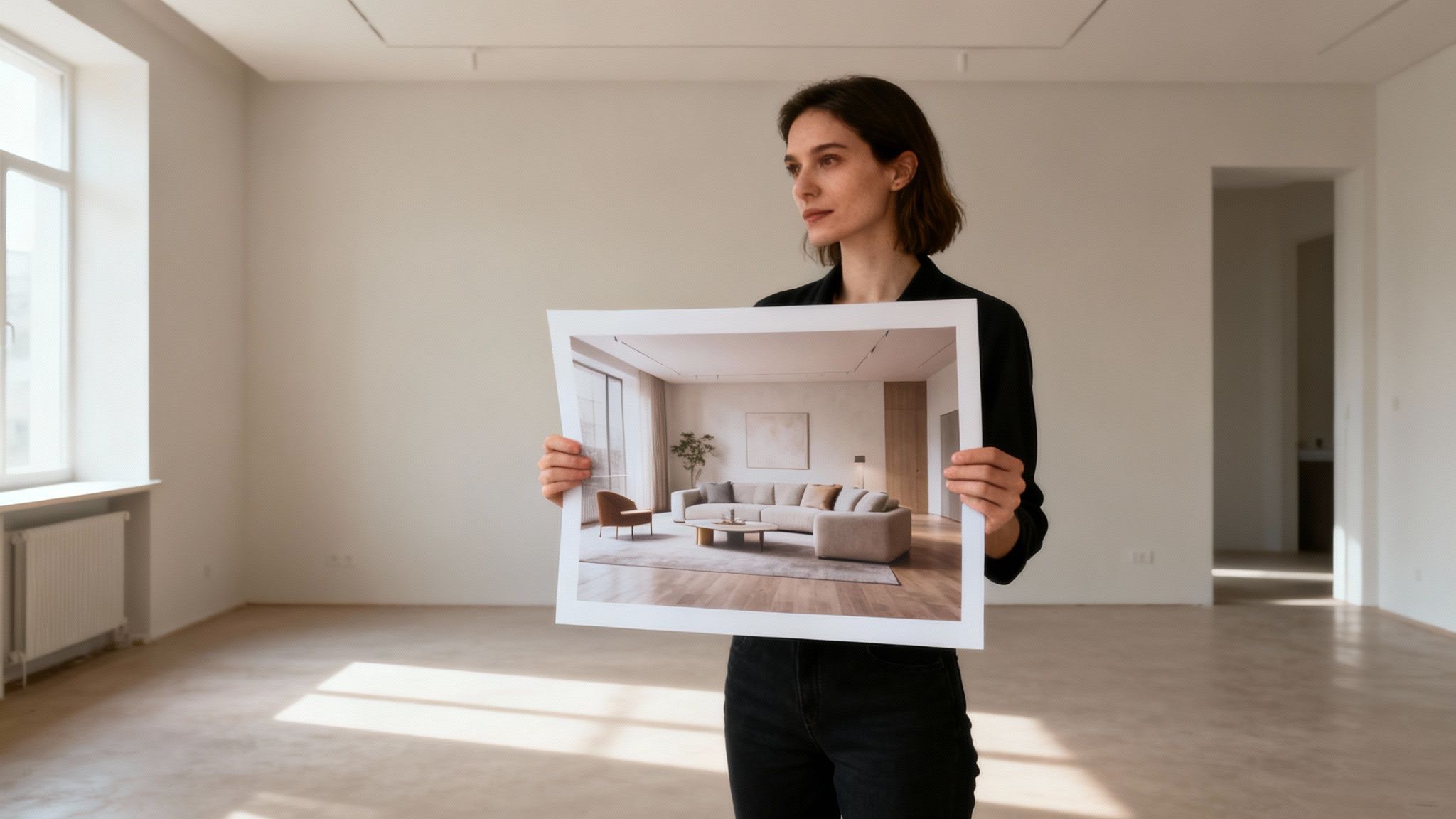
Think of a rendering as the bridge between your imagination and the final, built-out space. It’s a powerful visualization tool that helps you sidestep the expensive guesswork and buyer's remorse that often come with big design projects. In a way, it’s like a dress rehearsal for your home, letting you see precisely how that new color scheme, furniture arrangement, or lighting fixture will feel in your own space.
This isn't a new concept, but the technology has come a long way. The process used to be limited to flat, 2D drawings and architectural blueprints. While those are still great for mapping out basic dimensions, modern 3D renderings are where the magic really happens. They give you a true sense of depth, scale, and atmosphere, allowing you to "walk through" a room from different angles, almost as if you were standing right there.
Why Renderings Are a Game-Changer
Seeing a realistic preview of your project before work begins is invaluable. It gets homeowners and designers perfectly aligned on a single vision, cutting out the potential for miscommunication and costly changes later. A good rendering is worth its weight in gold.
Here’s why they’re so critical to the design process:
- Validate Your Ideas: Is that bold accent wall a brilliant move or a disaster waiting to happen? A rendering gives you the answer without you having to spend a dime on paint.
- Communicate Clearly: A picture truly is worth a thousand words. A visual plan ensures everyone—from your partner to your contractor—is on the exact same page.
- Experiment Without Risk: This is your creative sandbox. You can test out different materials, styles, and layouts with zero physical or financial commitment.
- Make Decisions Faster: When you can clearly see the beautiful outcome, it’s much easier to sign off on purchases and plans with confidence.
An interior design rendering is like a visual contract. It establishes clear expectations and sets a definitive target for the project, making sure the end result is a perfect match for the original vision.
Ultimately, these digital previews do more than just show off a pretty design; they build confidence. For anyone starting a remodel or redecoration, understanding the different use cases for interior design renderings is the first step toward a flawless project. They empower you to move forward with clarity, knowing exactly what to expect before the real work ever begins.
What Are the Different Types of Renderings?
Not all interior design renderings are built the same. Just as a quick napkin sketch serves a different purpose than a detailed oil painting, different rendering types are meant for different stages of the design journey. Getting a handle on these variations helps you pick the right visual tool for the job, whether you're just kicking around early ideas or presenting a final, polished design.
The process often starts with the simplest visuals, which have their roots in traditional architectural plans. From there, the renderings evolve, with each type offering its own unique mix of detail, speed, and emotional punch.
From Flat Plans to Immersive Worlds
The first major fork in the road is the choice between two-dimensional (2D) and three-dimensional (3D) renderings. While both live on a screen, they give you a completely different perspective on the design.
2D Elevations and Floor Plans: Think of these as a classic blueprint, but with a major upgrade. A 2D elevation shows you a single wall head-on, almost like a flat picture. These are fantastic for figuring out wall treatments, cabinet layouts, tile patterns, and where different colors will go, all without getting lost in complex angles. A rendered floor plan gives you that bird's-eye view of furniture layout and traffic flow, but with color and texture added in. They answer the simple question: "What goes where?"
3D Renderings: This is where a space really starts to breathe. 3D renderings create a genuine sense of depth and volume, letting you see how every element plays together from a realistic point of view. You’re no longer just looking at a wall; you’re standing in the room, seeing how the light from a window hits the floor and how the sofa and chairs relate to one another.
While 2D is perfect for technical clarity, 3D is essential for capturing the feel of a space. It’s why the vast majority of modern renderings are 3D—they provide the context you need to really understand and sign off on a design.
Stylized vs. Photorealistic Renderings
Once you step into the world of 3D, you’ll find another split: stylized (or conceptual) renderings and photorealistic ones. The right choice here depends entirely on what you're trying to accomplish at that moment.
Stylized or Conceptual Renderings have a softer, more artistic, or even sketch-like quality. Their job is to communicate a general idea, mood, or layout without getting bogged down in the tiny details. They're perfect for the early, messy stages of design when you need to explore and iterate quickly. A designer might whip up a stylized rendering to show a client two different furniture layouts without worrying about the exact fabric on the sofa just yet.
A conceptual rendering isn't chasing perfect realism; it's chasing perfect communication of an idea. It prioritizes speed and clarity to keep the creative juices flowing.
Photorealistic Renderings, on the other hand, aim to look so real you could mistake them for a photograph. Getting to this level takes serious work. It involves meticulous 3D modeling, applying true-to-life textures, and setting up complex lighting that mimics the real world with incredible accuracy. These are the gold standard for final client presentations and real estate marketing. When a potential buyer sees a photorealistic rendering of a stunning living room, they don't just see a layout—they start picturing their life there. You can see great examples in our guide to creating a beautiful living room design.
The choice is always strategic. A quick, stylized image is your best friend during a brainstorming session, while a hyper-realistic visual delivers the "wow" factor you need to get a project approved or sell a property.
Comparing Rendering Types and Their Best Use Cases
To make it even clearer, here’s a simple breakdown of how these rendering types stack up against each other and when you should use each one.
| Rendering Type | Key Characteristics | Best For | Typical Turnaround |
|---|---|---|---|
| 2D Floor Plan | Top-down view with color/texture | Space planning, furniture layout | 1-2 hours |
| 2D Elevation | Flat, head-on view of a single wall | Cabinetry, tile, wall treatment design | 1-3 hours |
| Stylized 3D | Artistic, non-realistic finish | Early concept validation, mood boards | 2-8 hours |
| Photorealistic 3D | Indistinguishable from a photo | Final client presentations, marketing | 1-5 days+ |
Ultimately, each rendering type is a tool in the design toolkit. The real skill lies in knowing which one to pull out at the right time to move the project forward effectively.
How Are Interior Design Renderings Created?
Ever wondered how a bare room gets turned into a jaw-dropping, photo-perfect image of a dream interior? It's a fascinating mix of art and tech, and the ways it's done have changed in a huge way. Getting a feel for these different workflows—from the old-school, meticulous 3D artist's process to today's nearly instant AI tools—shows just how accessible this powerful design tool has become.
The Traditional Rendering Workflow
The classic route is a highly skilled, multi-step marathon run by a professional 3D artist. It all starts with digital sculpting. Using sophisticated software like SketchUp or 3ds Max, an artist builds a precise 3D model of the room from the ground up. Every single wall, window, and piece of furniture is constructed with painstaking care, creating the digital skeleton of the space.
Once the model is built, the artist breathes life into it by applying materials and textures. This is where the virtual room starts to feel tangible. They meticulously wrap surfaces in digital textures that mimic everything from wood grain and fabric weaves to the subtle imperfections of natural stone. It’s a job that requires an incredibly sharp eye for detail.
Next, the artist puts on their virtual photographer hat and starts setting up the lighting. They strategically place light sources to replicate the soft sunlight pouring through a window or the warm ambiance of a table lamp. This is a make-or-break step, as light is what truly sells the mood and realism of the final shot.
Finally, the computer takes over for the heavy lifting in a process simply called rendering. The software crunches the numbers, calculating how every beam of light, shadow, and texture should interact, and compiles all that data into a single, high-resolution image. This can be an incredibly long wait, sometimes taking hours—or even days—for just one complex, photorealistic image to finish processing.
Think of the manual 3D rendering process like building a movie set in a digital world. Every object is custom-modeled, every surface is hand-painted, and every light is perfectly positioned before the final 'shot' is captured.
This meticulous method gives an artist complete control, but it comes at a cost: a lot of time, specialized technical skills, and a significant budget. As of 2026, the demand for these high-quality visuals is so essential that they are considered fundamental tools for architects and real estate developers in major hubs like Los Angeles and Chicago. These renderings allow them to showcase unbuilt spaces and get client buy-in early, preventing expensive changes down the line.
The image below shows how a design concept evolves, starting from a simple 2D plan and building up to a fully realized, photorealistic visual.
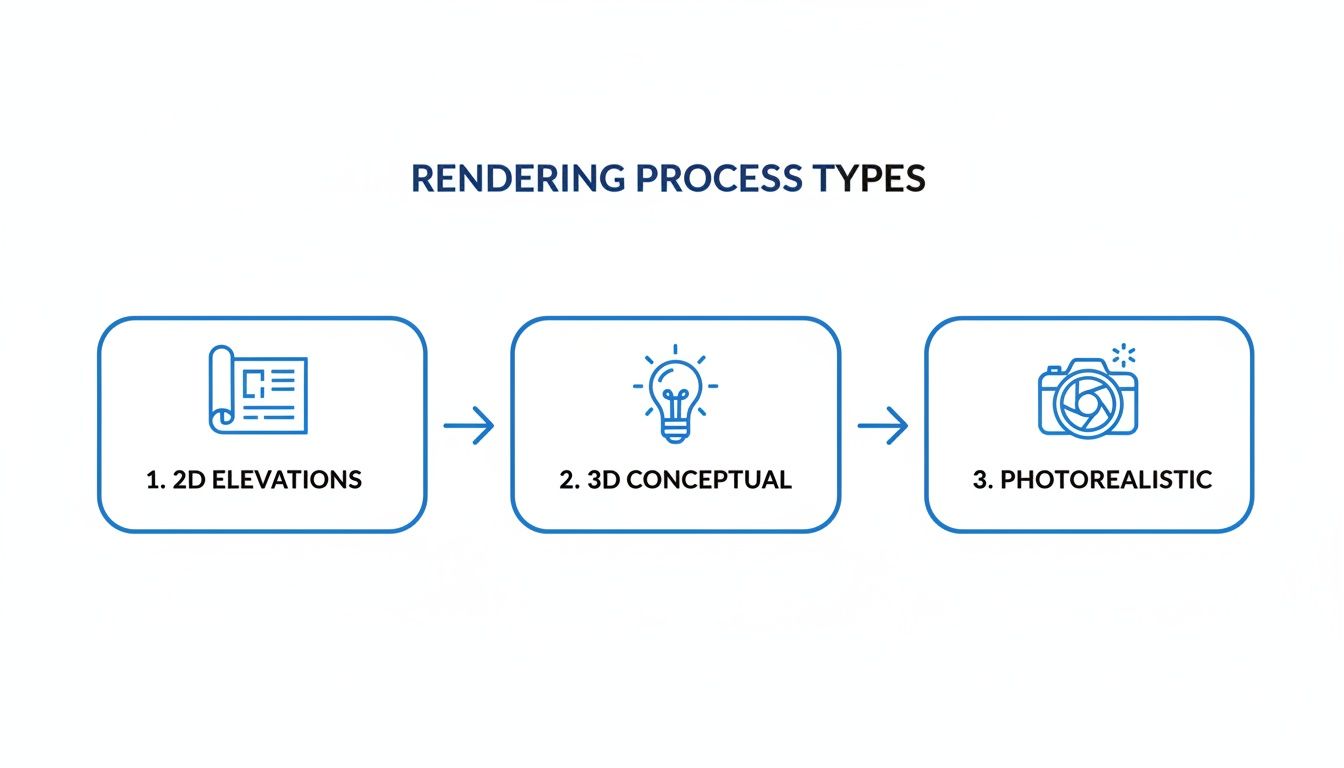
This flowchart perfectly illustrates how each stage adds another layer of complexity and detail, slowly but surely bringing a design idea to life.
The Rise of AI-Powered Automation
While the traditional workflow is still the gold standard for custom quality, a new approach has completely changed the game. AI-powered tools, like RoomStudioAI, automate this entire pipeline, shrinking a multi-day process into a matter of seconds. Suddenly, professional-grade interior design renderings are available to anyone, not just big firms with deep pockets.
Instead of laboring over a 3D model, you just snap a photo of your room and upload it. The AI instantly analyzes the image, understanding its dimensions, lighting, and unique architectural features.
From there, you simply pick a style you love—like 'Modern,' 'Coastal,' or 'Japandi'—and let the AI work its magic. It essentially re-imagines your space on the fly, swapping out furniture, updating colors, and adding decor to fit the new aesthetic, all while preserving your room’s original perspective and lighting.
Here’s a quick look at how straightforward it is on the RoomStudioAI platform.
As you can see, the process couldn't be simpler: upload a photo, choose a style, and the AI handles all the complex rendering work for you.
This AI-driven approach introduces a fascinating trade-off. You give up the granular, pixel-by-pixel control of the manual process, but you gain unbelievable speed and accessibility in return. For homeowners, designers, and real estate pros who need to explore dozens of ideas in a hurry, this is a massive win.
You can try a free AI interior design tool yourself and see just how quickly you can visualize brand-new possibilities for any room. The barrier to entry has been all but erased, putting powerful design visualization tools right at your fingertips.
The Real-World Impact on Design Projects
Beyond the fancy software and technical jargon, this is where interior design renderings really prove their worth. They’re more than just pretty pictures; they are powerful tools that bridge the gap between a creative idea and a real-world result. For homeowners, designers, and real estate pros, renderings provide a tangible return on investment by solving unique challenges and helping everyone achieve their goals.
This impact is happening in a seriously booming industry. The global interior design market is growing fast, fueled by new construction and a collective desire for more personalized spaces. It was valued at USD 145.96 billion in 2025 and is on track to hit USD 152.33 billion in 2026, with projections reaching an impressive USD 214.35 billion by 2034. As you can read in the full market analysis, this explosive growth highlights just how crucial it is to have tools that deliver custom, high-quality design outcomes.
Preventing Design Regret for Homeowners
For any homeowner, renderings are the ultimate insurance policy against "design regret." We’ve all been there: you fall in love with a bold paint swatch or an expensive sofa, only to get it home and realize it looks completely wrong. It's a common and often costly mistake—but it's also entirely preventable.
A rendering lets you see exactly how that daring emerald green accent wall or oversized sectional will look in your room, with your natural light, before you spend a dime. It’s a risk-free sandbox to play in.
This visual confirmation gives you the confidence to make bold choices you'll actually love. You go from hoping a design will work to knowing it will.
Streamlining Communication for Interior Designers
Ask any interior designer, and they'll tell you one of the biggest hurdles is getting a client to see the vision that’s so clear in their head. Mood boards and verbal descriptions only go so far. A photorealistic rendering, however, closes that communication gap instantly. It becomes the single source of truth for the entire project.
When a client can see a lifelike image of their future space, decision-making accelerates dramatically. The endless back-and-forth emails are replaced with decisive approvals, shrinking project timelines by a significant margin.
This level of clarity is a game-changer for designers:
- Faster Sign-Offs: Clients approve concepts with confidence when they see exactly what they're getting.
- Reduced Revisions: Getting on the same page visually from the start minimizes expensive, late-stage changes.
- Stronger Portfolios: High-quality renderings of proposed designs make for a stunning portfolio that can attract new clients before a single hammer is lifted.
Maximizing Value for Real Estate Professionals
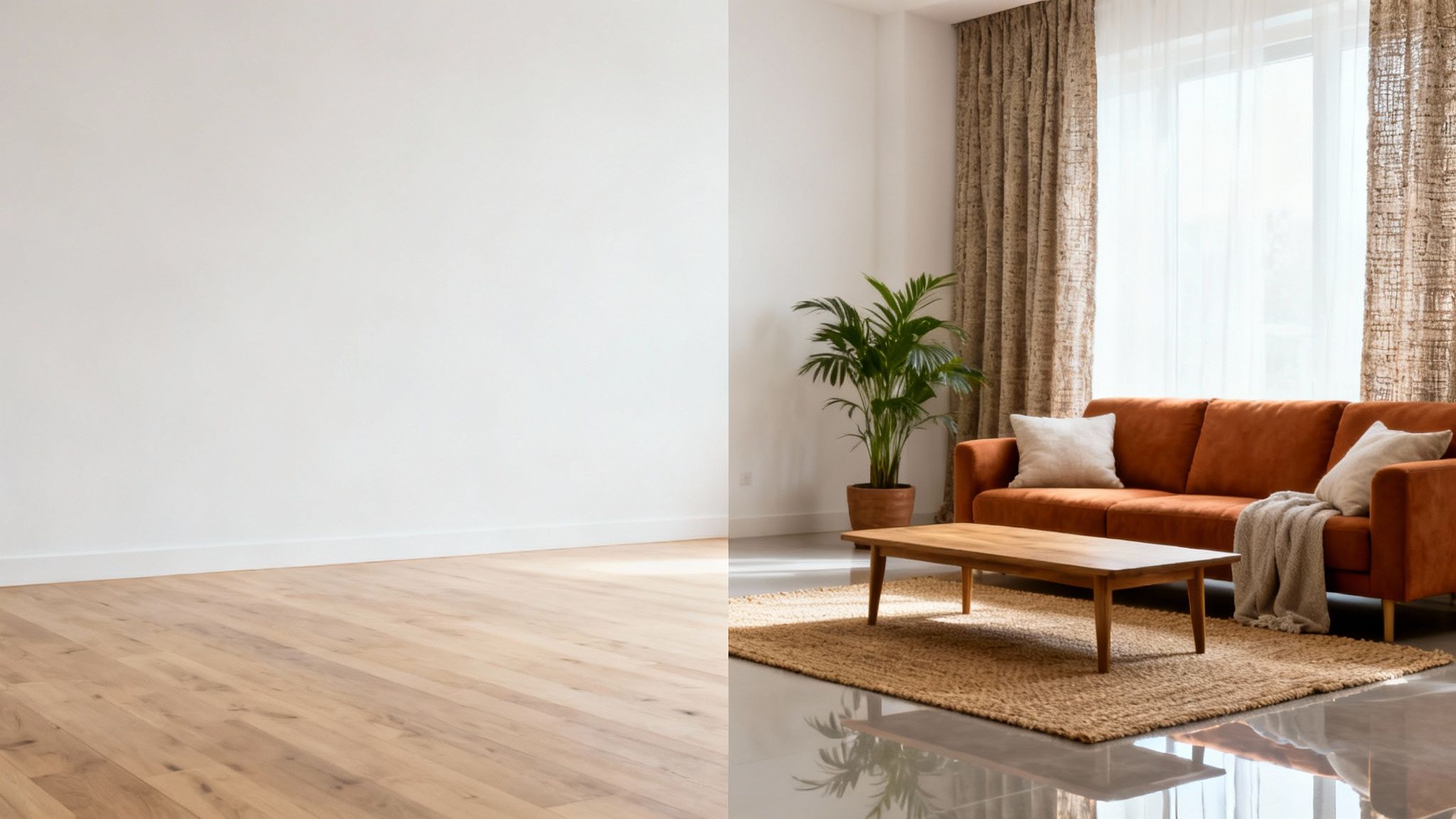
In the cutthroat world of real estate, first impressions are everything. Empty rooms often feel cold and sterile, making it tough for buyers to imagine themselves living there. This is where virtual staging—a key application of renderings—makes all the difference.
Instead of paying for pricey furniture rentals, agents can use renderings to digitally furnish a listing with stylish, modern decor. An empty, uninviting space is instantly transformed into a warm and welcoming home, helping it stand out online, where over 90% of buyers start their search.
The benefits are clear and measurable:
- Increased Buyer Interest: A beautifully staged home simply gets more clicks, views, and showing requests.
- Faster Sales: Staged homes create an immediate emotional connection, which helps them sell faster than their empty counterparts.
- Higher Sale Prices: By showcasing a property's full potential, virtual staging can help listings command a higher price.
At the end of the day, renderings are far more than just visual aids. They are strategic business tools that save money, speed up timelines, and drive better results for everyone involved.
Costs, Timelines, and Tools: A Practical Guide
When you start exploring interior design renderings, two questions always bubble to the surface: "How much is this going to cost?" and "How long will it take?" The answer really depends on which path you take. Are you going the traditional route and hiring a 3D artist, or are you embracing the newer, AI-powered tools?
Getting a handle on the differences in their pricing, timelines, and the tools themselves is crucial for picking the right approach for your project.
Working with a specialist is the classic method. Here, you're typically paying on a per-image basis. Prices can start at a few hundred dollars and stretch into the thousands, all depending on how complex the design is, the level of detail you need, and just how realistic you want the final image to be.
This is a bespoke process, so you get incredible control over the outcome. The tradeoff? It takes time. A single photorealistic rendering can easily take days, sometimes weeks, to get right when you factor in all the modeling, texturing, lighting, rendering, and back-and-forth for revisions.
The New Wave of Rendering Tools
The entire industry is in the middle of a massive technological shift. Just look at the architectural CAD software market—it’s projected to hit USD 30.17 billion in 2026, a huge leap from the year before. This isn't just a niche trend; it shows how technology is fundamentally reshaping creative work. You can discover more about the evolving CAD industry to see just how deep these changes run.
This evolution has opened the door for a whole new category of tools built for speed and accessibility. AI-driven platforms like RoomStudioAI are flipping the old model on its head. Instead of paying a high price for a single image, you subscribe to a plan for a flat monthly fee.
This subscription approach is a game-changer. It takes high-quality design visualization from being an expensive, niche service and turns it into an affordable, on-demand tool that designers, homeowners, and real estate pros can use every day.
This completely changes the math. A monthly subscription can get you dozens, or even hundreds, of instant renderings for less than what you’d pay for a single image from a traditional 3D artist.
Traditional vs. AI: A Head-to-Head Comparison
So, how do these two approaches really stack up? It usually comes down to a simple trade-off: do you need absolute, granular control, or do you need speed and cost-efficiency?
Let's break it down.
Traditional Rendering Services:
- Pricing Model: Per-image or per-project. Expect to pay anywhere from $400 to $2,500+ for a single rendering.
- Timeline: 3 to 15+ business days per image, and that can stretch depending on the back-and-forth.
- Best For: High-stakes architectural projects, one-of-a-kind marketing materials, and any situation where you need flawless photorealism and custom-built elements.
AI-Powered Rendering Platforms:
- Pricing Model: A simple monthly subscription gives you a large volume of renderings for one flat fee. You can explore a breakdown of different pricing plans to see how it works.
- Timeline: Less than a minute per rendering. This makes it perfect for trying out tons of ideas on the fly.
- Best For: Rapid concept development, brainstorming with clients, virtual staging for real estate listings, and homeowners who want to visualize different styles without breaking the bank.
At the end of the day, technology hasn't just made interior design renderings faster—it's made them incredibly more affordable and accessible. This new reality gives everyone more creative freedom. Whether you're a professional or a homeowner, you can now explore more ideas and make design decisions with confidence, free from the constraints of high costs and long waits.
Common Questions About Interior Design Renderings
Getting into interior design renderings for the first time? It's natural to have a few questions. Getting clear on the basics will help you pick the right approach for your project and know what to expect.
Let's walk through some of the most common things people ask.
What Is the Best Software for Renderings?
The truth is, there's no single "best" tool—it all comes down to what you need to accomplish.
For the pros who need absolute control over every shadow and texture, traditional 3D software like 3ds Max, V-Ray, and SketchUp are the go-to choices. Be warned, though: these powerful platforms have a steep learning curve and demand a serious time commitment to master.
But if you're looking for speed, ease of use, and affordability, AI-powered platforms are a game-changer. They give homeowners and designers the ability to create beautiful visuals in seconds, no technical skills required. It’s a trade-off: deep, manual control versus instant, accessible results.
The real difference is the workflow. Traditional software requires you to build a digital model from the ground up, which can take days. AI tools start with a photo of your actual room and generate realistic redesigns in a snap.
Can I Create a Rendering from a Photo of My Room?
Yes, absolutely! That's one of the most exciting things about modern AI rendering platforms. You just upload a photo of your space, and the AI gets to work. It analyzes the room's layout, lighting, and architecture to produce new designs in any style you can imagine.
This means you can see exactly how a 'Modern Farmhouse' or 'Scandinavian' vibe would look in your own home. It takes all the guesswork out of the equation before you start buying furniture or paint.
How Accurate Are Photorealistic Renderings?
A high-quality photorealistic rendering can be so convincing that it's nearly impossible to tell it apart from a real photograph. The secret to this accuracy lies in a few key ingredients: a precise 3D model, high-resolution material textures, and a sophisticated lighting simulation.
Today's advanced AI models are trained on millions of real-world images, teaching them to understand the subtle ways light behaves in a room. They learn how it reflects, refracts, and creates shadows, which allows them to produce incredibly believable results that feel true to your original space.
What Is the Difference Between Rendering and Virtual Staging?
They're closely related concepts, but they solve different problems. Rendering is the umbrella term for creating any kind of digital image from a 2D or 3D model. It's the whole process.
Virtual staging, on the other hand, is a very specific use of rendering, mostly for real estate. It's the art of digitally adding furniture and décor to photos of empty rooms to help them feel warm and lived-in. This helps potential buyers connect with a property and see its full potential, all without the logistical headache of moving real furniture. You can learn more about how to get started with AI rendering tools on the RoomStudioAI blog.
Ready to see your design ideas come to life in seconds? With RoomStudioAI, you can transform a simple photo into a stunning, photorealistic rendering.
Ready to redesign your space?
Try our AI interior design tool and see your room transformed in seconds.
Try Free Design

