What if you could build, remodel, and landscape your home's exterior in a digital sandbox, without lifting a single brick or shoveling any dirt? That’s the magic of exterior home design software. These tools transform your abstract ideas into tangible, photorealistic visuals.
Ultimately, these powerful platforms are all about helping you sidestep costly mistakes by letting you experiment with different materials, colors, and layouts before ever committing to a contractor.
Visualize Your Dream Home Before Breaking Ground
Think of this software as the ultimate "try before you buy" for your property. Instead of just guessing how that new charcoal siding, metal roof, or paver patio will actually look, you can build a detailed 3D model of your home and see the results instantly. This single capability strips away the anxiety and guesswork from major renovation decisions.
For a homeowner, this means picking a new paint color or planning a deck with total confidence. For architects and designers, it's a dynamic way to create stunning client presentations and cycle through design concepts with incredible speed and accuracy.
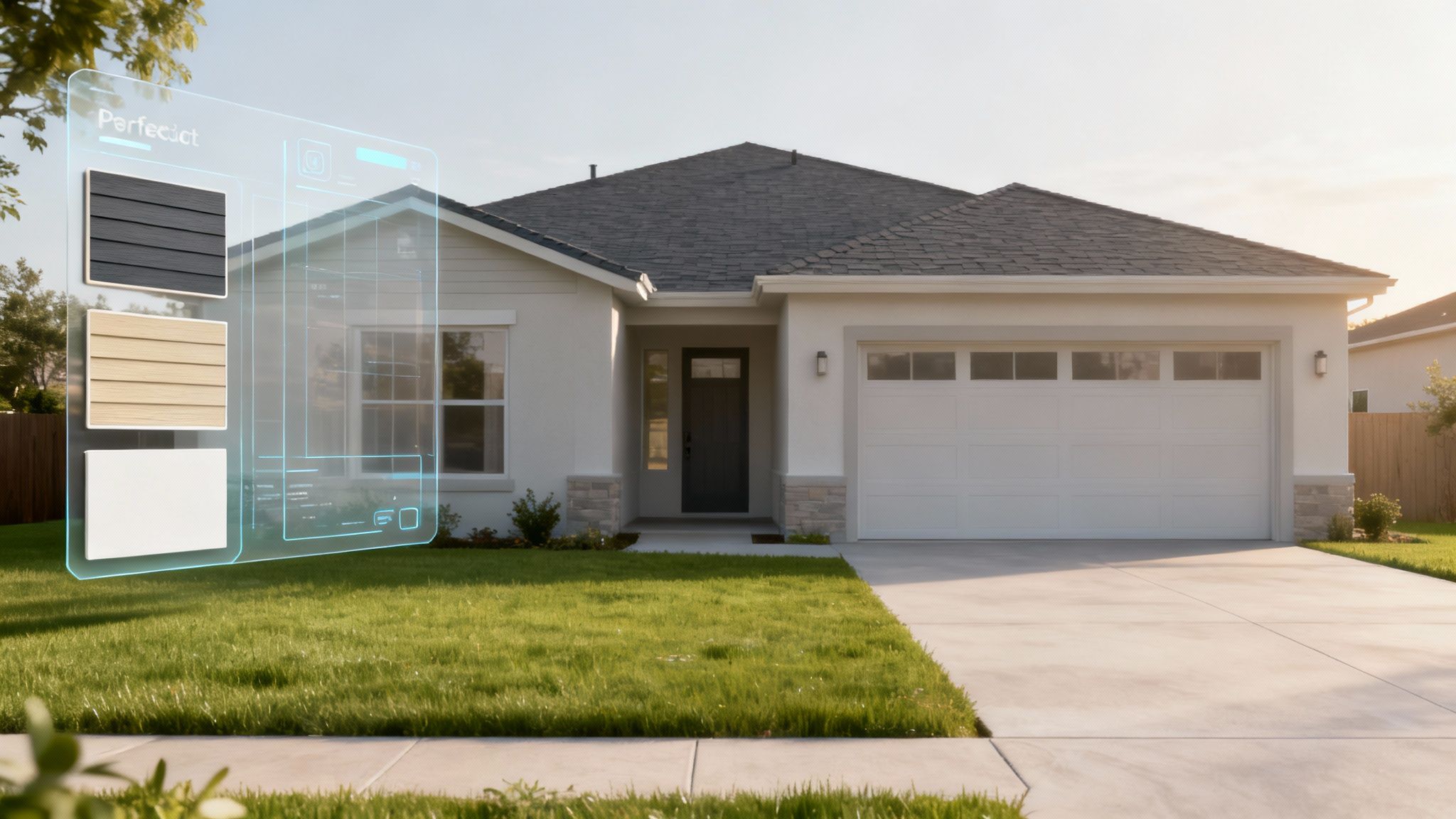
A Growing Shift in Home Planning
The rising popularity of these tools points to a major shift in how we tackle property upgrades. The global landscape design software market—which includes these exterior platforms—was valued at USD 2.1 billion in 2024. Projections from market analysts show it growing at a 7.2% compound annual rate through 2033, a clear sign that digital-first planning is here to stay.
This growth isn't just a number; it's fueled by real people wanting beautiful, functional outdoor spaces and the amazing accessibility of today's design software. You can dive deeper into these trends and market data at datainsightsmarket.com.
At its heart, this technology is about making informed decisions. It bridges the gap between your imagination and reality, ensuring the final result matches your initial vision.
Modern software, especially tools powered by AI, has put professional-grade visualization in everyone's hands, not just seasoned architects. You can now turn a simple photo of your house into a dozen design options in minutes. It's a game-changer for anyone looking to boost their home's curb appeal.
Of course, the principles of digital visualization don't stop at the front door. If a full-home makeover is on your radar, you might also find our guide to free AI interior design tools helpful for extending that design vision into every room.
What Are the Must-Have Features in Exterior Design Software?
Not all exterior home design software is created equal. Some tools are little more than digital sketchpads, while others are packed with a powerful suite of features that can transform a vague idea into a breathtaking, lifelike visual. Knowing what to look for is the key to choosing a platform that can actually bring your vision to life, whether you're just picking new paint colors or planning a complete architectural overhaul.
Think of these features as the specialized tools in a master builder's toolkit. Each one has a specific job, and when used together, they allow you to create something truly remarkable. From generating photorealistic images to simulating how the morning sun will hit your new patio, these capabilities are what separate the basic apps from professional-grade design solutions.
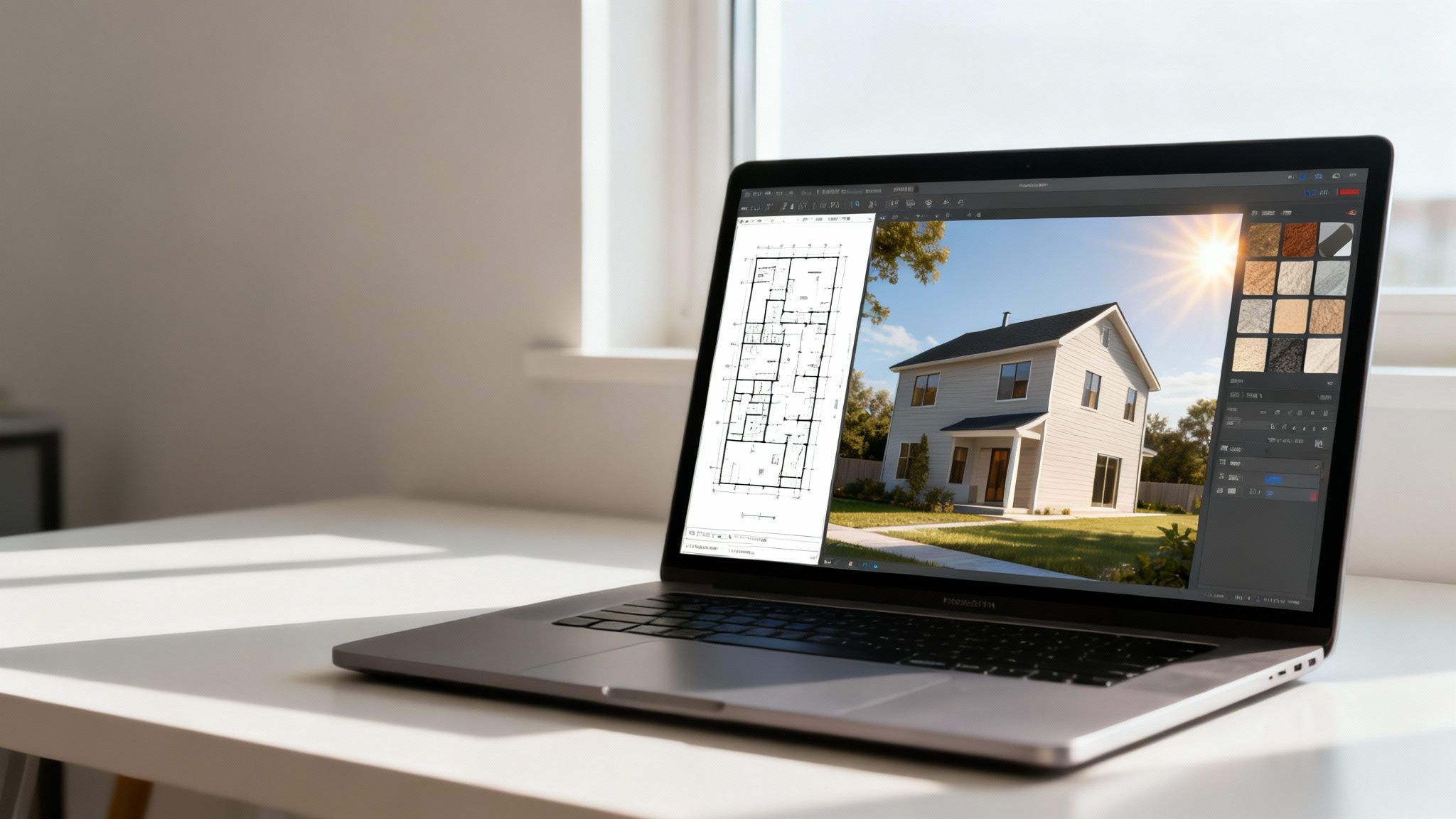
The best design tools combine several core functions to give you a complete picture of your project. Here’s a breakdown of the features that really matter.
Core Features in Exterior Home Design Software
| Feature | What It Does | Why It Matters |
|---|---|---|
| Photorealistic Rendering | Converts your 2D plans or 3D models into high-quality, photo-like images. | It's the "wow" factor. This lets you see exactly how the final project will look before construction begins, eliminating guesswork. |
| Material Libraries | Provides a digital catalog of real-world materials like siding, stone, roofing, and paint. | You can experiment with specific textures and colors from actual brands, ensuring your design is both beautiful and buildable. |
| Terrain & Landscape Tools | Allows you to model your yard, including slopes, patios, walkways, and plants. | Your home doesn't exist in a void. These tools help you design the entire property for a cohesive, integrated look. |
| Sunlight & Shadow Simulation | Shows how natural light will interact with your home at different times of day and year. | This is crucial for choosing colors, placing windows, and planning outdoor spaces that get the right amount of sun. |
| AI-Powered Automation | Uses artificial intelligence to automate complex design tasks or generate new ideas instantly. | It dramatically speeds up the creative process and makes professional-quality design accessible to everyone, not just pros. |
Let's dig a little deeper into what makes these features so indispensable for any exterior design project.
From Blueprint to Reality: Photorealistic Rendering & Material Libraries
At the very heart of any great design software is its ability to create photorealistic renders. This is the magic that turns a flat 2D plan or a basic 3D model into a stunning image that looks like a real photograph. It’s the difference between looking at a confusing blueprint and seeing a compelling picture of your finished home.
This realism is fueled by massive material libraries. Instead of just picking a generic "brick" color, these libraries let you apply digital versions of real-world products. You can experiment with specific brands of vinyl siding, a particular stone veneer you saw online, or the exact paint colors you’re considering.
This functionality is absolutely critical for making confident decisions. It allows you to see how different textures, colors, and finishes play off one another before you spend a single dime on materials.
Beyond the Walls: Landscape and Terrain Tools
A home’s exterior doesn't stop at the foundation—it’s part of a much larger environment. That's why top-tier software includes robust tools for shaping the world around your property.
- Terrain Sculpting: This feature lets you accurately model the unique topography of your yard, including slopes, hills, and flat areas. Your design will look natural and grounded in its real-world setting.
- Hardscaping Elements: You can easily add patios, walkways, driveways, and retaining walls to design a complete, functional outdoor living space.
- Plant Libraries: Want to see how that new maple tree will look in ten years? These libraries let you place a huge variety of trees, shrubs, and flowers to visualize your garden and landscaping plans.
These tools are essential for creating a cohesive design where the house and its surroundings feel like they truly belong together.
The most powerful software doesn't just design a house; it designs a complete property. By simulating everything from the slope of your lawn to the placement of a new flower bed, it provides a holistic view of your home's curb appeal.
Smart Design: Sunlight Simulation and AI Automation
How your home looks can change dramatically from sunrise to sunset. A fantastic feature called sunlight and shadow simulation lets you see how natural light will fall on your home at any time of day or year. This helps you understand which areas will get the most sun, how shadows from large trees will impact your garden, and whether that dark gray paint will look too somber on an overcast afternoon.
On top of that, new technology is making the whole process faster and more intuitive. AI automation is a true game-changer that can handle complex or tedious tasks for you. For example, some tools can analyze a photo of your existing home and instantly generate dozens of fresh design concepts. If you're looking for an AI-driven platform that can do just that, you might want to learn more about RoomStudioAI and its capabilities.
This kind of technology makes professional-level design accessible to everyone. It flattens the steep learning curve often found in traditional software and delivers a burst of inspiration in seconds.
Real-World Applications for Every User
It's one thing to talk about impressive technology, but its real worth is in how it solves everyday problems. Exterior home design software isn't just a niche tool for tech-savvy architects; it’s a practical solution that helps all sorts of people reach their goals. Whether you're a homeowner dreaming up a weekend project or a designer working on a multi-million dollar property, the uses are incredibly diverse.
The biggest benefit? It gets rid of expensive guesswork. Instead of crossing your fingers and hoping that new siding will look good, you can see it with your own eyes in a realistic preview. This simple shift from hoping to knowing makes a world of difference for homeowners, designers, and real estate professionals alike.
A DIY Powerhouse for Homeowners
For the average homeowner, this software is like having a design consultant on call 24/7. It gives you the freedom to play with countless ideas for your home's exterior with zero risk or commitment. This is a game-changer for common projects that can seriously boost your home's value and your own enjoyment of it.
- Boosting Curb Appeal: Thinking about new siding, a different roof shingle, or modern window trim? You can see exactly how it will look before you even call a contractor.
- Planning Outdoor Living Spaces: You can design that new deck, lay out a patio, or plan a garden, making sure everything fits your yard and your life perfectly—all to scale.
- Making Confident Paint Choices: Forget tiny paint swatches. You can click through hundreds of color combinations in minutes and even see how they look in the morning sun versus the evening shade.
These tools pull back the curtain on the design process, putting you in complete control to make your vision a reality.
The Architect and Designer's Essential Toolkit
In the hands of a professional, exterior home design software is all about efficiency and happy clients. It transforms conversations from confusing blueprints and abstract sketches into visuals that clients can actually get excited about. The whole process, from the first concept to the final sign-off, just runs smoother.
For professionals, the ultimate goal is making sure the client's expectation lines up perfectly with the finished product. Photorealistic renders are simply the best communication tool we have for that, cutting down on misunderstandings and getting everyone on the same page.
This technology allows designers to test out ideas in a fraction of the time, present a few knockout options, and get that all-important client approval faster than ever. You can explore more about these professional exterior design use cases and see how they lead to better project outcomes.
A Marketing Game-Changer for Real Estate
In real estate, curb appeal isn't just important—it's everything. This software gives agents and developers a powerful marketing tool to show off a property's true potential. A house with a dated, uninspired exterior can be digitally renovated in minutes to capture the imagination of more buyers.
Think of it as "virtual staging" for the outside of a home. It helps potential buyers look past tired paint or an overgrown yard and see what the home could be with a few smart updates. The demand for these digital tools is skyrocketing. The broader market for this kind of software was valued at USD 11.05 billion in 2024 and is expected to climb to USD 29.99 billion by 2034. You can dig into the full construction and design software market trends here. This explosive growth shows just how essential these digital tools have become in today's property market.
How to Choose the Right Design Software
Picking the right exterior design software can feel overwhelming. The market is flooded with everything from simple mobile apps to professional-grade architectural platforms. The secret is to find the tool that perfectly matches your goals, so you get all the power you need without overpaying for features you'll never touch.
Think of it like buying a vehicle. You wouldn't use a scooter to haul lumber, and you certainly don't need a semi-truck for a quick trip to the grocery store. It’s all about finding the right fit for the job, your budget, and your skills.
This decision tree gives you a great visual starting point, showing how different users can narrow down their options based on what they need to accomplish.
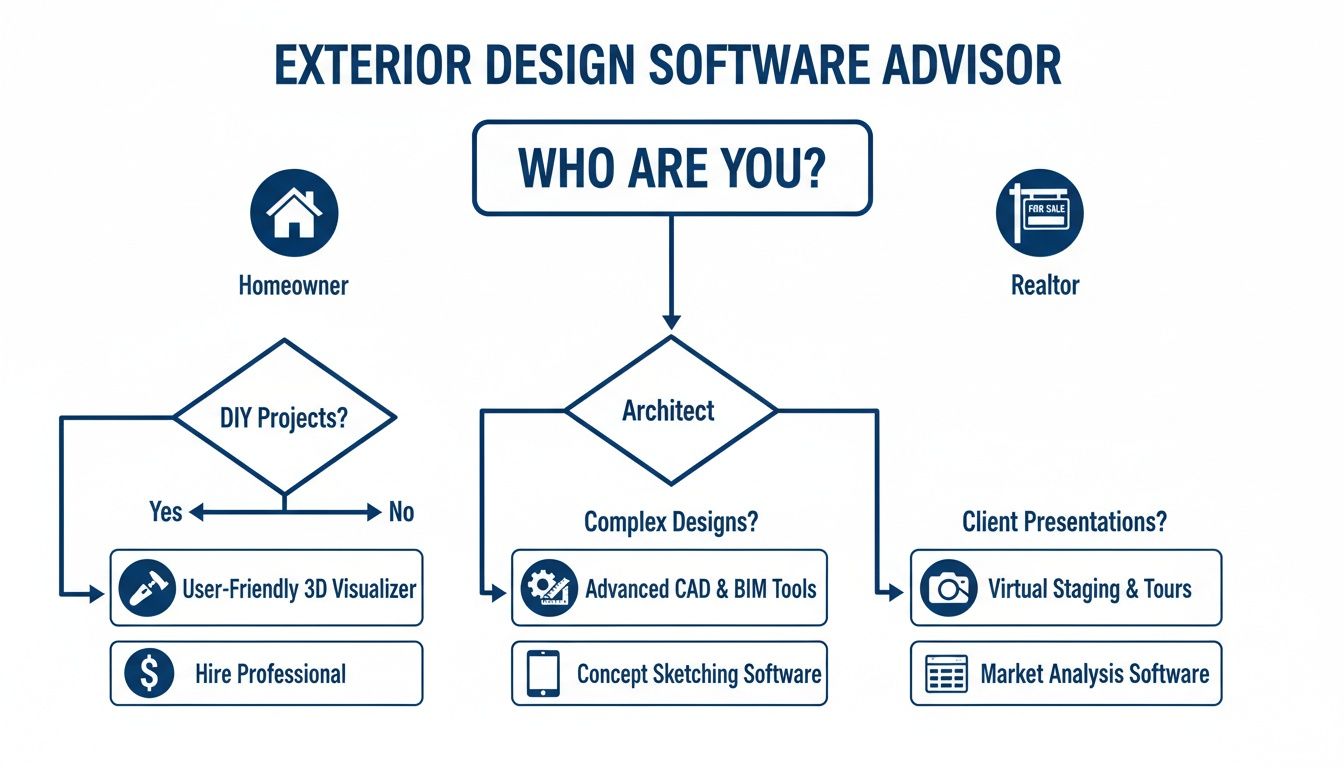
As the chart shows, a homeowner’s priorities are completely different from an architect's or a realtor's. One might need simplicity and speed, while another requires technical precision or powerful marketing visuals.
Evaluate Ease of Use and Your Skill Level
The single most important factor is the learning curve. If a program is too complicated, it’ll just lead to frustration and an abandoned project.
- For Homeowners and Beginners: Your best bet is software with an intuitive, drag-and-drop interface. Look for pre-made templates and AI features that do the heavy lifting for you. The goal is to get beautiful results fast, without needing a degree in drafting.
- For Professionals: Architects and designers need more muscle. You’ll want advanced tools for precise 2D plans, custom 3D modeling, and generating detailed construction documents. A steeper learning curve is a fair trade-off for total control and accuracy.
The industry is clearly moving toward more accessible tools. For example, the market for specialized deck design software is expected to grow at a compound annual rate of 12.8% through 2030. What's driving this? Homeowners, who make up 55.3% of the users. This trend highlights a massive demand for software that simplifies popular outdoor projects, a detail you can explore further on Mordor Intelligence.
The best software isn't the one with the most bells and whistles. It's the one that lets you bring your vision to life efficiently and confidently, no matter your experience level.
Compare Pricing Models and System Requirements
Of course, cost is a huge piece of the puzzle. Most design software is sold in a few different ways. Subscriptions are popular because they include ongoing updates and support, which is great for frequent users. One-time purchases can seem cheaper initially but risk becoming outdated.
Many modern tools, including RoomStudioAI, offer tiered plans so you can pick the one that fits your needs. You can see how this works by checking out our transparent pricing options.
Before you click "buy," always check the system requirements. Creating photorealistic images is a demanding task that requires a decent computer. Make sure your machine has enough RAM, a solid processor, and a dedicated graphics card to handle the software smoothly. Ignoring this step can lead to slow performance and frustrating crashes, killing your creative flow before you even get started.
A Practical Workflow for Stunning Exterior Designs
Getting your hands on powerful exterior design software is a great start, but it’s how you use it that truly makes the difference. The best results don't just happen; they come from a smart, deliberate workflow. Think of it less like a rigid set of rules and more like a proven roadmap that guides you from a vague idea to a polished, professional-grade render, helping you sidestep creative ruts and ensuring no detail gets missed.
This step-by-step process is designed to build momentum. You start with broad inspiration, move into the structural modeling, then dive into materials and the surrounding environment. Each phase flows logically into the next, creating a complete and realistic vision for your home's exterior that saves time and elevates the final design.
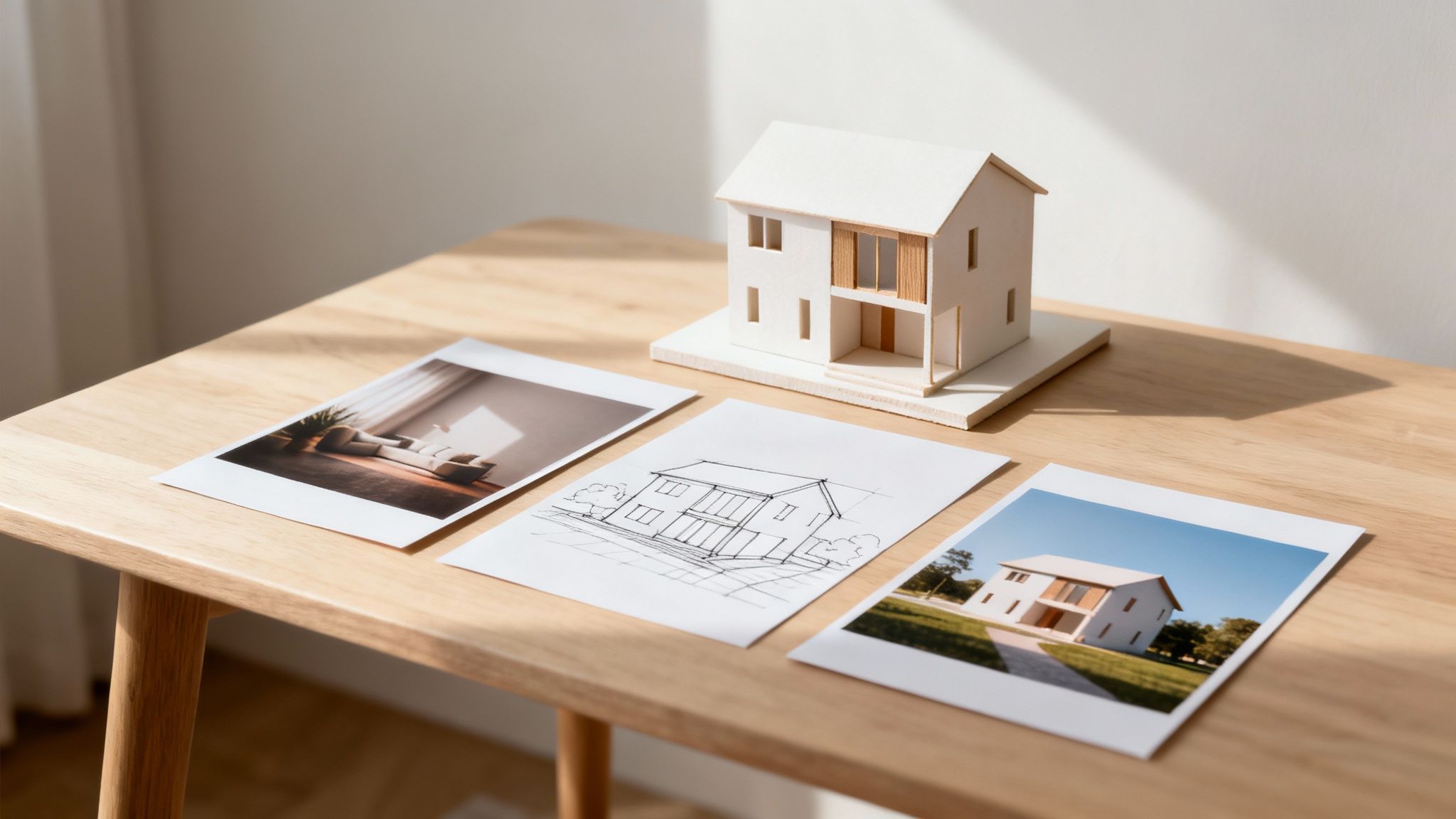
Step 1: Gather Inspiration and Solidify Your Vision
Before you click a single button in the software, your first job is to collect ideas. Jump on sites like Pinterest or Houzz and start a mood board. Don't just save pictures of houses you like; get specific. Pinpoint the exact style of siding, the color of the trim, the shape of the windows, or the texture of the roofing material that catches your eye.
This is also the time to get crystal clear on your goals. Are you going for a cozy modern farmhouse feel, a bold contemporary look, or something more traditional and timeless? A well-defined vision acts as your compass, guiding every decision you make from here on out.
Step 2: Create or Import the Base Model
With a clear vision in hand, it's time to bring your home's structure into the digital world. You generally have two ways to approach this:
- Build From Scratch: This is the hands-on route. You'll use the software’s 2D and 3D tools to draw the floor plan and build up the exterior walls, roof, doors, and windows. It gives you complete control and ensures total accuracy.
- Import a Photo: For a much faster start, especially with AI-driven tools like RoomStudioAI, you can simply upload a photo of an existing house. The software analyzes the image and generates a workable 3D model for you.
Whichever path you choose, the goal here is to create a solid digital foundation. This model is the canvas you'll use for all your creative experimentation.
A common mistake is jumping straight into decorating without a solid model. Take the time to get the basic structure right—accurate dimensions, window placements, and rooflines are essential for a believable result.
Step 3: Apply Materials and Layer in the Details
Now for the fun part—this is where your design really comes to life. Dive into the software’s material library and start "painting" your model with different finishes. This is your chance to experiment freely.
- Siding and Cladding: See how your home looks with vinyl, wood, brick, or stone. Mix and match to find what works with the architecture.
- Roofing: Instantly swap between asphalt shingles, sleek metal panels, or classic clay tiles.
- Trim and Accents: Test dozens of paint colors for window trim, fascia boards, and doors to discover the perfect palette.
Once the main surfaces are covered, focus on the smaller architectural details. Add shutters, gutters, and exterior light fixtures. These elements are what add that crucial layer of realism and character, turning a simple model into a rich, lifelike design. Pay attention to how the textures and scale of each element work together.
The Future is Here: AI-Powered Exterior Design
Exterior home design software has come a long way. What used to be a world of clunky, command-heavy programs is quickly evolving. We're moving toward something far more intuitive—a creative partner that works alongside you. And at the center of this shift is artificial intelligence.
AI is changing the game by automating the grunt work and serving up inspiration when you need it most. This isn't just another feature update; it’s a whole new way of thinking about digital design.
Forget spending hours painstakingly placing every shrub or cycling through endless color swatches. AI-driven platforms do the heavy lifting for you. You can now upload a single photo of your house and, within seconds, get back a whole range of unique, professionally polished design concepts. That’s the kind of power modern AI brings to the table.
Putting Professional Design in Everyone's Hands
This evolution does more than just speed things up—it opens the door for everyone. Tools once locked away for architects with years of specialized training are now genuinely accessible. Homeowners can finally visualize that ambitious renovation, and real estate agents can stage a home's exterior for marketing materials without bringing in an entire design firm.
The point of AI in exterior design isn’t to replace creativity, but to enhance it. The software handles the tedious technical stuff, freeing you up to focus on the vision and make smarter creative choices.
This lets architects and designers sidestep the manual slog and pour their energy into what really matters: high-level strategy, client relationships, and truly innovative thinking. At the end of the day, the future of exterior home design software is smarter, faster, and more welcoming, giving everyone the power to design beautiful spaces.
Frequently Asked Questions
Jumping into the world of exterior home design software can feel a little daunting at first. It's totally normal to have a few questions, so let's clear up some of the most common ones.
Can I Really Use This Stuff with Zero Experience?
You absolutely can. While some high-end, professional software can feel like you're trying to fly a 747, many of today's best tools are designed for total beginners.
AI-driven platforms are a perfect example. They often let you just upload a photo of your house and get back a bunch of design ideas in seconds—no technical skills needed. It all comes down to picking the right tool for your skill level.
How Real Will the Final Pictures Look?
This is a great question, and the answer really depends on the software you choose. The realism hinges on two big things: the software's rendering quality and how detailed its library of materials is.
Some basic tools might give you a result that looks a bit like a cartoon. But the more advanced platforms can produce photorealistic images that are so good, you'd swear they were actual photos. Having access to high-quality textures for siding, roofing, and stone makes all the difference.
The most convincing designs come from software that accurately simulates how light and shadow interact with different materials, creating a true-to-life visualization of your home's exterior.
Does This Software Also Help with Garden and Patio Design?
Yes, and this is where it gets really fun. Most comprehensive exterior design tools come packed with powerful features for landscaping and hardscaping.
You can map out patios, lay down walkways, build decks, and even account for the specific slope of your yard. They also include huge libraries of plants, trees, and outdoor furniture, letting you design a complete vision for your entire property, not just the four walls of your house.
Ready to explore a tool that combines ease of use with powerful results? Consider signing up for RoomStudioAI to see how simple exterior visualization can be.
Ready to transform your home’s exterior from a simple photo into a stunning, realistic design? RoomStudioAI offers an intuitive platform that makes professional-quality visualization accessible to everyone. Start designing today!
Ready to redesign your space?
Try our AI interior design tool and see your room transformed in seconds.
Try Free Design

