Imagine getting hundreds of professional redesign ideas for a room in the time it takes to make a cup of coffee. That's the magic of AI interior design software. It uses artificial intelligence to look at a photo of your space and instantly generate stunning, photorealistic new looks, putting high-end design within everyone's reach.
What Is AI Interior Design Software
Think of AI interior design software as your ultra-fast creative partner. Forget wrestling with complicated 3D modeling programs or trying to guess how a new style will actually feel in your home. These tools close the gap between your imagination and a tangible result with incredible speed.
You just upload a picture, pick a style you like—say, ‘Modern Farmhouse’ or ‘Industrial Loft’—and the AI does the heavy lifting.
But this is far more than just a fancy photo filter. The technology is smart enough to analyze the most important features of your room:
- Layout and Architecture: It recognizes where your walls, windows, and doors are, making sure the new designs fit the physical constraints of the space.
- Lighting and Shadows: The AI understands how light works in your room, so the final images look authentic and natural, not flat and fake.
- Existing Furniture: Some tools can even identify the furniture you want to keep and build the new design around it seamlessly.
Ultimately, this process gives you the confidence to move forward with your design choices, minus the usual high costs and long waits.
From Complex Code to Creative Control
So, how does it all work? Behind the curtain, you'll find sophisticated generative AI models. These algorithms have been "trained" by studying millions of images, learning the subtle rules of color theory, furniture placement, and countless design styles. When you give it your photo and a style prompt, it's not just pasting in a pre-made look; it's creating a brand new design specifically for your room.
The rapid advancements in this technology are fueling massive industry growth. The AI interior design market is projected to grow at a compound annual rate of 15.60%, expected to reach a staggering $7.2 billion by 2033. This growth points to a fundamental shift in how we approach design, with AI automating tedious tasks and saving professionals and homeowners both time and money.
The real power of AI interior design software is how it removes the guesswork. It lets you test out bold ideas—like painting a room a dramatic dark color or trying a completely different furniture layout—with zero risk. You get to see it and love it before you lift a paintbrush or spend a dime.
This accessibility changes everything for a lot of different people. A homeowner can confidently plan a weekend project. A professional designer can show a client multiple concepts during a single consultation. A real estate agent can virtually stage an empty house to help buyers see its potential.
Platforms like RoomStudioAI are built for this, offering a simple interface that delivers professional-quality results without needing any technical skills.
Traditional vs AI Interior Design Software
To really appreciate the difference, it helps to see how these new AI tools stack up against the traditional software that has dominated the industry for years. The old way required a lot of manual effort and technical skill, whereas the new way prioritizes speed and ease of use.
| Aspect | Traditional Design Software | AI Interior Design Software |
|---|---|---|
| Process | Manual 3D modeling, texture mapping, and lighting setup. | Automated analysis of a photo and prompt-based generation. |
| Time | Can take hours or days to create a single high-quality render. | Generates multiple design options in seconds or minutes. |
| Cost | High software licensing fees and often requires expensive hardware. | Typically a low-cost subscription or pay-per-use model. |
| Skill Level | Requires extensive training and technical expertise (e.g., AutoCAD, 3ds Max). | Intuitive and user-friendly, designed for beginners and pros alike. |
As you can see, the shift is less of an evolution and more of a complete reimagining of the design process. AI is not just making things faster; it's making professional-level design accessible to a much broader audience.
Key Features That Power Instant Makeovers
The real magic of AI interior design software comes down to a few core features that turn what used to be a weeks-long creative grind into an immediate visual conversation. These aren't just flashy tech novelties; they're practical tools built to solve specific, real-world design problems. Once you understand what's happening behind the scenes, you can really appreciate how these platforms put professional-grade results within everyone's reach.
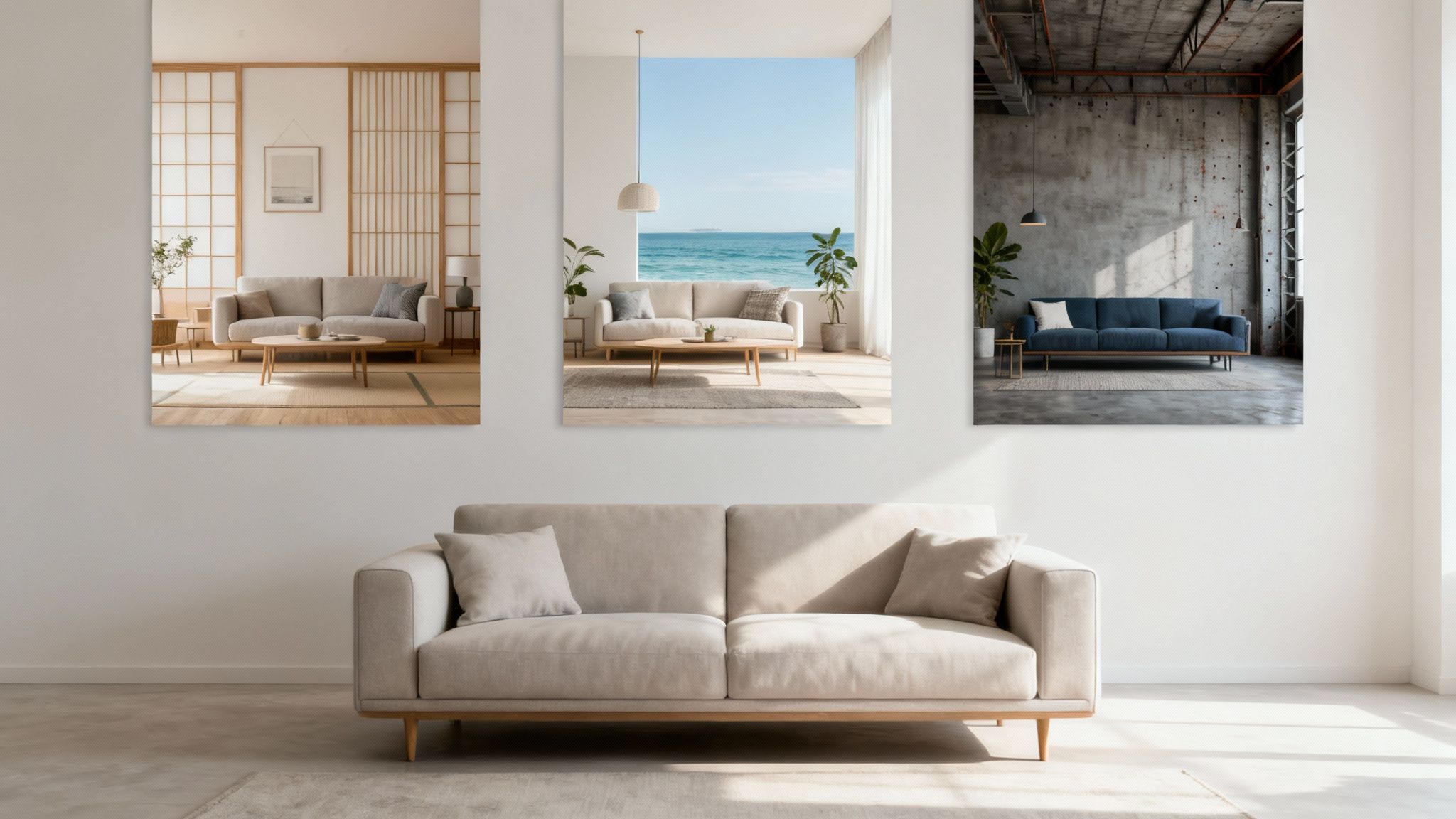
The heart of the experience is Instant Style Transformation. Picture your living room, exactly as it is right now, but suddenly restyled in a dozen different aesthetics. You just upload a photo, pick a style like 'Japandi' or 'Coastal,' and in seconds, the AI spits out high-quality images of your space, completely made over. It’s like having a lightning-fast brainstorming partner, letting you explore creative paths you might never have thought of otherwise.
From Empty Rooms to Inspiring Visions
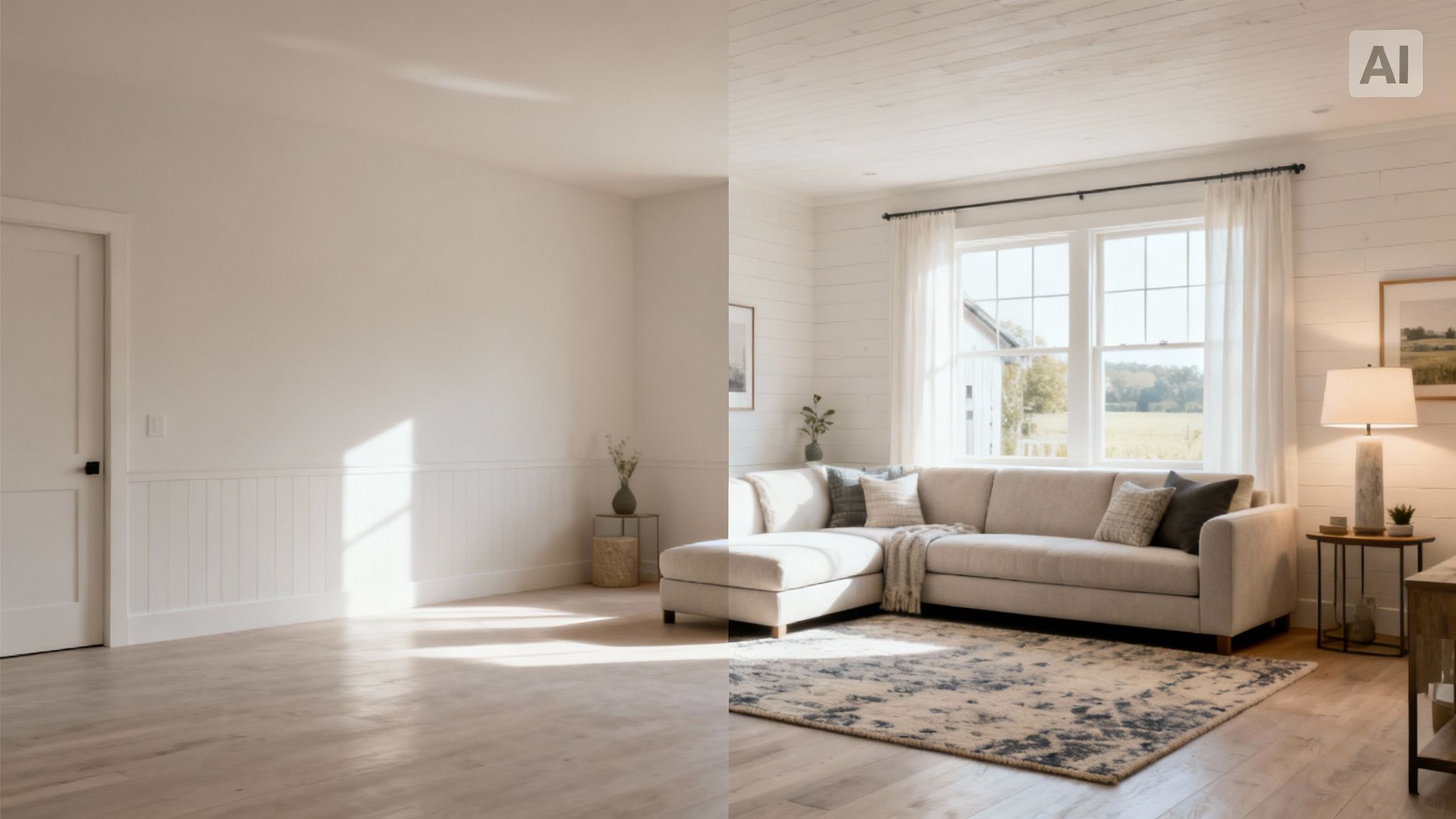
For real estate agents and homeowners getting ready to sell, Virtual Staging and Decluttering is an absolute game-changer. An empty room feels cold, making it tough for buyers to see themselves in the space. This feature lets you digitally furnish a vacant property—adding everything from sofas and rugs to art and lighting—to create a warm, inviting atmosphere that helps people connect emotionally.
On the flip side, the AI can also "empty" a cluttered or furnished room. By digitally removing existing items, it reveals the room's true potential, showing off its architectural bones and spatial flow. This is incredibly helpful when you're planning a major renovation or just want to start a redesign with a totally clean slate.
Another crucial piece of the puzzle is Layout-Preserving Renders. This is the technology that separates a truly useful AI tool from a simple photo filter. The software carefully analyzes your photo to understand the room's actual dimensions, perspective, and key features like windows and doors.
When the AI generates a new design, it honors these physical constraints. The result is a render that isn't just pretty—it's a realistic preview of what's actually possible in your space, which helps prevent expensive mistakes later on.
This structural integrity is what ensures the furniture it places will actually fit and the layout it suggests is practical.
Translating Ideas into Photorealistic Concepts
Maybe one of the most exciting developments is the Sketch-to-Reality feature. This lets you upload a rough, hand-drawn sketch of a room layout and watch the AI turn it into a polished, photorealistic concept. It’s the ultimate bridge between a vague idea and a tangible visual you can react to.
This is especially powerful for interior designers who need to quickly show an initial concept to a client. Instead of spending hours building a 3D model from the ground up, they can draw a simple sketch and let the AI do the heavy lifting, dramatically speeding up the feedback and decision-making process.
These features all work in concert to create a fluid and empowering experience. If you're curious to see them in action, check out our guide on how to get started with a free AI interior design tool.
Each capability is built to knock down a traditional barrier in the design process:
- Eliminates Guesswork: Instantly see how a style looks without any commitment.
- Saves Time and Money: Skip the costs of manual 3D modeling and physical staging.
- Boosts Creativity: Rapidly explore countless variations and fresh ideas.
At the end of the day, this collection of features makes sophisticated design exploration faster, cheaper, and far more intuitive for everyone involved.
How People Are Actually Using AI Design Tools
The real magic of AI interior design software isn't just the technology itself—it's seeing how it solves real-world problems. This isn't just a fun gadget; it's a seriously practical tool that helps homeowners avoid costly mistakes, lets designers work faster, and gives real estate agents a powerful sales advantage.
For a homeowner, the biggest obstacle is often the fear of making a bad decision. A full kitchen remodel is a huge investment, and picking the wrong tile or cabinet finish is a mistake you have to live with for years. AI design tools pretty much eliminate that risk.
Think about it: a couple wants to gut their kitchen. Instead of squinting at tiny paint chips and imagining the outcome, they can just snap a photo. Instantly, they can see their dated kitchen transformed with modern shaker cabinets, a big quartz island, or even that bold, patterned backsplash they were afraid to commit to. Seeing it first gives them the confidence to pull the trigger.
A Game-Changer for Interior Designers
Professionals are always up against the clock, trying to translate a client's fuzzy ideas into a concrete design. In the past, this meant spending hours creating manual renderings or painstakingly assembling mood boards.
Now, a designer can generate multiple design options during the initial client meeting. They can take a photo of the client's living room and, right there on an iPad, cycle through different styles, color palettes, and furniture arrangements. The conversation shifts from "what if?" to "which one?" This gets everyone on the same page from day one.
This is a massive time-saver. A process that used to take days now takes minutes. It frees up the designer to handle the critical parts of the job—managing contractors, sourcing materials, and keeping the project on track. Our guide on living room design walks through more examples of this workflow.
A Secret Weapon for Real Estate Agents
In a crowded housing market, you only get one chance to make a first impression. An empty, sterile listing photo just doesn't connect with buyers, who struggle to see the potential in a blank canvas. This is where virtual staging comes in.
Agents can use AI to digitally furnish empty rooms, turning cold photos into warm, welcoming images that feel like a real home. A boring, empty bedroom becomes a cozy master retreat. A vast, echoing living room is instantly filled with stylish furniture that shows off its true scale and flow.
This is about more than just making a picture look nice. It’s about creating an emotional pull. When buyers can actually picture themselves living in a home, they're far more likely to book a showing. It’s a proven way to help properties sell faster and for a better price, without the headache and expense of physical staging.
The rapid adoption of these tools is no surprise. The global interior design software market is on track to hit $9,656.6 million by 2030, fueled by the boom in home renovations and online property sales. You can dig into these interior design software market findings to see how platforms like RoomStudioAI are tapping into this trend.
Here’s a simple breakdown of how AI solves a specific problem for each group:
| User Group | The Big Problem | The AI Solution |
|---|---|---|
| Homeowners | Terrified of making an expensive design mistake. | Experiment with styles and layouts with zero risk. |
| Interior Designers | Concept creation and revisions take way too long. | Generate multiple design concepts instantly for quick client buy-in. |
| Real Estate Agents | Trying to sell a boring, empty property. | Use virtual staging to create listings that buyers fall in love with. |
Whether you're planning a weekend DIY project or listing a multi-million dollar home, AI interior design software closes the gap between imagination and reality. It gives everyone the power to see what's possible, helping them make smarter, faster, and more confident decisions about the spaces we all live and work in.
How to Choose the Right AI Interior Design Software
With so many new AI platforms popping up, picking the right interior design software can feel like a shot in the dark. The trick is to ignore the marketing hype and get real about what you actually need to do.
Some tools are fantastic for a quick dose of inspiration, letting you play with ideas effortlessly. Others are built for the heavy lifting of professional projects, offering granular control and commercial-grade results. The key is finding the one that fits your world.
To avoid buyer's remorse, you have to match the tool to your end goal. Are you a homeowner just curious about a new look for your living room? Or are you a real estate agent who needs to stage an empty property to sell it faster? Your main objective should be your North Star.
This flowchart breaks down how different people come to these tools with very different needs.
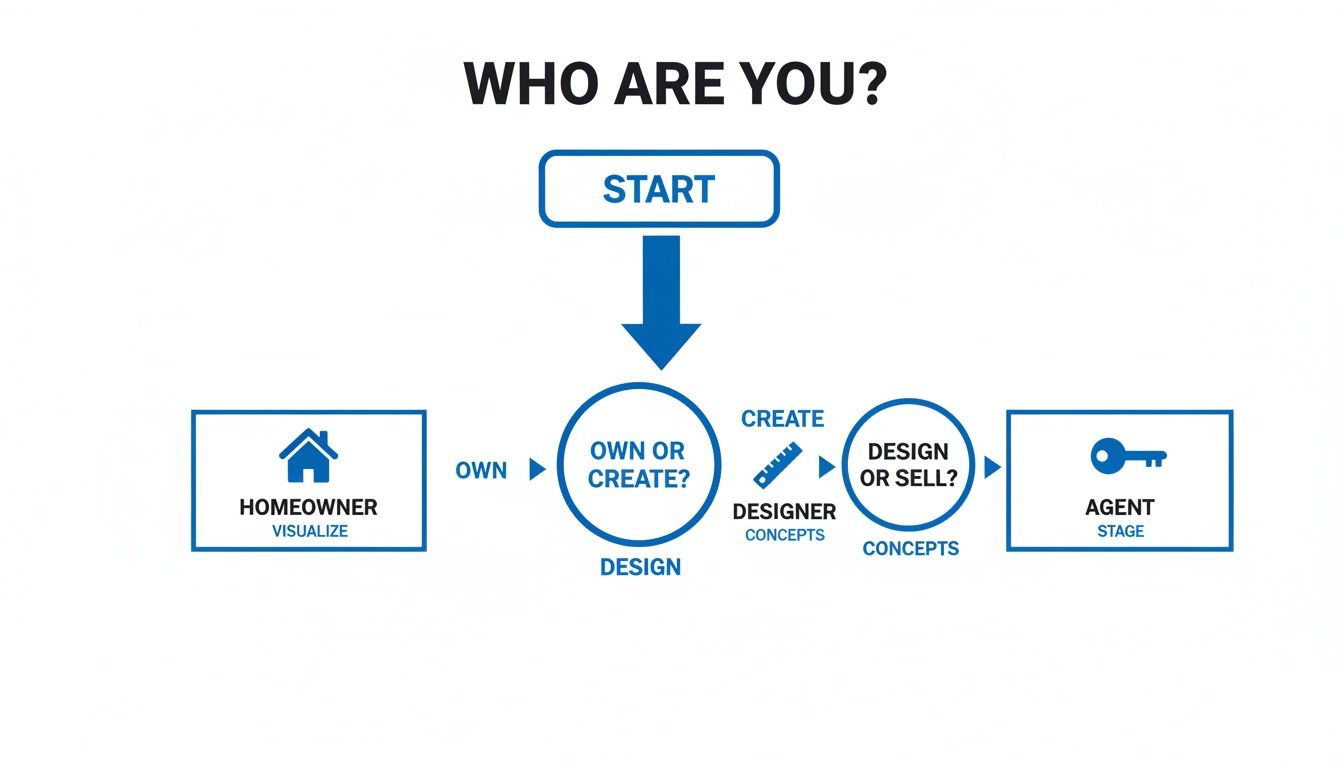
As you can see, a homeowner is all about easy experimentation. A designer, on the other hand, needs to generate concepts quickly for clients, while an agent is purely focused on creating compelling visuals to close a deal.
First, Pinpoint Your Primary Goal
Before you even glance at a feature list or a pricing page, get crystal clear on what you want to achieve. The perfect tool for a DIY weekend warrior is almost certainly the wrong one for a busy design firm.
Start by identifying which of these roles best describes you:
- The Homeowner: You just want to see what's possible. You need a simple, intuitive platform to upload a photo of your room and instantly visualize new paint colors, furniture, and layouts—no design degree required.
- The Interior Designer: You live and breathe efficiency and quality. Your ideal tool is a workhorse that can churn out multiple high-resolution concepts in minutes, lets you share ideas with clients, and includes commercial usage rights for your portfolio and presentations.
- The Real Estate Agent: You’re in the business of selling a vision. You need a specialist tool for virtual staging that can transform a vacant, uninspiring room into a warm, furnished home that buyers can connect with emotionally.
Once you know why you need the software, you can easily separate the must-have features from the nice-to-have distractions. This simple step prevents you from overpaying for a bunch of advanced capabilities you’ll never touch.
Key Features Checklist for AI Interior Design Software
With your goal in mind, you can start evaluating different platforms with a clear head. The table below outlines the core features to look for and how their importance varies depending on who you are. This isn't just about finding the most powerful tool—it's about finding the one that strikes the right balance between robust features and genuine usability. After all, a tool with a million options is useless if it’s a nightmare to navigate.
| Feature | Homeowner Priority | Designer Priority | Real Estate Agent Priority |
|---|---|---|---|
| Photorealistic Quality | Medium (Good enough to visualize) | High (Client-ready, professional portfolio) | High (Crucial for compelling listing photos) |
| Speed (Render Time) | High (Wants instant results for experimentation) | High (Needs fast turnarounds for multiple concepts) | High (Time is money when listing a property) |
| Ease of Use | High (Must be intuitive with no learning curve) | Medium (Willing to learn for more control) | High (Needs a fast, simple workflow) |
| Style Variety | High (Wants to explore many different aesthetics) | High (Needs a broad palette for diverse client tastes) | Medium (Focuses on popular, marketable styles) |
| Commercial License | Low (Personal use only) | Critical (Required for business and client work) | Critical (Required for marketing listings) |
| Layout Preservation | High (Needs to trust the render reflects their room) | Critical (Structural accuracy is non-negotiable) | High (Virtual staging must look believable) |
| Collaboration Tools | Low (Not a primary need) | Medium (Helpful for sharing concepts with clients) | Low (Generally a solo activity) |
This checklist gives you a practical framework for comparing options. A great tool should make your job easier, not add another layer of complexity to your project.
Core Evaluation Criteria
The ultimate test of any AI interior design software is whether it gives you confidence. A great tool doesn't just create pretty pictures; it produces realistic, layout-preserving visuals that you can trust to guide real-world decisions, from buying a sofa to planning a renovation.
Here are the essential factors to consider as you narrow down your choices:
- Rendering Quality and Speed: How real do the images look? You're looking for photorealism that nails the lighting, shadows, and textures. Just as important is how fast you get those results. A tool like RoomStudioAI that generates renders in under 30 seconds is a game-changer compared to platforms that leave you waiting for minutes.
- Ease of Use: Is the interface actually user-friendly? The best software walks you through a simple "upload, select, generate" process that anyone can master in seconds. Always take advantage of a free trial to see how intuitive it feels in practice.
- Variety and Control: Does the tool offer a rich library of styles, from 'Japandi' to 'Industrial Loft'? Beyond that, how much can you fine-tune the results? Professionals, in particular, need the ability to tweak details to match a specific vision.
- Pricing and Licensing: Is the pricing straightforward? Look for transparent subscription tiers without hidden fees. If you're using the software for business, double-check that your plan includes commercial usage rights. You can see how pricing plans and their included features are typically structured for different user types.
By walking through these criteria, you can cut through the noise and confidently choose an AI interior design tool that will become a trusted partner in bringing your ideas to life.
Your First Project: From Photo to Final Design
So, how does this all actually work in practice? Let's walk through a typical project to see just how simple it is to go from a basic photo to a stunning, professional-looking design. You don't need to be a tech wizard to get fantastic results. We'll use a workflow similar to what you’d find in a tool like RoomStudioAI to show you the ropes.
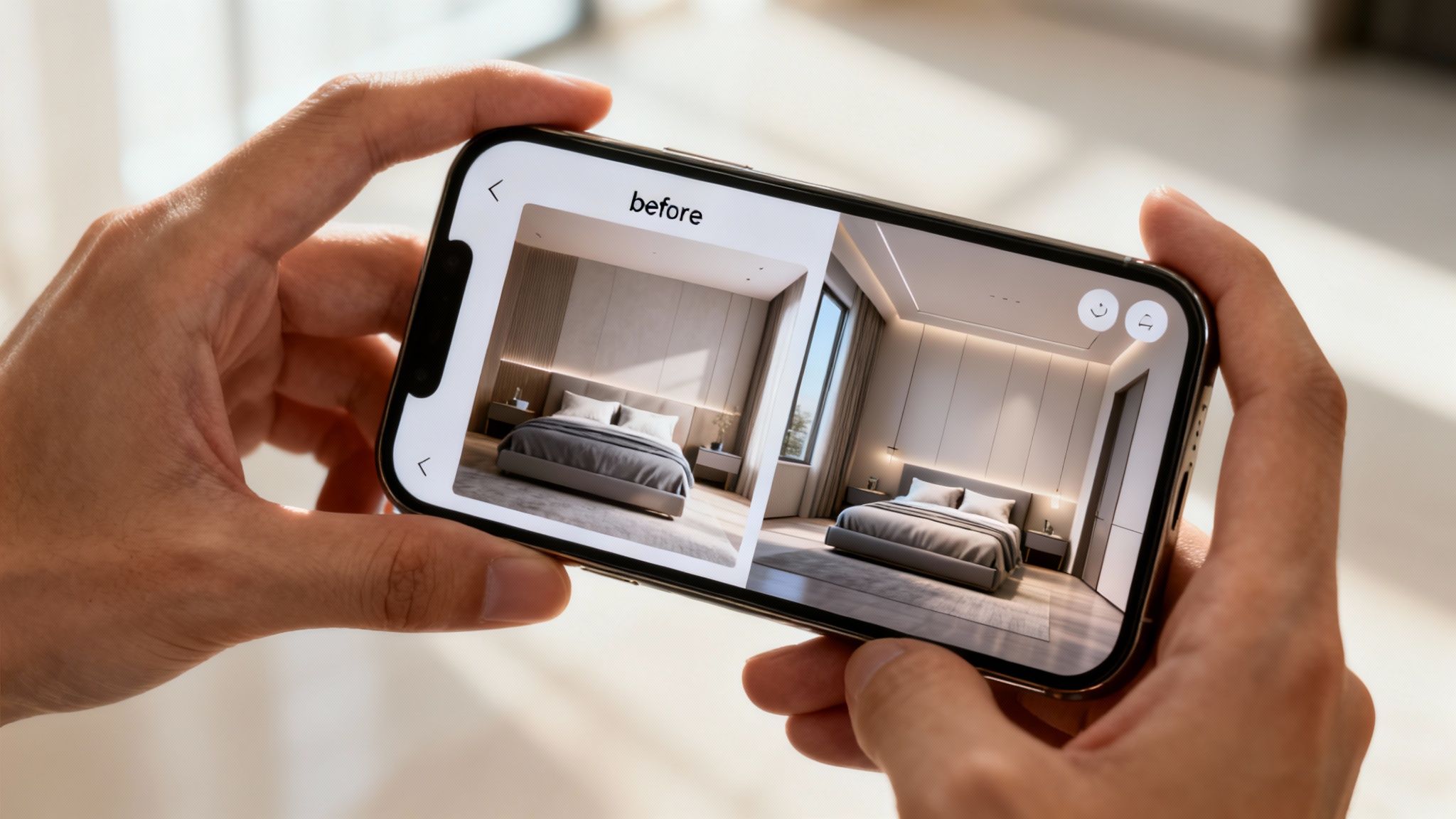
It all starts with a single picture. That photo of your room becomes the canvas for everything that comes next.
Step 1: Upload a Clear Photo
First things first, you need a good starting point. Grab your phone and take a well-lit photo of the space you want to transform. Try to get a wide-angle shot that shows as much of the room's layout as possible.
The quality of this initial image really matters. The AI analyzes it to understand the room’s dimensions, lighting, and unique architectural details, so a clear photo helps it produce much more accurate and believable designs.
Step 2: Define Your Goal
With your photo uploaded, it’s time to tell the AI what you’re trying to accomplish. What’s the end game here?
Maybe you're a homeowner finally ready to tackle that dated living room. Or perhaps you're a real estate agent who needs to virtually stage an empty bedroom to help buyers see its potential. Your goal sets the direction. A simple text prompt like, "Create a cozy, modern farmhouse living room," or "Stage this empty bedroom with neutral, contemporary furniture," is often all it takes.
This is also where you decide what to do with the stuff already in the room. Most good platforms give you a few choices:
- Keep Existing Furniture: Perfect for when you want to redesign around a few key pieces you love.
- Empty the Room: This gives you a completely blank slate to work with.
- Redesign Everything: Tell the AI to reimagine the entire space from top to bottom.
Step 3: Select Styles and Refine Your Prompts
Now for the fun part—getting creative. You'll start by picking a general style from a library of options like 'Minimalist,' 'Coastal,' or 'Industrial.' This gives the AI a solid visual foundation to build upon.
From there, you can layer in more specific details through your text prompt. Think of it as a conversation. You could add, "include a large fiddle-leaf fig plant in the corner," or "use a color palette of navy blue and gold." The more specific you are, the closer the result will be to your vision.
The technology making this possible is growing incredibly fast. The market for generative AI in design—the engine behind these tools—is on track to hit $2.74 billion by 2034. This boom is fueled by professionals who need faster, more efficient ways to visualize and execute their ideas. You can dig deeper into the rise of generative AI in design to see where the industry is headed.
The real magic here is how quick and flexible the process is. You're never locked into a single idea. If the first batch of designs isn't quite right, just tweak your prompts and generate a new set in seconds. It completely removes the fear of making a "wrong" choice and encourages you to experiment freely.
Step 4: Generate and Finalize Your Design
Once you’ve given the AI its instructions, you just hit "generate." In less than a minute, you’ll have a collection of design variations to review. You can browse through different layouts, compare color schemes, and find the one that resonates most with you.
When you’ve landed on the perfect design, you can download it as a high-resolution 4K image. This final render is a powerful tool. Use it to build a personal mood board, present a concept to a client, or even as a visual guide when you go shopping for furniture and decor.
And if your project happens to be a workspace, we have a whole guide on home office ideas that can give you even more targeted inspiration. As you can see, this whole process makes sophisticated design truly accessible to everyone.
Ready to Bring Your Vision to Life?
We've explored how AI interior design software has moved from a far-off idea to a practical, powerful tool anyone can use. It delivers incredible speed, cost savings, and creative options, blowing the doors wide open for design accessibility. Gone are the days of expensive guesswork and endless revisions.
This technology puts you in the driver's seat. If you're a homeowner, you can finally play with those bold ideas without commitment. For designers, it’s a way to supercharge your workflow. And for real estate agents, it’s a game-changing tool for marketing properties. It’s the bridge between a vague idea in your head and a picture you can actually see.
From Reading About It to Actually Seeing It
The best way to understand the impact of AI design is to move from reading about it to experiencing it for yourself. It’s one thing to read about a room’s transformation, but it’s something else entirely to see your own space reimagined in a matter of seconds. That's the moment it all clicks.
But don't just take our word for it. The only way to truly grasp what this software can do is to give it a spin. Witnessing the speed and quality of the results is what usually turns a skeptic into a believer.
The real magic of any AI interior design tool is the immediate visual feedback. It doesn't just answer the "what if?" question with a mood board or a sketch—it shows you a photorealistic image you can actually work with.
Your First Step into AI Design
So, are you ready to see what's possible for your own space? Getting started is much easier than you probably think. You don't need to install complicated software or pour over a technical manual; these tools are built to be intuitive right from the get-go.
Here’s how you can dive in and start your design journey right now:
- Find a Tool to Try: Look for a platform with a simple, clean interface. A service like RoomStudioAI is a great place to start because it's designed for both beginners and pros.
- Upload Your First Photo: Just grab your phone, pick a room, and snap a clear, well-lit picture.
- Select a Style: Choose an aesthetic that speaks to you, whether that's ‘Modern Farmhouse’ or ‘Minimalist.’
- Generate and Explore: In less than a minute, watch the AI whip up multiple design concepts for your space.
This simple exercise is the quickest way to see just how easily you can turn a design daydream into a concrete visual plan. Experience the transformation for yourself and start creating the space you’ve always wanted today.
Frequently Asked Questions
Jumping into AI interior design for the first time usually sparks a few questions. It’s a different way of thinking about a space, so it's completely normal to wonder how it all works in practice. We've gathered some of the most common queries to help you get started with confidence.
Do I Need Design Experience to Use This Software?
Not at all. In fact, that's the whole point. These tools were built from the ground up for people who aren't design or tech wizards. If you can upload a photo from your phone and click a few buttons, you’re ready to go.
The entire experience is designed to be visual and intuitive. You'll find yourself picking out styles from a menu, almost like you're browsing Pinterest for ideas. The goal of platforms like RoomStudioAI is to open up the world of professional design to everyone, without the steep learning curve of traditional 3D modeling software. It’s all about unleashing your own creativity, not forcing you to become a technical expert.
Can I Use the Generated Images for My Business?
This is a critical point for professionals, and the short answer is: it depends on your plan. Most platforms handle this by offering different subscription tiers, with commercial usage rights typically bundled into the plans aimed at professionals.
A free or basic plan, for example, is almost always for personal, non-commercial use. But a Pro or Business plan is built for interior designers, architects, and real estate agents who need to use these images for things like:
- Client Presentations: Showing off design concepts to get that all-important sign-off.
- Marketing Materials: Dropping stunning visuals into brochures, websites, and social media.
- Real Estate Listings: Creating gorgeous virtual staging that helps sell properties faster.
The golden rule is to always check the licensing agreement. A quick read-through will confirm you have the proper rights and keep you clear of any legal headaches down the road.
How Realistic Are the AI Generated Rooms?
The realism has gotten incredibly good, but there's a key detail that matters more than anything else: layout preservation. A truly powerful AI design tool doesn't just make a pretty picture; it creates a believable one that respects the actual architecture of your room.
The best tools use AI that understands the physical space—where the windows are, how high the ceilings are, and the room's true dimensions. This means the final designs aren't just beautiful, they're actually achievable in your real-world environment.
This layout-aware technology is what makes the difference. It ensures furniture is scaled correctly, lighting feels natural, and the perspective is dead-on. The result is a photorealistic render you can trust as a blueprint for your project, so you don't fall in love with a design that could never work in your space. This is what elevates AI from a fun gimmick to a serious, practical tool for any redesign.
Ready to see how RoomStudioAI can transform your space in seconds? Stop guessing and start visualizing. Upload a photo of your room and get your first photorealistic redesigns for free. Experience the future of design today!
Ready to redesign your space?
Try our AI interior design tool and see your room transformed in seconds.
Try Free Design

