Ever found yourself staring at a room, wanting a change but completely stuck on where to begin? What if you could see your living room transformed into a cozy coastal retreat in the time it takes to make a coffee? That’s exactly what AI interior design apps are making possible.
These tools are not just another piece of software; they're your creative co-pilot, using artificial intelligence to generate stunning, realistic visualizations of your space. They take the guesswork and financial risk out of redecorating.
Your Instant Introduction to AI Interior Design
At its core, an AI interior design app is built to solve one major problem: uncertainty. We've all been there—holding up a tiny paint swatch, trying to imagine it across four walls, or wondering if that sleek modern sofa will actually work with your vintage coffee table.
These apps bridge the gap between imagination and reality. You just snap a photo of your room, pick a style you're curious about—like "Minimalist" or "Industrial"—and the AI gets to work. It re-imagines the space with new furniture, colors, and decor, all while keeping the room's original layout and lighting intact. The result is a surprisingly realistic preview of what could be, usually served up in less than a minute.
Who Benefits Most from AI Interior Design Apps
While the appeal is universal, certain groups find these tools especially valuable for visualizing changes quickly and affordably. The technology offers distinct advantages depending on whether you're a homeowner planning a weekend project or a professional managing multiple clients.
This table breaks down the primary user groups and what they stand to gain.
| User Group | Primary Benefit | Key Use Case |
|---|---|---|
| Homeowners & Renters | Risk-Free Experimentation | Testing bold paint colors, new furniture layouts, or entire decor styles before committing any time or money. |
| Interior Designers | Accelerated Concepting | Generating multiple design options for a client meeting in minutes, instead of spending hours on manual renderings. |
| Real Estate Agents | Virtual Staging | Turning empty, uninspiring listing photos into beautifully furnished spaces that attract more buyers and help sell properties faster. |
As you can see, the core value is efficiency and confident decision-making for everyone involved.
By automating the initial concept phase, these apps free up valuable time for both homeowners and professionals, allowing them to focus on execution and refinement rather than tedious manual mockups.
For a firsthand look at how this technology works, an AI-powered tool like RoomStudioAI offers a great example. Whether you're refreshing your own home or preparing a professional presentation, these platforms provide a clear, compelling vision of a space's true potential.
How AI Actually Redesigns Your Room
So, how does an AI interior design app take a simple photo of your living room and turn it into something straight out of a magazine? It’s not quite magic, but it’s close. The real secret lies in a clever partnership between two types of artificial intelligence that work together behind the scenes.
First, you have Generative AI. Think of this as the creative force, the digital artist. You give it a canvas—your room photo—and a bit of direction, like "Minimalist" or "Modern Farmhouse." The AI then gets to work, generating entirely new visuals. It doesn't just slap a filter on your picture; it reimagines the space, adding new furniture, swapping out textures, and painting the walls with colors that fit your chosen style.
But for that creativity to be useful, it needs a solid foundation in reality. That’s where the second piece of the puzzle, Computer Vision, comes in.
The AI's Eyes and Brain
Before the Generative AI can start dreaming up new designs, Computer Vision acts as the app's analytical eye. It scans your photo with incredible precision to understand the room's physical layout and structure.
- Spatial Awareness: It maps out the walls, floor, and ceiling. It even figures out the room's perspective and depth, creating a basic 3D model in its memory.
- Object Recognition: The AI identifies existing items like your sofa, the windows, or that lamp in the corner. It takes note of where everything is and how big it is.
- Lighting Analysis: It even assesses where the light is coming from—be it a window or a ceiling fixture—so the final image has realistic shadows and highlights.
This detailed analysis is what keeps the final designs grounded. It ensures the AI redesigns your actual room, keeping its unique architecture intact. The new sofa it suggests will fit against your wall, and the new rug won't look out of place on your floor.
This diagram breaks down how simple the process feels from your end.
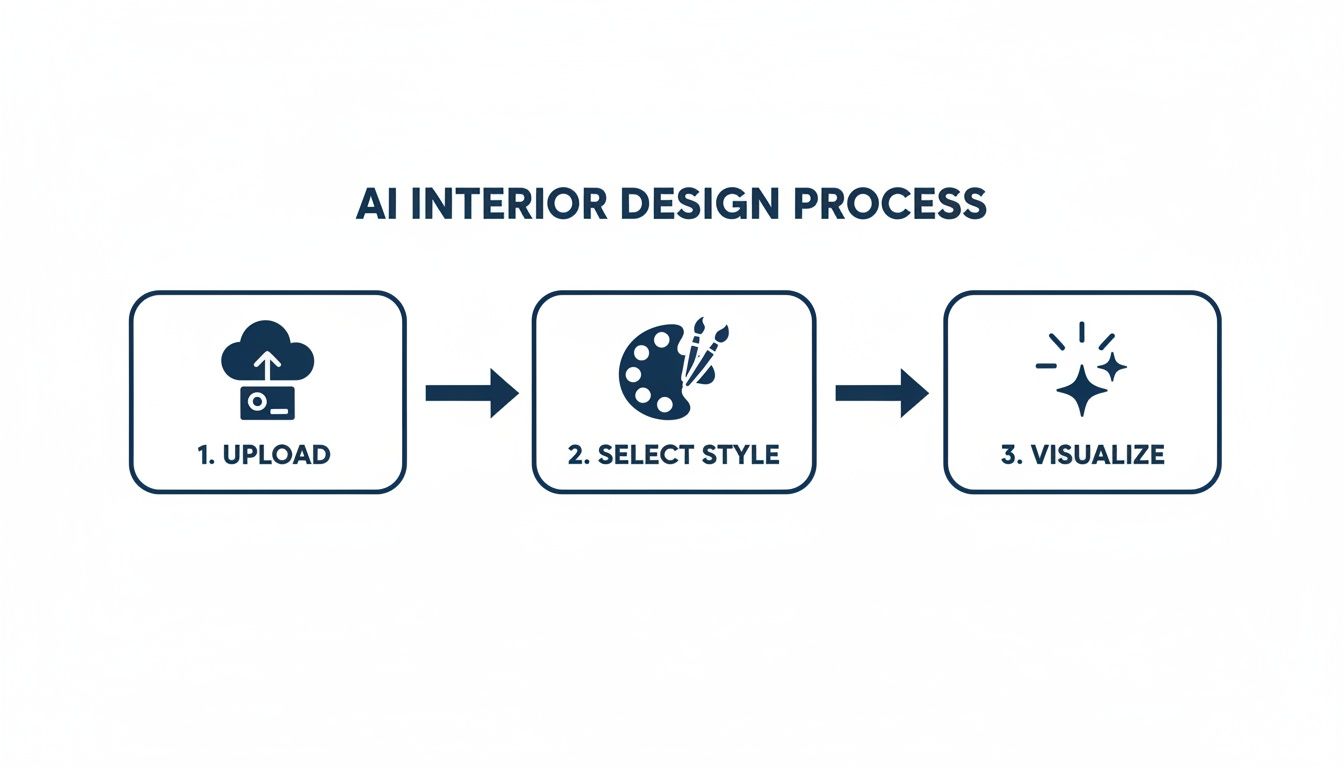
What looks like three easy steps is actually a complex dance of technology happening in just a few seconds.
In short, Computer Vision deconstructs your reality with analytical precision, and Generative AI reconstructs it with creative flair. It’s a powerful duo that gives you a genuine glimpse into your home’s potential.
This is exactly why these apps can produce dozens of high-quality design concepts in the time it takes to make a cup of coffee. It’s a job that would take a human designer hours, if not days.
You can instantly cycle through different styles and layouts until you find the one that just feels right. To get a better sense of what's possible, check out more examples of AI-powered interior design use cases and see how this works across different types of spaces. It’s all about making design decisions faster and with a lot more confidence.
What to Expect From a Top-Tier AI Design App
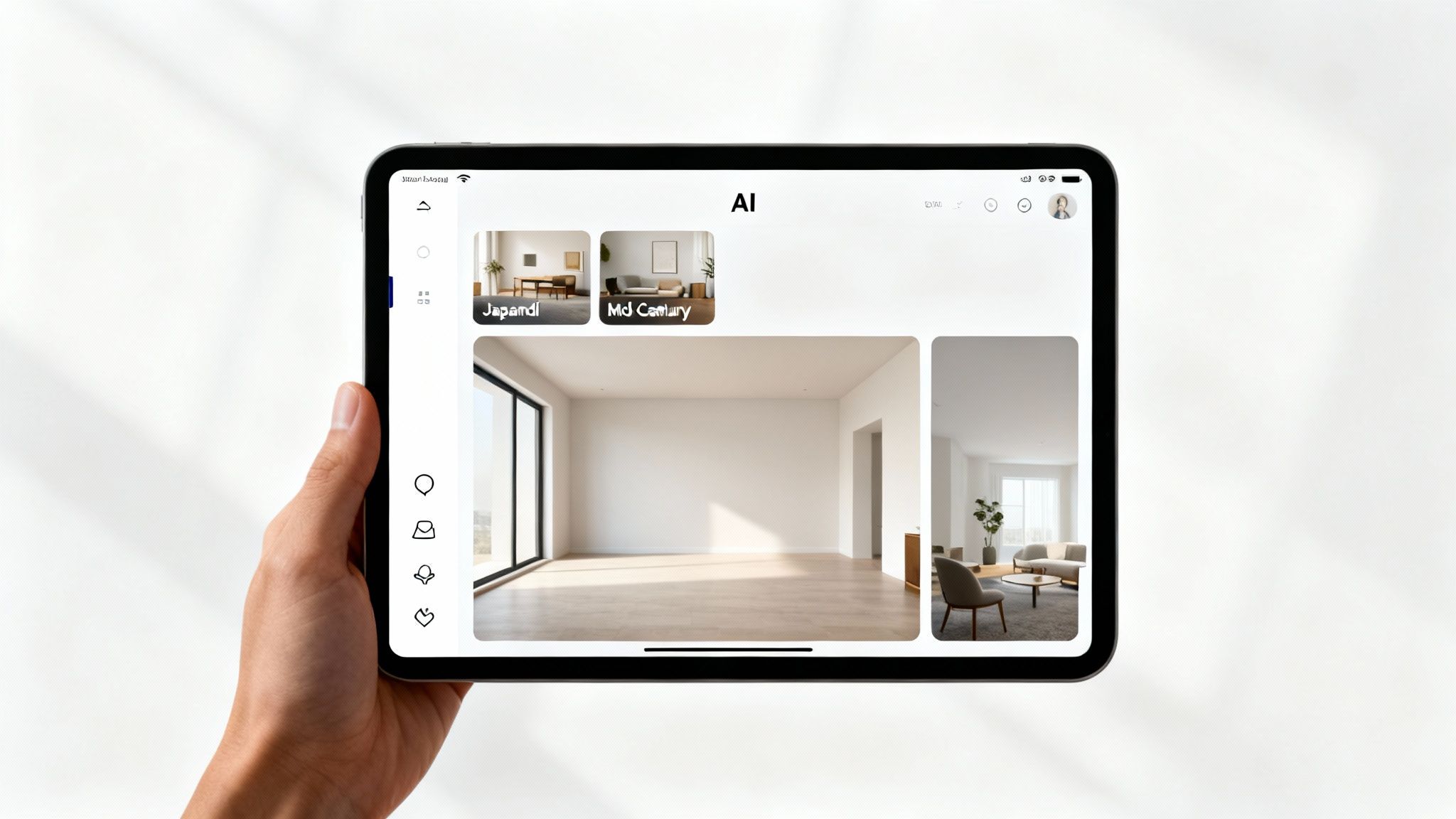
The best AI interior design apps aren't just about generating a single, impressive image. They're a complete toolkit, packed with features that support the entire design journey, from that first spark of an idea to the final client presentation. Knowing what these core features are is the key to picking a tool that will actually save you time and make your work better.
First up, you need a robust style library. This is non-negotiable for quick brainstorming. Instead of facing a blank canvas, you can instantly apply well-defined aesthetics like Japandi, Mid-Century Modern, or Industrial to a room. A feature like this can literally shrink your concept development time from a few hours down to a few seconds.
Just as critical is the ability to create high-resolution outputs. A blurry, low-quality image might be fine for a quick personal test, but it’s a non-starter for client presentations or marketing. The best apps let you export your work in up to 4K resolution, giving your concepts the polished, professional look they deserve.
Core Tools for Professionals and Homeowners
Beyond just creating pretty pictures, a truly powerful ai interior design app gives you practical tools that solve real-world design challenges. One of the most important is virtual staging, which comes in a few different flavors depending on what you need.
- Virtual Staging: This is the magic wand for empty rooms. With just a few clicks, you can fully furnish a vacant space, making it a must-have for real estate agents who need to help buyers see a property's potential.
- Decluttering Tools: Some of the more advanced platforms can digitally "empty" a room for you, removing existing furniture and clutter from a photo. This gives you a clean slate to work with, no heavy lifting required.
- Object Addition: Want to see how a new sofa or a piece of art will look with your current setup? This feature lets you add new items into an already furnished space to test the waters.
This kind of functional depth is exactly why these tools are catching on so quickly. In fact, nearly 47% of the interior design industry is already using AI for virtual reality modeling. This trend is a huge part of why the market is expected to hit $7,299 million by 2033. The growth comes from the software’s ability to produce incredibly realistic and accurate visuals. You can find more details about this growing AI market on market.us.
Advanced Features for Workflow and Collaboration
If you’re a professional, working in a vacuum isn't an option. The leading apps get this and include collaboration tools that let you share designs with clients or teammates using private links. This creates a smooth feedback loop where everyone can comment directly on the visuals, making the revision process a whole lot less painful.
Another game-changer is visual search. This feature cleverly closes the gap between inspiration and reality. If you fall in love with a chair in one of your generated designs, visual search can identify it and point you to similar items you can actually buy from online stores. This "shop the look" function is a huge help for homeowners ready to purchase and designers sourcing products for clients.
The best platforms bundle style libraries, high-res outputs, and collaborative tools into a central hub that manages the entire design workflow. It’s what makes them an indispensable asset.
Whether you're brainstorming some new living room ideas for your own place or putting together a full-scale client project, these are the features that separate a fun novelty from a serious, professional-grade tool.
Putting AI to Work with Practical Examples

Knowing the technology is one thing, but seeing what it can actually do is where the magic happens. An ai interior design app really shines when you see how it adapts to different situations, offering real, practical solutions whether you're a homeowner, a design pro, or a real estate agent. Let's look at how these tools solve specific, everyday design challenges.
Imagine you're standing in your living room, feeling completely uninspired. You know you want a change, but you're terrified of picking the wrong paint color or buying a sofa you'll end up hating.
With an AI app, the whole process becomes surprisingly easy. You just snap a picture of your current space and upload it. Instantly, you can start clicking through different design styles—seeing your exact room transformed into a Rustic retreat, a breezy Coastal haven, or a calming Japandi sanctuary. It's all about risk-free experimentation that helps you feel confident in your final decision.
For the Homeowner: A Living Room Makeover
Let's walk through a classic scenario: a homeowner getting ready to redesign their main living area. The goal here is simple: see a total transformation without lifting a single box or paintbrush.
- Upload the 'Before' Photo: First, take a clear, well-lit picture of your living room. This photo becomes your digital canvas.
- Explore Different Styles: Now for the fun part. Start applying different styles from the app's library. In seconds, you can see how a sleek Minimalist look compares to a cozy Modern Farmhouse vibe, right in your own space.
- Refine and Finalize: Once you find a style that clicks, you can ask the AI to generate more variations. It will give you multiple takes on that theme, helping you nail down the perfect furniture layout and color palette.
This straightforward workflow turns weeks of stressful guesswork into a few minutes of enjoyable visual exploration. For a deeper dive, check out our guide on AI-powered living room design ideas and see how others have reimagined their spaces.
For the Interior Designer: Speeding Up Client Concepts
Now, let's switch gears and look at this from a professional designer's perspective. In the design world, time is money, and being able to create stunning concepts quickly is a massive competitive edge. An AI app completely changes the game for the initial ideation phase.
A designer can take a new client's room photo and generate 10-15 distinct style concepts in less than an hour. Traditionally, that same task would take days of painstaking manual rendering. This means they can walk into the very first client meeting with a full portfolio of beautiful, personalized ideas, making a great impression and getting project approvals much faster.
The true benefit for designers is efficiency at scale. By automating initial mockups, professionals can take on more clients and dedicate their expertise to detailed project management, sourcing, and execution.
For the Real Estate Agent: Virtual Staging That Sells
Finally, think about a real estate agent trying to sell an empty property. Vacant rooms can feel cold and sterile, making it tough for buyers to imagine themselves actually living there.
Instead of spending thousands on physical staging, an agent can use an ai interior design app to furnish the home virtually. They simply upload photos of the empty rooms and generate photorealistic images of a fully furnished space for the online listing. This approach is proven to grab more attention online and help properties sell faster, turning a blank slate into a warm, inviting home that buyers can connect with emotionally.
The Business Impact of AI-Powered Design
For professionals in design and real estate, these new AI interior design tools aren't just a shiny new toy—they represent a serious competitive edge. The conversation has moved past novelty and straight to necessity, because these platforms are delivering tangible results that directly pad the bottom line. It’s all about working smarter, not just harder.
This shift is completely reshaping daily workflows. Interior designers, for example, can now automate the most time-consuming part of their job: creating initial concepts. Instead of burning days on manual renderings, a designer can now whip up dozens of client-ready visualizations in mere minutes. This incredible speed means they can take on more projects at once, growing their revenue without ever compromising on quality.
Driving Efficiency and Cost Savings
The impact on real estate agents is just as significant. AI-powered virtual staging is a game-changer, offering a powerful and incredibly cost-effective alternative to traditional physical staging. Renting furniture to stage a home can easily run into thousands of dollars. AI can deliver a similar—and often better—result for a tiny fraction of that cost. This helps agents market listings more effectively, pull in a wider range of potential buyers, and ultimately close deals faster.
The financial case for adopting this technology is becoming too compelling to ignore. The market's explosive growth tells the story, with projections showing it will skyrocket to $7.2 billion by 2033 at a compound annual growth rate of 15.60%. That surge is being driven by a clear demand for tools that cut down project timelines and automate tedious design work. You can get more details about this market growth on htfmarketinsights.com.
By translating a client's vague idea into a photorealistic visual almost instantly, AI tools shrink the feedback loop from days to minutes. This leads to quicker approvals and happier clients.
Better Client Communication, Better ROI
Nothing aligns client expectations with reality quite like a clear, realistic picture. An ai interior design app acts as a bridge, closing the communication gap by showing clients exactly what they're getting before any money is spent on furniture or construction. This level of clarity helps avoid expensive do-overs and builds a foundation of trust right from the start.
At the end of the day, bringing these tools into your process improves the return on investment for everyone involved. Designers boost their project capacity, and real estate agents slash marketing costs while speeding up sales. For any professional serious about streamlining their business and staying ahead, taking a closer look at what these platforms can do is no longer optional. To get a feel for the value, you can compare the different pricing and feature tiers of RoomStudioAI and see how a tool like this could fit your own business needs.
How to Choose the Right AI Design App
With so many new tools popping up, figuring out which AI interior design app is right for you can feel like a chore. To cut through the noise, it helps to focus on a few key things that really separate a great tool from a frustrating one. The goal is to find a creative partner, not a technical headache.
First and foremost, look at the quality and realism of the designs it produces. A top-tier app should generate photorealistic images that truly respect your room's existing architecture and lighting. You want to see high-resolution outputs, ideally up to 4K, and pay close attention to how well the AI keeps important elements like windows and doors intact.
Speed and variety are just as critical. The best apps can spin up multiple design concepts in under a minute, which is a game-changer for rapid brainstorming. You also want a deep library of distinct styles—from Japandi to Industrial—to make sure you have the creative freedom to explore without hitting a wall.
Key Factors Beyond Visuals
While the creative side is exciting, the practical stuff is what really makes a tool work for you long-term, especially if you're a professional. Before you commit, it's vital to get a handle on the terms of service.
Here are the key logistical factors to compare:
- Pricing Models: Does the app work on a monthly subscription or a credit-based system? Subscriptions are great for predictable costs if you're a heavy user, whereas credits can be more economical for one-off projects.
- Commercial Usage Rights: This is a big one for pros. If you’re an interior designer or real estate agent, you must confirm your plan gives you the rights to use the images for business—think client presentations or property listings.
- Data Privacy: Always check the platform’s privacy policy. You need to know how your photos and data are being stored and protected, especially when dealing with confidential client work.
Choosing the right tool means looking past the marketing hype and matching the app's capabilities—both creative and logistical—with what you actually need to accomplish, whether it's a personal home refresh or a high-stakes client project.
The global AI interior design market is on a trajectory to hit $12.46 billion by 2032, a testament to the growing demand for these powerful visualization tools. Making an informed choice now means you're investing in a platform that can grow with you. You can find more insights on this expanding market on verifiedmarketresearch.com.
Frequently Asked Questions
As you dip your toes into the world of AI interior design, a few questions are bound to pop up. Let's tackle some of the most common ones to give you a clearer picture of how these tools work and where they fit in.
Can an AI App Really Redesign My Actual Room?
Absolutely. A well-built AI interior design app isn't just dropping a generic design on top of your photo. It uses sophisticated computer vision to read the room—literally. The AI analyzes your image to understand the specific dimensions, perspective, window placement, and even the way light falls.
When it generates a new design, it holds onto that core architectural data. The result is a redesign that respects the bones of your actual space, so the new furniture and decor look properly scaled and realistic. It’s your room, just reimagined.
Is This Technology Going to Replace Human Interior Designers?
Not a chance. It's much more accurate to think of these apps as a powerful co-pilot for designers, not a replacement. They automate the tedious, time-intensive parts of the job, like cranking out initial mockups, which frees up the pros to focus on the high-value work that only a human can do.
AI can visualize dozens of concepts in minutes, but it can't build a relationship with a client, source that one-of-a-kind vintage piece, or manage the complex choreography of contractors and installations. It’s a tool that accelerates creativity, it doesn't replace it.
How Safe Are My Photos and Data When I Upload Them?
This is a crucial question, and reputable platforms take it very seriously. Professional-grade tools rely on secure cloud infrastructure to protect the images and designs you create. When you're picking an app—especially if you're using it for client projects—do a quick check of its privacy policy.
You'll want to see a clear explanation of how your data is handled and whether they offer private, secure ways to share your work. This gives you peace of mind that your personal or client spaces stay completely confidential while you're busy creating.
Ready to see how AI can bring your own ideas to life? RoomStudioAI makes it simple to visualize your dream room in seconds. Upload a photo and start your first design at https://roomstudioai.com today.
Ready to redesign your space?
Try our AI interior design tool and see your room transformed in seconds.
Try Free Design

